r/postprocessing • u/ieatgrass0 • 7h ago
After/Before
210
Upvotes
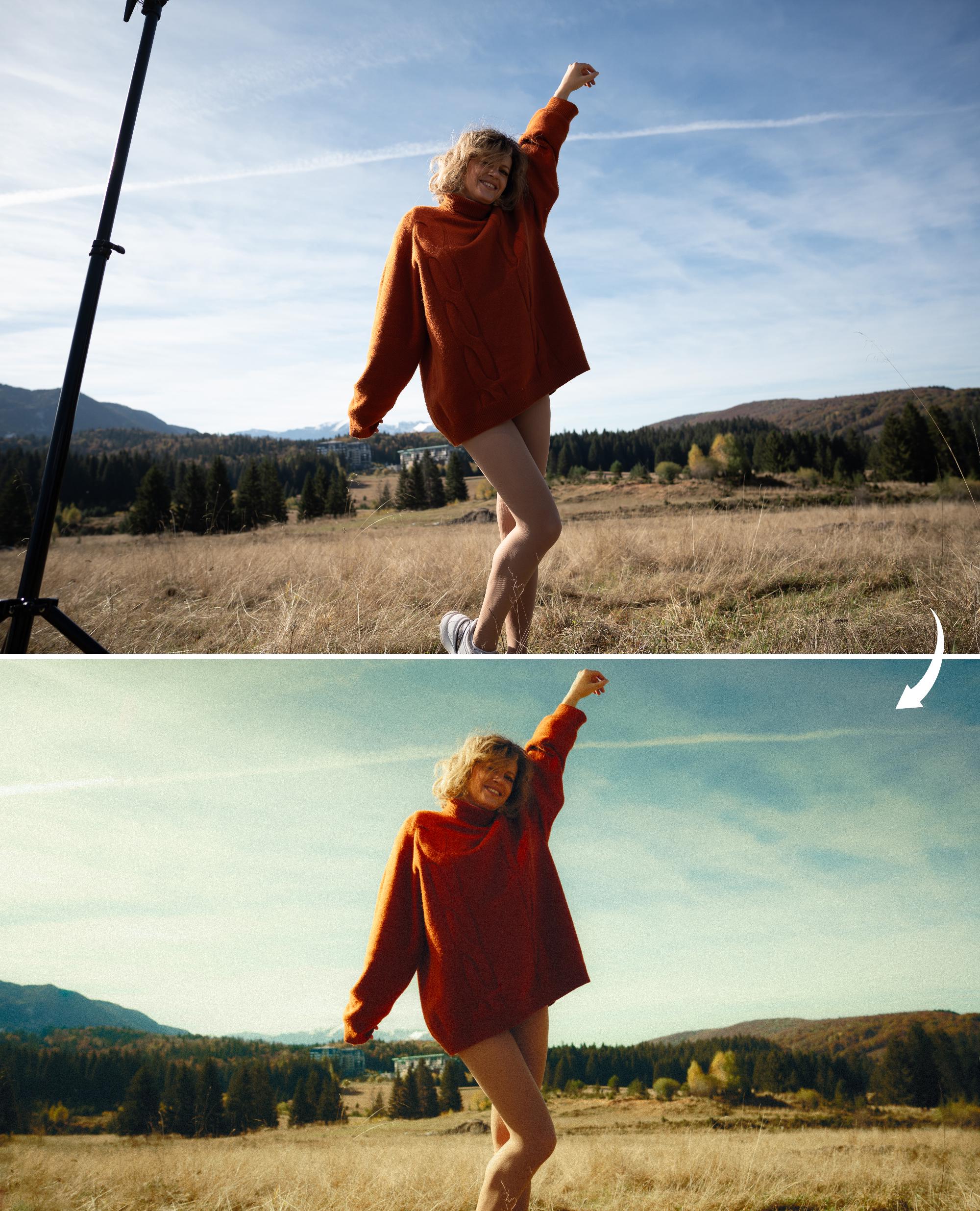
Trying something new, a bit more artsy
r/postprocessing • u/cameronrad • Aug 11 '16
So the last post I made (“How do I get this look?”) got buried pretty deep, so I thought I’d make this thread rounding up some videos/resources/techniques I’ve found.
I mentioned in the last thread that “post processing is more about theory than the tools/plugins/tricks/secrets/etc.” I may have misspoke a bit. I’m not saying neglect learning the tools, or stop searching for secrets, or stop using plugins; but rather use them in a more educational way. Knowing how all the tools work will help you apply them better and know when to apply them. Using plugins can be a great tool, but should never be a crutch. My feeling is anything a plugin can do, I want to know how to do for my own knowledge.
What if you’re an avid VSCO, Replichrome, Alien Skins, etc user and one day you’re working on a job with a fast turnaround time and your plugin fails, or it wasn’t on that computer, or it’s no longer compatible with Photoshop/Lightroom? What happens if your look was defined by a plugin, that you can’t recreate? Meanwhile you have a client waiting on their images. This is why having a vast knowledge of the tools/techniques is extremely valuable.
If you like a plugin, try reverse-engineering it. I’m not saying you have to use the reverse-engineered technique and stop using the plugin, but it sure helps when you know how the plugin is working. Heck you could even improve upon it ;)
Chasing “secrets” is also a great way to learn. It’s not necessarily that a “secret” exists but what you may learn along the way to “finding one”.
Anyways, what I’m saying is there’s no shame or problem with using plugin/preset/filters as tools in your kit; however like any tool you should have an understanding of how it works so you know when to use it, how to use it properly, or what to do if something goes wrong and you can’t use it. The better you get at editing, the more you may realize you need to improve as a photographer. You’ll come to a point where the quality of photo/editing has reached a cap due to the quality of the base image.
If anyone has any techniques/articles/tutorials that should be included, please comment or send me a message and I’ll add it in.
I’m not up to date on my tutorials. From what I’ve found Ben Secret and Michael Woloszynowicz have some of the most powerful techniques in their videos.
Like it or not, these are part of the landscape now. Worth knowing what's out there.
-Cameron Rad
How many people actually check out this thread? If you have gotten any help from it , shoot me a PM :)
r/postprocessing • u/ieatgrass0 • 7h ago
Trying something new, a bit more artsy
r/postprocessing • u/vmoldo • 6h ago
r/postprocessing • u/idk_00769 • 11h ago
Or ask questions...
r/postprocessing • u/thephlog • 1d ago
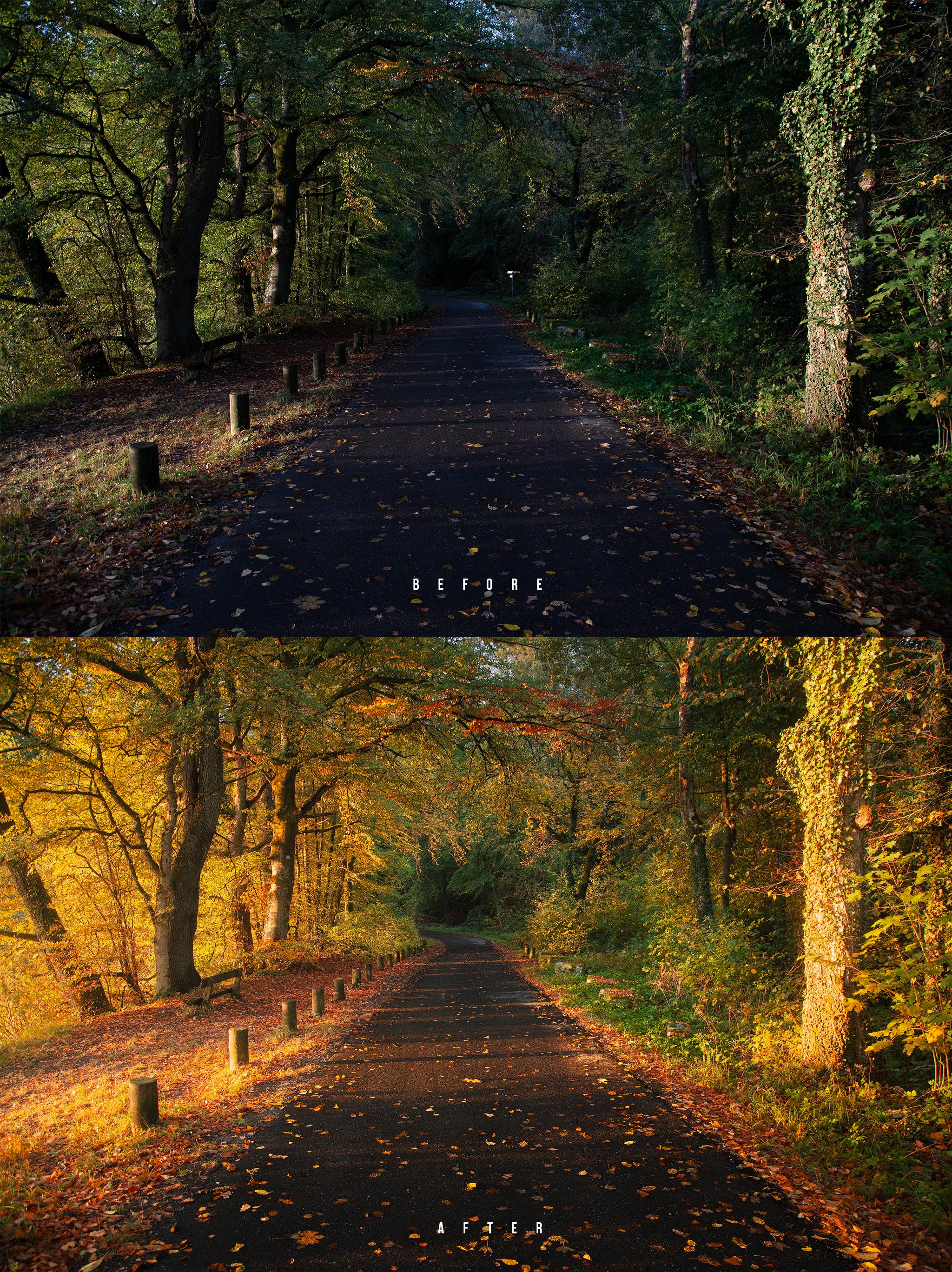
Found this cool road leading into the forest and decided to amplify the autumn colors some more with the help of a certain Lightroom Color Profile. Of course, in reality colors were not that intense, but its also not my goal to keep the raw photo “as it was on location”.
Everything was done in Lightroom and you can watch the whole process in the video here: https://youtu.be/0A2uCPLxwfs
To make the autumn colors pop I used Lightrooms Artistic 02 profile which can be found in the profile browser. This helps to shift the colors a little further (you could also try to do that in the color mixer through the hue adjustments).
Then, I brought up the exposure, making the whole shot brighter while dropping whites and highlights to keep the brighter areas from blowing out. For a softer look, I raised the blacks gently. I also pulled down clarity and dehaze for a glowing effect. Finally, I increased vibrance and saturation to boost the colors.
Through masking I wanted to bring back some contrast. I started with a landscape mask targeting the road in the center. I made this area a bit darker with lot more contrast. I also added a linear gradient over the bottom of the image and brought down the exposure to darken this area even further. Similarly, I added a linear gradient to the top and also brought down the brightness creating some kind of vignetting effect.
To add a bit of light I used a radial gradient on the left side and brought up the blacks and dropped the dehaze, giving this area a bright, glowing appearance.
I slightly bumped up the saturation for the orange and yellow tones and did the same for the luminance of those two colors to make them slightly brighter. Finally, in the calibration panel, I dropped the blue primary hue and raised the saturation some more
r/postprocessing • u/Royal_Carpenter_1338 • 40m ago
The power of blending modes.
r/postprocessing • u/Klutzy_Link_1220 • 6h ago
I posted this pics yesterday and most of the commenti were saying that this one was too dark so i have re done the edit. I wanted to keep it dark but probably it was REALLY dark. What do you think now?
r/postprocessing • u/No_Display3605 • 6h ago
Before had colour profile/curves adjustment only. After then edited with masks to help shape the light and create some subtle depth and pop. Thoughts?
r/postprocessing • u/PNW-photographer • 21h ago
r/postprocessing • u/ReadyLingonberry5846 • 1d ago
As ma old man used to say: don't y'all go trustin' them facebook pictures
r/postprocessing • u/Klutzy_Link_1220 • 19h ago
r/postprocessing • u/tsarkov • 1h ago
Original is only 5MP noisy/blurry jpeg from an ancient phone, with shifted colors, as if some retro instagram filter is applied. First step is to downscale a bit to get rid of blur and noise + crop, then upscale with balanced setting in Pixea. Then downsample with lanczos to printable size. Depth-aware dahaze on mountains. Color correction to remove the retro look. Some masks to preserve shadows on stones + a few other minor adjustments. Plus-minus, the same look from 2013 as I remember it.
r/postprocessing • u/satyaaditya_01 • 6h ago
I tried to edit this faint milkyway capture. What can be improved in this edit?
r/postprocessing • u/daddyskywalker914 • 1d ago
r/postprocessing • u/CTSculler • 18h ago
Thoughts on which one is best for print (and tips on changes appreciated!) Last one is the HDR merge of 3 other bracketed ones.
r/postprocessing • u/Significant-Ad-4424 • 5h ago
Hello, I’m learning Lightroom mobile and posted these old iphone shots I edited on r/carphotography and they suggested here would be a better place for feedback. What can I do better?
r/postprocessing • u/ZealousidealAd8378 • 1d ago
Tried to get a spooky vibe by mixing in the witch costume with regular people. Judiciously used ai remove to separate her a bit more from other people and have a more clean background but not sure if that’s kosher
r/postprocessing • u/EstablishmentFew9149 • 1d ago
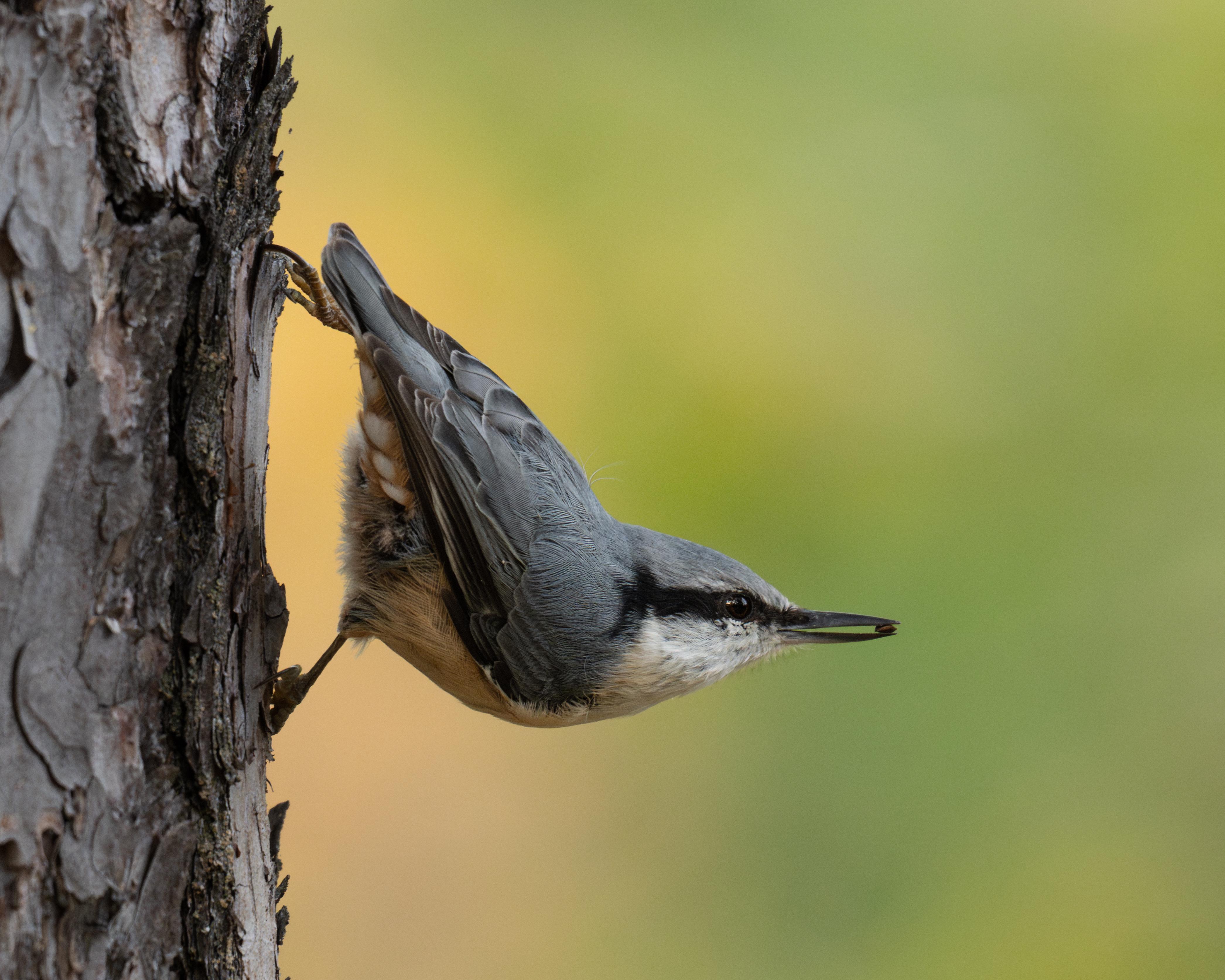
Hey guys, this is my best image of a nuthatch. I would like feedback mainly on the backdrop of the image. There’s something about the background colors that doesnt sit 100% right with me I think. Dont think I like the tutti frutti ice cream colors 😂 it pulls attention from the subject