r/software • u/TwistedPepperCan • 16d ago
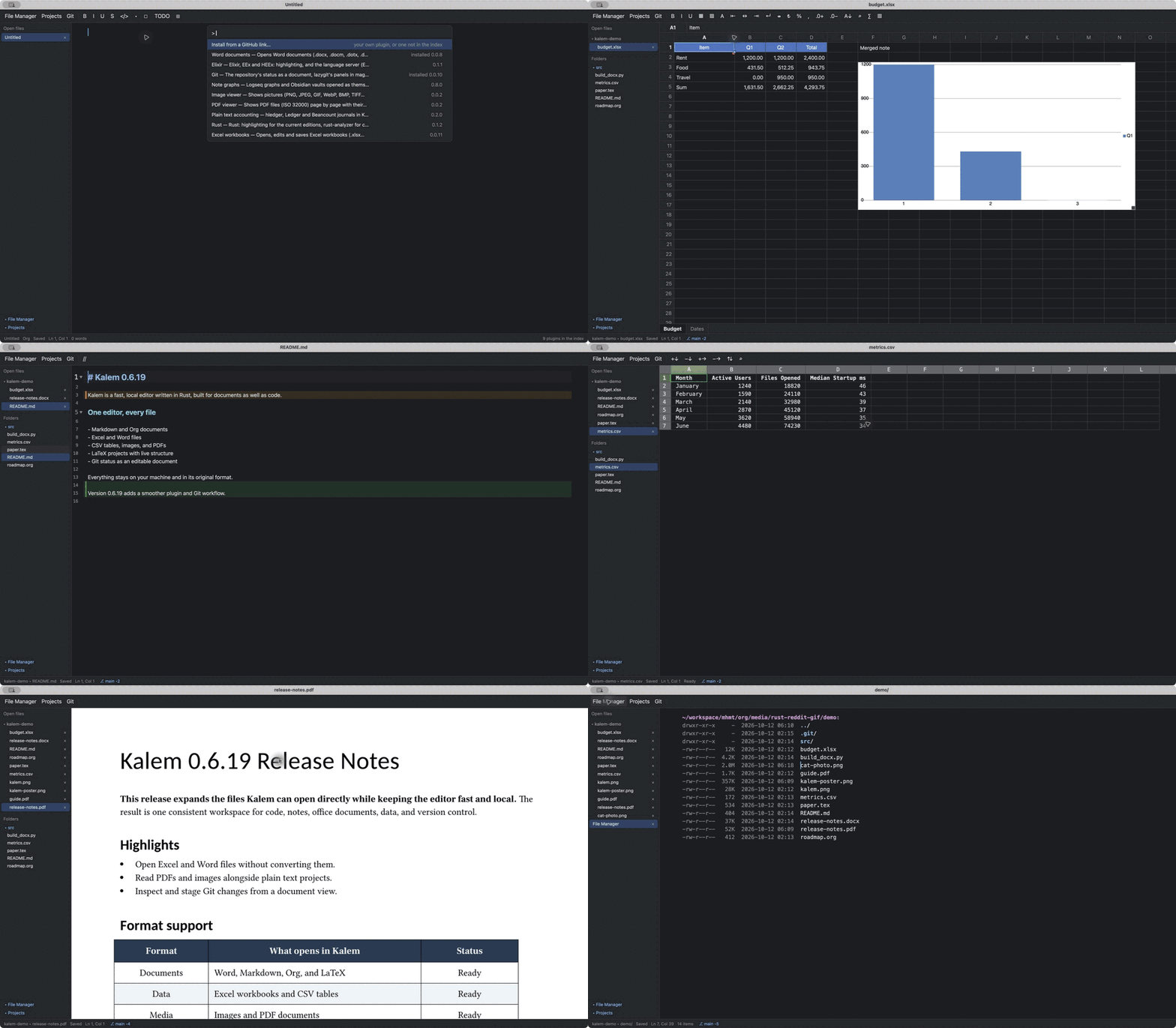
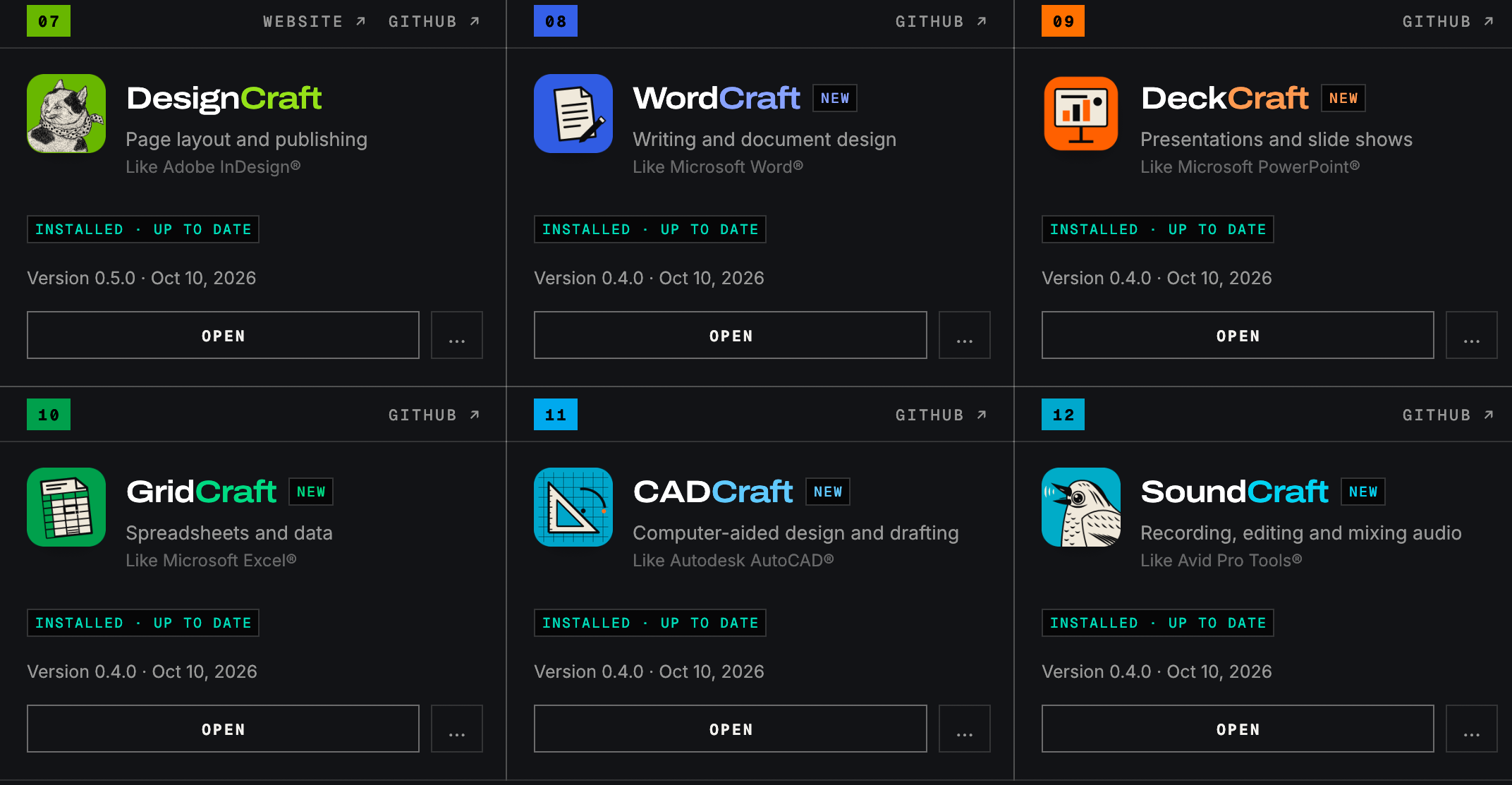
Release ArtCraft Come for MS Office and AutoCAD with 5 new apps cloning Word, PowerPoint, Excel, AutoCAD plus Avid Pro Tools.
758
Upvotes
r/software • u/TwistedPepperCan • 16d ago
r/software • u/FutureTechPro88 • 27d ago
Hi everyone, anyone that could help!!
I am struggling to find a go to reliable FREE pdf software to use at my day to day job.
I essentially need a software to edit, add signature, merge, convert JPG to PDF software that is free and does not require any need for sign in becuase WHY do i need to do that! I understand that there is alot of software out there, big brand ones like Adobe or Docusign, but they all are free until it's not.
With what i need, does anyone ahve any useful reccomendations? Any help will be appreciated. thanks in advance
r/software • u/0xEni • 10h ago
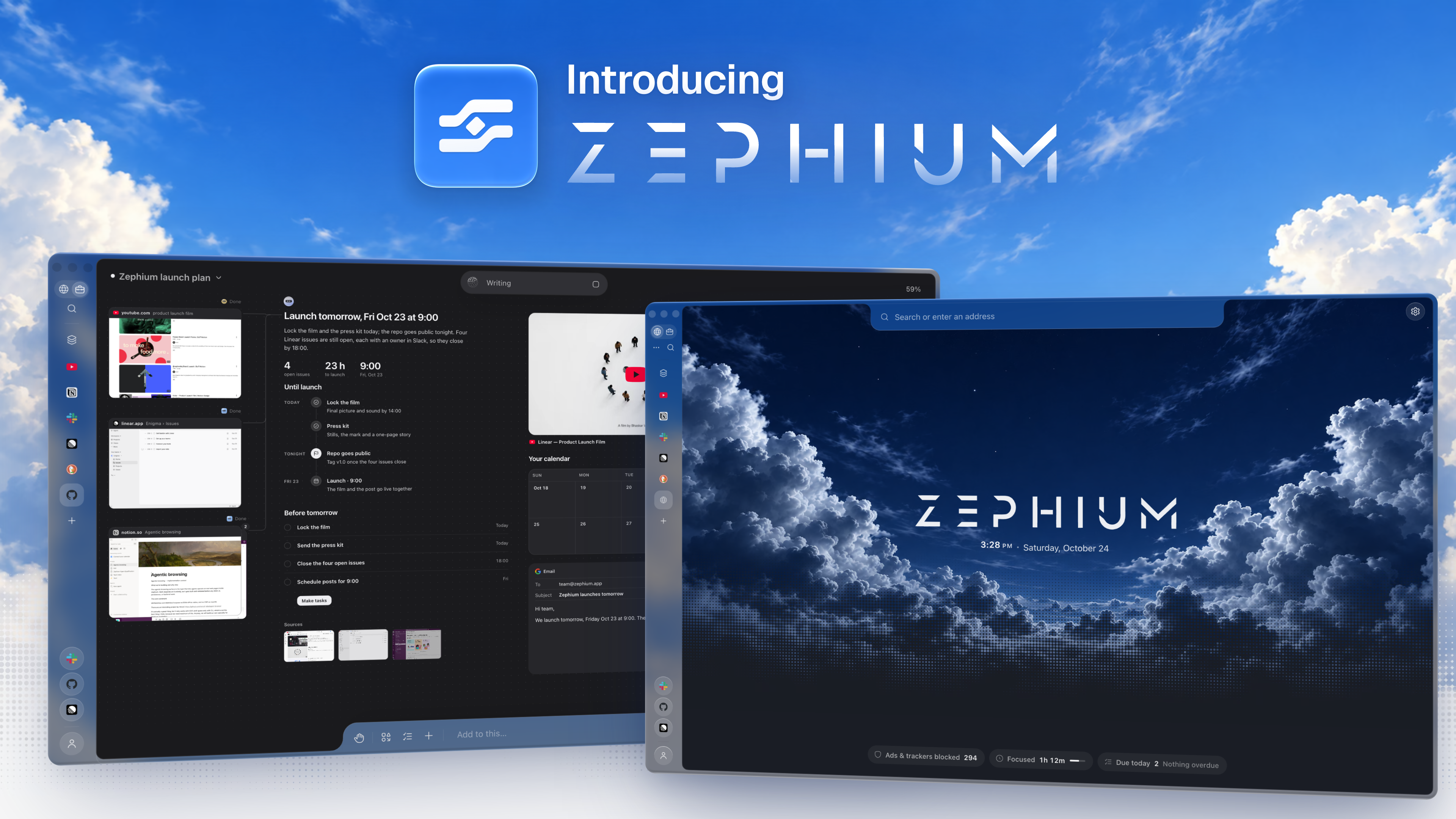
After 5 months and 1,500+ hours of development, I'm finally releasing Zephium.
Fully OSS, built in Rust. 40 MB. Not a Chromium fork. Native adblocking, major Chrome extension support, a custom agentic browsing engine, and a lot more. It's not just another wrapper built in a few days.
Deeply integrated powerful productivity tools like Tasks, Notes, Time & Focus (with site blocking), etc.
And... Work mode: a shared environment where you and AI agents can browse, research, build, and get real work done together. Live browser sessions, parallel sub-agents, tools, files, components, and interactive results, all in one canvas.
AI is optional (disable in one click). No telemetry. BYOK support and local models.
Launch video (35K+ views in 1 day): https://youtu.be/QbSarcWspvw
GitHub: https://github.com/zephium-browser/Zephium
Website: https://zephium.app
r/software • u/404_USER_NOT__FOUND • 3d ago


I've been working on TwinDesk, a project to make Android work more seamlessly with desktop computers, whether you use macOS, Windows or Linux. It also lets you connect two PCs today, with support for connecting more devices planned for the future, including computers on the same or different networks.
Using a Mac alongside a Windows PC, Linux machine or Android phone often means juggling separate tools for screen sharing, file transfers, clipboard synchronization and remote access. I built TwinDesk to bring these capabilities together in one application.
TwinDesk also connects computers running macOS, Windows and Linux.
TwinDesk currently supports connecting two PCs, including across different networks. Support for connecting more computers is planned.
Devices communicate over an encrypted connection. There are no cloud accounts or relay servers.
Universal Control: Apple's solution makes sharing a mouse and keyboard between Macs and iPads seamless, but it is limited to Apple's ecosystem. TwinDesk connects Macs with Windows, Linux and Android devices, with additional capabilities such as screen extension, remote application windows, file sharing and audio streaming.
Deskreen: A useful option for turning a device with a browser into a secondary display. TwinDesk combines second-screen functionality with cross-computer input sharing, remote applications, clipboard synchronization, file transfers, notifications and audio in one cross-platform application.
Free: $0. Open source under GPL-3.0, with no subscription or paid tier.
I'm the developer of TwinDesk, and the project is actively developed. I'm working on improving compatibility across macOS, Windows, Linux and Android.
I'd love to hear what Mac users think, especially anyone using a Mac alongside a Windows PC or Android phone. What would make a tool like this genuinely useful in your daily workflow? Bug reports, compatibility feedback and feature suggestions are welcome.
r/software • u/Old-Construction-594 • 16h ago
I'm the developer of Thought Meadow, a native iPhone notes app for iOS 17+. The released app is completely free, without ads, an account, analytics, in-app purchases or a subscription. The source is MIT licensed.
It covers a small local notebook workflow:
The source includes the SwiftUI code, Xcode project and native checks, so it can be built independently. Recent maintenance fixed indented checklist handling and interface-language changes. The test matrix distinguishes simulator results from physical-iPhone cursor/undo and VoiceOver checks that are still pending. There has not been an independent security audit.
This release is iPhone-only, with no cross-device sync or shared lists. Optional paid cloud features are being considered for the future; they are not implemented in the current app.
App Store · Native source and build instructions · MIT license
I'd welcome concrete feedback on the writing and file export/import flow. A small dummy example is enough to report a problem; please keep private notes private.
r/software • u/Lopsided_Scarcity979 • 7h ago
I think we've been reading too many feeds from AI text lately! I actually want to reduce my cognitive burden...
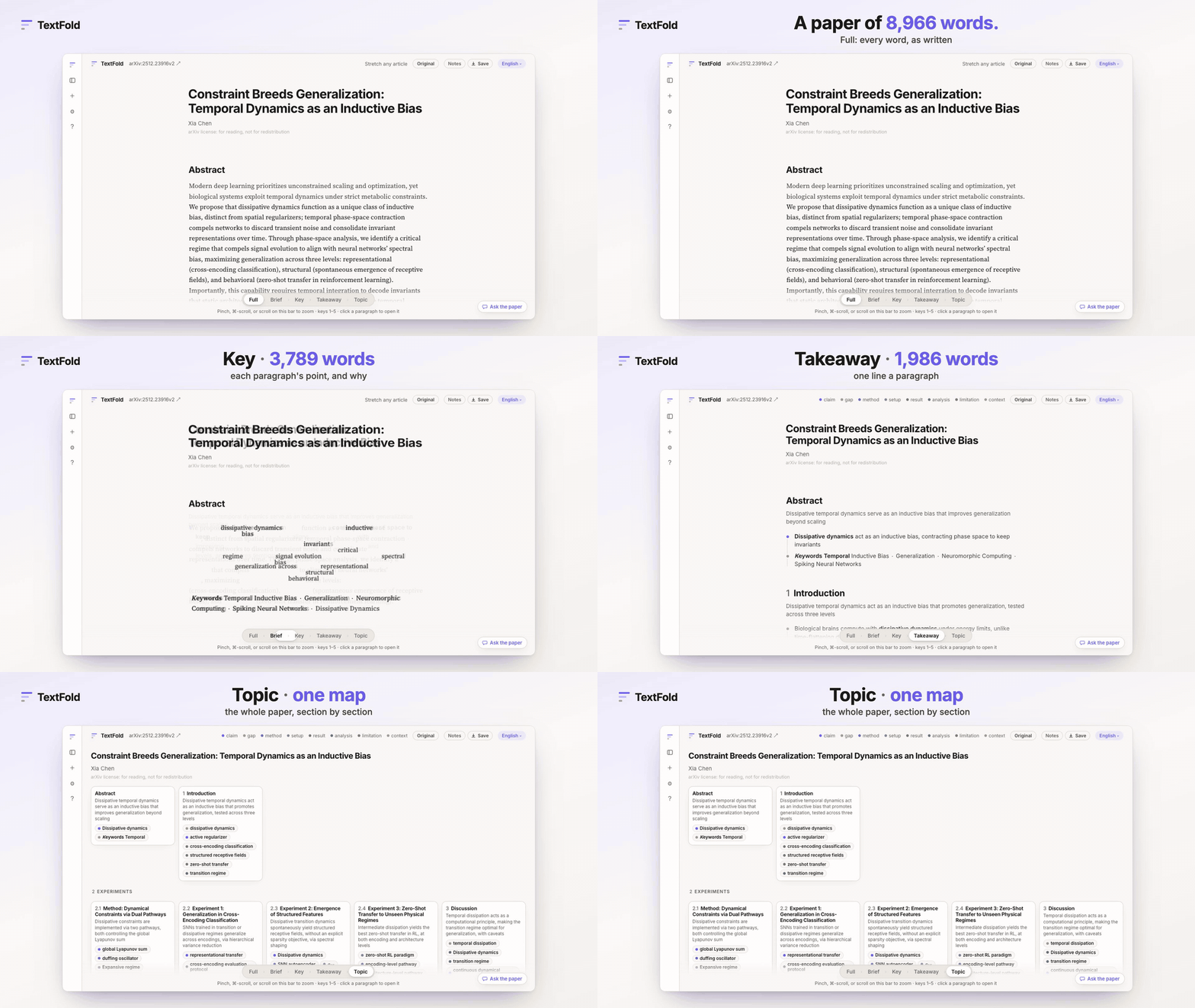
So I built TextFold, it turns any text into 5 zoomable layers—from a one-screen section map down to verbatim text. You pinch (or press 1–5) to zoom between them without losing your reading position, your agentic output, any papers, or documents.
- Web Demo: https://chenxiachan.github.io/textfold/gallery/
- GitHub (Apache 2.0): https://github.com/chenxiachan/textfold
Welcome any feedback!

r/software • u/elysium-mons • 12h ago
I'm the developer. Ledge turns the notch on a MacBook into a small status area.
What it shows
- What's playing, with controls and AirPlay output
- A timer
- Your next meeting, with a Join button
- Weather
- Notes
- Keep Awake, which keeps your Mac awake, even with the lid closed
- Volume and brightness, in the notch instead of the system pop-up
Details
- Free and open source (GPL-3.0). Optional tip jar, nothing locked.
- Needs a MacBook with a notch on macOS 26 or later.
- Asks for no permission until you turn on the feature that needs it.
Download: https://ledgeapp.dev
Homebrew: brew install --cask egemertbalcik/tap/ledge
Source: https://github.com/egemertbalcik/Ledge
Bug reports and ideas are welcome.
r/software • u/Boring_Champion6323 • 5d ago
Please star my GitHub repo!
r/software • u/macpdev • 10d ago
r/software • u/Terrible-Ask-8481 • 10d ago
r/software • u/Terrible-Ask-8481 • 11d ago
Hi [r/](r/opensource)[software](r/opensource),
I built My Files, an open-source mobile app for digitising and organising your physical documents (IDs, bills, certificates, receipts, etc.).
What it does:
- Scan physical documents with your phone camera
- Organise them into folders/files
- Search across everything you've scanned
- Works fully offline — your files never have to leave your phone
- Optional sync if you run your own cloud/server
Tech: The backend is built with C and Node.js.
Why: I wanted a simple way to keep important papers handy without handing them to a third-party cloud service.
Links:
- Website:MyFiles
It's still early, so I'd really appreciate feedback — what's missing, what's confusing, what would make you actually use it. Contributors are very welcome too!
r/software • u/Competitive_Call_847 • 13d ago
r/software • u/synrg-alsms • Sep 25 '26

I work with a lot of AI agents throughout the day. I constantly switch between ChatGPT, Claude, Codex, terminal agents like OpenCode and Pi, and a bunch of different windows.
Typing became a bottleneck, so I built MicMyDay. One shortcut for voice input that works system-wide, including terminals.
I wanted the whole workflow to run fully locally on the Mac, without sending voice recordings or prompts to external servers.
MicMyDay handles both transcription and AI cleanup locally. A lot of local setups still require something like Ollama or LM Studio, extra configuration, or sometimes a Pro subscription for the local AI features.
MicMyDay includes everything it needs. Install it, choose a model, and use it. No external server, no API key, zero setup.
It supports local transcription models like Whisper and Parakeet. The cleanup can remove filler words, repetitions, false starts and turn spoken input into cleaner text before inserting it into the current app.
Wispr Flow is a much more established product in this space.
MicMyDay is focused on a fully local, all-in-one setup. Transcription and AI cleanup run on the Mac, with the models downloaded and managed directly in the app.
MicMyDay is open source under GPLv3 and free to build yourself.
The official signed and notarized build is $15 one-time, including automatic updates. No subscription.
GitHub: https://github.com/micmyday/micmyday
Website: https://micmyday.com/
I want to keep adding and properly supporting new local transcription and cleanup models while keeping the same zero-setup experience.
Cloud and OpenAI-compatible providers can remain an option, but fully local is what I want to keep focusing on.
I'd really appreciate feedback: what works, what doesn't, what feels awkward, and which models or features you'd like to see next.
r/software • u/Boring_Champion6323 • 19d ago
Check it out tell me what you think!
r/software • u/GoDoAttitude • 21d ago
Just a heads-up for the iOS Google drive users out there. “TYR - The Cloud Power Tool” is on the AppStore and can rename- and set metadata values on files in bulk. Much much easier than having to do it one file at a time. ☺️🤘
https://apps.apple.com/dk/app/tyr-the-cloud-power-tool/id6771096351?l=da
r/software • u/yadavvipin • Sep 13 '26
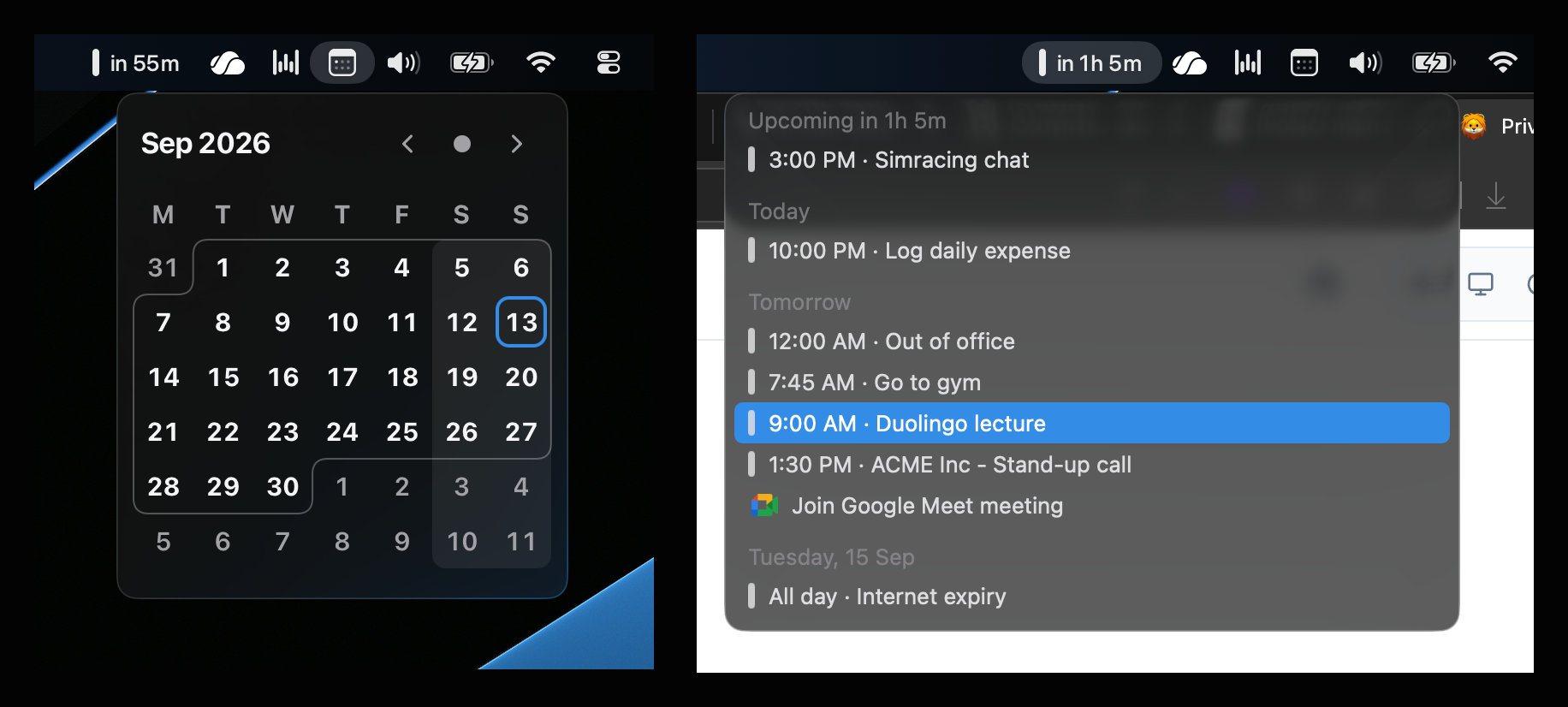
For the past 9 years as a full-stack engineer, my core focus has been web development, mostly backend systems and frontend infrastructure. I never really explored building native apps.
Recently, I wanted a calendar app that felt truly native to macOS, with an upcoming-events menu bar experience similar to Notion Calendar (formerly Cron).
I liked the simplicity of Itsycal and the menu bar experience of Notion Calendar. I never really used the full feature set, so I decided to build something much lighter that focuses on what I actually need.
So, here’s what I built. A simple, native-feeling macOS calendar with your upcoming events right in the menu bar.
It’s also privacy-focused. Your calendar data stays on your Mac and doesn’t leave your computer.
It’s open source too, so feel free to browse through the code and let me know what you think: https://github.com/vipiny35/calendo/
Would love to hear your thoughts, feedback, or things you’d like to see added.
And yes, this was built with a lot of help from Codex (Astra), and Cursor (Opus 5).
r/software • u/Boring_Champion6323 • 20d ago
Gimme stars! Comments welcome
r/software • u/gh0stsintheshell • 22d ago
r/software • u/hxxx07 • Aug 27 '26

Not only tmux but basically everything you can imagine.
Write a toml file and boooommm.
That’s a new feature from our open source fuzzy finder launcher!
Cross OS, fast, free :)
- repository here
r/software • u/hxxx07 • May 23 '26

I've seen a lot of people complain that Spotlight on macOS doesn't return good results, I feel it too.
I think that's because their sorting, ranking, and matching algorithm works differently from what we'd expect — and it also pulls in online results.
Raycast - a paid tool, not everyone needs that many features for a launcher.
I created Look with these reasons.
For the daily use cases, I think Look is pretty solid.
It's a cross-OS app launcher, local and keyboard-first — responds almost instantly.
Here is the repo, hope I can get more feedback to make it better. 🙏
r/software • u/Fluffy_Fuel7649 • Sep 02 '26
r/software • u/Alan_Sleep • Aug 31 '26
r/software • u/UnluckyDuckyDuck • Jul 28 '26
Hey everybody!
ExtraDock lets you create unlimited docks and place them anywhere you need them. macOS only gives you one dock, but for multiple monitors it is limiting.
ExtraDock is completely customizable. You can use it as a dock replacement by disabling the macOS dock, or as an addition to it. You can make Extra Docks looks however you like - colors, app icons, effects, you can even make items float on invisible background.
ExtraDock has two versions - the current one supports macOS 12 all the way up to macOS 26 (Tahoe).
ExtraDock 5 is in beta and will be released soon.
All lifetime users will have access to all versions, that includes future versions as well. No additional fees, lifetime means lifetime.
- Widgets such as Live Dock to replicate your macOS dock to other displays & Space-only dynamic dock to show only apps in the space you're currently on.
- Docks can be assigned to different monitors and automatically hide/show when those monitors are connected/disconnected. A simple button make the dock show on all displays.
- Completely customizable in both behavior (collapse, auto hide, hide on fullscreen) and visuals.
- Preview apps on hover.
- Drag & Drop files into folders or the Shelf Widget for easy organization.
- Folder Stacks to group folders under a single icon
ExtraDock is currently on a 40% off summer sale.