r/GIMP • • 26m ago

tips for a homemade deck of cards project

• Upvotes

Hello! I'm a brazilian card collector and Im designing my very first deck of cards. I have little to no experience with photoshop and I would appreciate any tips you can give me!

so my workflow is this: Im illustrating the pips with watercollor, scanning it, then cutting each pip with the vector tool on gimp so I can freely rearrange the pip's position on each card. this metod is working, but Im facing some problems like 1) each time I cut a pip, it forms a new layer, so for the 10 of spades for example there will be at least 11 layers (the pips and the background). It becomes a little messy at a point and also my computer starts to lag a little bit, wich is anoying; 2) I heard that the standard poker deck size is 750 x 1050 px (at 300 dpi). but this size is very very small in comparison with my scans, but when I resize down my scans, they lose definition

so my question is: do you have any tips to improve my work flow, so I can save some time and be more organized? can you help me solve those 2 problems?

for anyone that might ask: I don't want to simply copy and paste my pips on a single card. I want it to have slightely different pips in each card, to give it a hand made feel

thank you very much


r/GIMP • • 1h ago

Oilify question.

• Upvotes

How does the following the Mask radius buffer and Exponent buffer work? Could I select a brush stroke and it'd mimic a brush or something?


r/GIMP • • 3h ago

Cutting/cropping whats on a layer itself, how do I do this?

2 Upvotes

So I have a project which only has about 20 odd pictures in it that I have used to make multiple renditions of what is essentially a lot of super imposing from one parts of a picture onto another. Now to make the final rendered pieces work, I've had to increase sizes of layers and decrease here and there and used the rubber feature to allow me to have one layer with the item being superimposed onto another layer with another picture. Ideally I should have used the selection tool, copied what I wanted to copy and then paste that onto a new saved layer.

I have been unable to work out how to simply cut and crop the specific part of a picture so that it only shows the bit I wanted to super impose. Is there a way to do this? When I use the normal crop to selection tool, it doesn't apply the crop to just what's in a specific layer but the project picture as a whole. I have a project .xcf file that is now 350MB and just made to my surprise a 49MB .png file when it should only be a few MB at most. Clearly all my resizing has been whacking up the contents of these pictures even though a lot of the pictures have been rubbered out. TIA


r/GIMP • • 9h ago

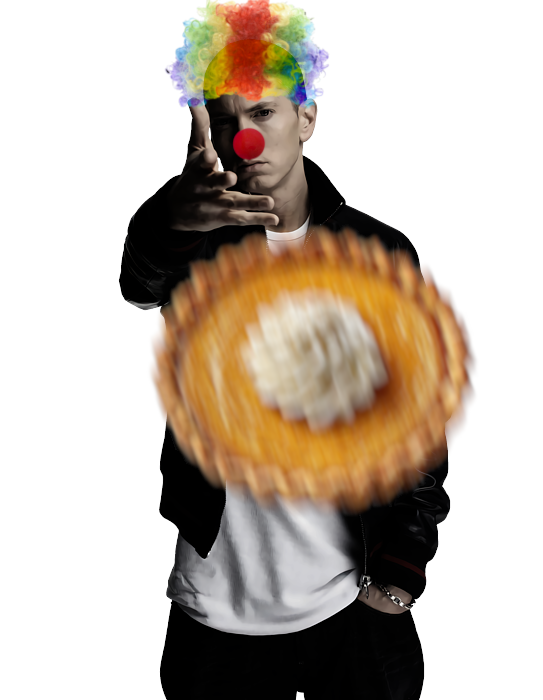
Pie upon Thee.

Post image
1 Upvotes

r/GIMP • • 12h ago

I make a photo editor my dog is demon. Made in Gimp

Thumbnail
gallery
102 Upvotes

I make a photo editor my dog is demon! Look real! I love gimp. Before my original photo picture dog.

Made in Gimp


r/GIMP • • 15h ago

GIMP finally has an open-source rival that competes on its level — and it actually feels like Photoshop

Thumbnail
xda-developers.com
0 Upvotes

r/GIMP • • 21h ago

Gimp pour la sérigraphie ?

Thumbnail
1 Upvotes

Bonjour ! Je vais commencer une formation de 22h mais j’hésite encore entre GIMP et AFFINITY. C’est pour faire des typons pour de la sérigraphie. J’utilise déjà inkscape, mais j’aimerai compléter avec un logiciel libre.
Est ce que le tramage est facile sur GIMP ? J’ai une tablette x Pen pro Gen 2, est ce facile de l’utiliser sur GIMP ?
Des connaisseurs de ces 2 logiciels ( pour créer des calques pour de la SÉRIGRAPHIE!) merciii !


r/GIMP • • 1d ago

Trying GIMP, work in progress :p

Post image
12 Upvotes

It's been fun so far. Amazing (not sure if it's even possible to ruin them, though...) hard round and oval brushes, and my GOAT block 01 brush. I added another pack, but I haven't used it yet.

I don’t remember if there were different swatches/palettes in PS or what they were like, I haven’t used it in years, but the ones in GIMP are really nice.

I was surprised that zooming in and out of the canvas isn't set to the mouse wheel by default. I figured it out, but it seems like a weird decision to me. But overall, it's good. Maybe not exactly artist friendly, but still good.


r/GIMP • • 1d ago

Let's help make GIMP cursors more simple and useful

Thumbnail
archive.li
29 Upvotes

r/GIMP • • 1d ago

Any tips for troubleshooting sprite issues?

0 Upvotes

Hello.

I asked ChatGPT to generate character sprites in the *Street Fighter Alpha* style, which it did in a large format. I then reworked the result in GIMP to make it look closer to the original sprites from that game (I set the posterization level to 8 and converted the image to "indexed color" mode with a maximum of 32 colors).

The issue—which you can see in this zoomed-in comparison, with an original *Street Fighter Alpha* character sprite on the left and my edited sprite on the right—is that my edited sprite has a smoothed-out appearance, whereas the original game sprite is perfectly sharp.

How can I achieve the same look for my sprite as the original sprite from Street Fighter Alpha?


r/GIMP • • 2d ago

GIMP 3.0 (fairly new to gimp) - Why is my colour far lighter than what I selected?

Post image
9 Upvotes

I have a layer and I'm wanting to colour over without erasing the detail that was there prior, but my dark teal is turning out as light blue.


r/GIMP • • 2d ago

re-opened file, brush quality dropped/changed

8 Upvotes

re opened gimp the next day after making a hex crawl(for mythic bastionland) and found that the assets i were using seems to be appear very different despite not changing any settings(that im aware of), included 2 examples to show you what i mean. anyone know why and how to reverse it? thanks in advance


r/GIMP • • 2d ago

How do I remove those darker grey outlines from these two images? They're both png files

Post image
2 Upvotes

r/GIMP • • 2d ago

How to do this (Gimp 2.10)

Post image
14 Upvotes

r/GIMP • • 3d ago

Layer group somehow erases layers with filters on top of each other (GIMP 3.2.4)

Enable HLS to view with audio, or disable this notification

7 Upvotes

Still art was fully made already, I just wanted to organize layers


r/GIMP • • 3d ago

Zoom Tool

3 Upvotes

This might be an extremely dumb question, but WHY, when using the zoom tool, is left click not automatically zoom in, and right click zoom out? I think you should be able to pick the reverse if wanted, but clicking a button to choose zoom in/out over and over again drives me crazy. Of course it's only "mediumly" frustrating, but it seems like something that would be so easy and practical to implement. If this is already a setting or if I'm completely missing the point please let me know.


r/GIMP • • 4d ago

how do I fix color change because I open the image as a layer and it got a different color

Thumbnail
gallery
8 Upvotes

r/GIMP • • 4d ago

Normal mode, 100% opacity, but the paintbrush is doing... this? What is happening 😭

Enable HLS to view with audio, or disable this notification

5 Upvotes

r/GIMP • • 4d ago

For the life of me I can't figure it out the Blur/Sharpen Icon.

1 Upvotes

It works on Gimp 2.0, but doesn't work on 3.2.6. Same settings. On 2.0 it blurs just as expected. In 3.2.6. It does not. Is there something I'm missing? The settings are set to default. And If I mess with rate or opacity there's no change at all. The only thing different is that there's tablet support on 3.2.6 and not in 2.0. I'd rather not make selections and do gaussian blur all the time as I doodle.


r/GIMP • • 4d ago

What is this? I saw it sometimes before, like is that a graphical bug or what? (Gimp 3.2.4)

Enable HLS to view with audio, or disable this notification

10 Upvotes

r/GIMP • • 5d ago

How would I create a gradient that radiates outward from an object?

Thumbnail
gallery
7 Upvotes

So, I am working on an editing experiment which involves removing text from logos, and I encountered a stumbling block which I cannot seem to figure out. In one of the logos, there was a moon object that had a gradient which radiated outward from it (which extended around 69px). In order to remove the text, I had to remove the gradient, but I cannot seem to recreate it.

So far, I have created a selection of about 69px surrounding the moon object by alpha selecting the layer the moon is on, growing the selection, and then using fuzzy select to remove the space that the moon would by in from the selection, then filling that selection using the gradient tool, using the spherical shape. Yet, I cannot figure out how to remove the mirror gradient created on opposite side of the moon object. So what should I do from here?

I've attached a photo showcasing the problem, and how I want the gradient to work.

EDIT: Thank you for all of the tips and tricks! I used u/Stratelier's suggestion of resizing the image canvas before doing the whole selection process/gradient thing, since it game me the greatest amount of control. But in the future, I'll keep in mind the drop shadow technique as well!


r/GIMP • • 5d ago

made a big mouse mat in gimp

Thumbnail
gallery
16 Upvotes

just received the printed version in the mail today...just a fun little mini-project.

the base 3d fractal image was modeled & imported. the spacecraft, lighting, and background effects were painted with brush tools in gimp

sorry for the bad photo, the reds aren't really that bright


r/GIMP • • 5d ago

Updated to 3.2.6, can no longer scan?

6 Upvotes

Hello, I have used various GIMP versions since 2006 with the same scanner, and suddenly with this new update I no longer see my scanner. I go to File, then Create, then select Scanner/camera, and nothing happens. The scanner is a Canon LiDE 25. I have tried deleting all GIMP versions from the PC, then reinstalling 3.2.6, no luck. I am running Windows. The scanner itself is hooked up to the PC correctly and is making its usual start up noises. The only change since my last successful scan is the upgrade to the new GIMP version.

Has anyone had a similar problem and been able to correct it?

Or, if this is a known issue with 3.2.6 and I won't be able to use my scanner at all, is there a way to download an older version? Please note for your responses that I am not particularly technologically adept.

Thank you very much


r/GIMP • • 5d ago

[Art!] KMPL DTV Transition (2009)

Thumbnail
gallery
3 Upvotes

Since Miraheze was down for 10+ hours and it took down the My Life as a Teenage Rabbot Wiki alongside it. This was due to a nasty vulnerability found in PHP the other night, I had nothing else to do but make the new logo and artwork for KMPL. KMPL-DT is the television station that's seen in My Life as a Teenage Rabbot and serves as the main broadcaster for Mapleville Ridge, Iowa, the fictional city in a real-life US state. It also serves the surrounding counties as well, such as Peachwood, North Valley, Parkcaster, and Rockworth Island, plus Yumika Falls. Here, I made the new logo and other assets for the station and my own take on what would the DTV transition would be like for KMPL. Since there was little to no references or even screenshots of what the DTV transition of 2009 looked like back then over 10 years ago, I winged it and went with my own adaptation in GIMP. This was mainly based off from memory the best I can remember, but I'll certainly be reworking on the sign-off screen some other time.


r/GIMP • • 6d ago

Transformation behaves weird

2 Upvotes

I've been using GIMP for quite some time now, since I was introduced to it in high school's Windows computers, and never had much of an issue.I recently hopped on Void Linux and, I don't know if this has anything to do, but transform tools like resize work really weirdly. For example I'll try to resize a layer and I'll only have controls for the portion that is in frame. Anything out of the canvas is also out of the transformed layer. While I'm using it I can also see the original layer behind the transformed one, which is weird and annoying, and when I'm done I suddenly have a floating layer. I have no idea why this started happening or if it's Void specific. Could anyone give me a hand with this? Also I can't record my screen