r/macapps • • Jan 19 '26

Free [OS] I built an open-source Volume Mixer for macOS because Apple won't. Meet FineTune.

Thumbnail
gallery
2.2k Upvotes

Hey everyone,

I was frustrated that macOS lacks a native Volume Mixer. Specifically, I couldn't route Spotify to my external speakers while keeping other apps on my MacBook speakers.

Existing solutions were either buggy on new macOS versions (BackgroundMusic) or expensive ($50+, like SoundSource).

So I built FineTune.

It’s a native menu bar app (SwiftUI) that provides:

  • Volume Control & Boost Per App
  • Audio Routing (send apps to different devices)
  • Per-App EQ with Pre-defined Presets
  • Real-time VU Meters & Persistent Settings

Current Status: It’s open-source and I’m working on this as much as my free time allows. My priority is polishing the experience and fixing the bugs reported ASAP. I’d also love to extend the project with new features that make sense, so let me know what you want to see!

Price: Free

Repo:https://github.com/ronitsingh10/FineTune

r/macapps • • Jan 21 '26

Free Tired of 500MB PDF editors? I just ported my offline, 11MB editor to macOS and Linux. No ads, no sign-up.

1.5k Upvotes

Hey everyone,

A while back I shared that I was working on a native PDF editor because I was frustrated with how bloated and cloud-dependent current tools have become. After a lot of late nights and debugging C++ memory issues, I’ve finally ported the engine to macOS and Linux.

I’m releasing the desktop versions today completely free with all features unlocked. No ads, no sign-up, and it works 100% offline.

Why did I build this? Most 'editors' are actually just annotators. My engine (built on C++ and PDFium) allows you to actually manipulate the content, including complex XObjects that even the 'big names' sometimes struggle with on mobile and desktop.

The Tech Specs:

  • Size: ~11MB (No Electron, no web-wrappers).
  • Privacy: It never asks for internet permissions. Your docs stay on your machine.
  • Engine: Native C++ back-end with a thin Flutter UI.
  • Status: Android is already at 1k+ downloads (4.7 stars), and the iOS version is currently in the review phase and should be out soon.

I’m a solo dev, so I’m really just looking for feedback from the desktop community. Does it handle your complex files? Is the UI responsive enough?

I've attached a quick clip of me using it on my Mac to show how fast it handles edits.

Would love to hear what features you think I should add next for the desktop version!

Edit: I am sorry, here is the link : www.revpdf.com

r/macapps • • Aug 07 '26

Free I got tired of every Mac folder looking the same, so I built Flairy

783 Upvotes

Excited to share Flairy, a macOS app I built to make folder organization visual.

Problem:
Every folder on macOS looks the same that same default icon, whether it's your tax doc or your side project. macOS does let you tint folders with color, but that only gets you so far; you still have to read the label to know what's inside.

As a visual person, I wanted to recognize a folder at a glance instead of scanning names every time. Icons that actually blend and feel cohesive with macOS itself, so they still look native, but let you scan your folders faster and add a bit of personality along the way.

What it does:
Flairy lets you replace any folder's icon with a well-crafted one from a growing library, organized into categories like AI, development, branding, digital content, photography, and everyday/fun themes. Instead of a wall of identical default folders, you get icons you can recognize instantly.

Comparison:

  • macOS built-in color tags — quick, but limited to a handful of colors with no real visual distinction beyond that.
  • Foldor ($1.99): more of a design tool, icons with text overlays to customize, but buggy palettes and feels so outdated.
  • Color Folder Pro ($2.99): customization using color, icons again, or imported images, but the end result doesn't feel cohesive with the overall macOS system.

Pricing:
100% FREE. No account required, no subscriptions, no ads, no tracking.

If you give it a try and find it useful, a review on the App Store would mean a lot and really helps other people discover it!

App Store - Download Link

********************************************** \(^o^)/ **************************************************

🟣 Update: You asked, I listened. The new version is now live with macOS Sequoia support, custom image uploads, multiple-folder support, and a bunch of fixes. Thanks for all the feedback!

********************************************** \(^o^)/ **************************************************

r/macapps • • Jul 20 '26

Free [OS] 3 months ago, 2,500 of you joined the waitlist from my post here. Sentient OS is out! An on-device LLM understands your entire life overnight, and you wake up to Proactive Intelligence: your work already done, one click from firing through Computer Use. Free & open source :D

695 Upvotes

3 months ago, I posted Sentient OS here, and 2,500 of you joined the waitlist. So many of you wrote to me over these months; I read every single one. It's out right now at https://sentient-os.ai, and it grew into something much bigger than what I'd pitched you.

TLDR: An on-device LLM understands your entire life, then proactively offers to get your work done through computer use. Here's how!

- Every night at 3 AM, it quietly wakes your Mac (lid closed is fine) and a custom on-device LLM reads what's new in your life: files, screenshots, WhatsApp, iMessage, Apple Notes, email. All of it is read locally on your own chip (raw data never leaves your Mac) and distilled into a clean markdown knowledge base (an Obsidian-style folder that's yours to read and edit).

- Proactive Intelligence: you wake up to work Sentient noticed, researched, and prepared on its own, one click from firing through computer use. The reply you forgot, drafted from your rich personal context. The subscription renewing tomorrow, caught tonight. You read it, edit if you like... and nothing ever fires until you click.

- Sidekick: computer use that knows your whole life, anywhere on your Mac. Click your notch and just say "finish this for me"; the notch glows with status as it does the task in your own apps and your browser, even in the background while you keep working. And because it's grounded in your knowledge base, it knows what's happening in your life.

Bonus: your knowledge base can connect to your ChatGPT & Claude over MCP. Connect it, then ask your ChatGPT "what do you know about me?". Be amazed :]

Comparison

Siri AI:

  • Cannot click around your Mac and actually DO stuff for you across your apps (only has a few limited things/tool calls it can do).
  • Only has personal context from inside Apple's walled garden, and uses RAG for this instead of an LLM-curated markdown knowledge base (the best personal context for agents).
  • No proactive intelligence! You gotta ask it to (hopefully) get it to help.

Sentient understands your entire life and can use any app just like you do. And it looks out for you proactively.

And the whole thing is now open source (AGPL): the app and the infrastructure. Every privacy claim above is verifiable in the code: https://github.com/Sentient-OS-Labs/sentient-os

Under the hood

To build these near magic features, we push the bounds of what's possible with on-device inference. It's the star of the whole show: truly proactive AI has to re-read your entire life, every single day, and that much inference is only free, private, and unlimited on your own chip.

So the local LLM (Gemma 4 on a custom inference framework) does ~90% of the compute: it reads everything locally, summarizes, junks the noise, flags what's worth acting on proactively, and strips PII (with deterministic scrubbing behind the model as a backstop).

Only those clean summaries ever leave. GPT-5.6 Sol then organizes them into your knowledge base, running through your own ChatGPT subscription via your own Codex CLI on your Mac (Sentient sets this up for you).

Pricing

Sentient is free forever for non-enterprise users. Your Mac does the compute, so it costs us nothing to run.

So how do we make money? Once we refine and iterate on this new frontier with all your feedback, we'll swap out the connectors for Slack, Notion, Granola, etc. and bring Sentient to enterprise. Sentient's consumer version will always be free. Enterprise is where we make money.

The full engine (the proactive mornings + the notch agent) currently needs you to have a ChatGPT Plus subscription. A ChatGPT free plan has enough Codex usage to get the knowledge base. And that's just for now: the engine isn't tied to any one provider (Codex CLI is OSS), and we'll be opening up to more AI providers of your choosing in the near future. And if you have a crazy amount of ram (>= 48 gigs since we need a lot of context kv cache), you'll soon be able to run your fav "frontier" local LLM for 100% local instead of 90% local! :)

Download: https://sentient-os.ai

Source (star the Repo! :D): https://github.com/Sentient-OS-Labs/sentient-os

Apple Silicon (M1 or newer), macOS 15+, and 8 GB of RAM is enough (we tuned inference to make it happen!)

Trust / transparency

I'm Jesai! You might know my open-source Writing Tools (2.3K+ GitHub stars, ~30 press features). Or from my previous post here on Sentient! Since that last post, I'm now in SF with my best friend & co-founder Aditya to build Sentient.

https://www.linkedin.com/in/jesai-tarun-37004725a/

Would love to answer everything; and very happy to geek out about the on-device stack (we run a 4B multimodal model with vision on 8 GB Macs via a custom inference fork with MTP, flash attention, & smart KV cache reuse), how we got computer use running on the plain Codex CLI (involves reverse-engineering a DMG), or reverse-engineering macOS to be able to wake your Mac up for inference at 3 AM!

To the 2,500 who waited; thank you. This one's for you :D

r/macapps • • Sep 18 '26

Free [Update] Purge: the open-source Mac cleaner, now with an app uninstaller and leftover detection, and over 25k downloads

666 Upvotes

I posted here a while back about Purge, a free & open-source mac app I built to clear out cache files. Since then it's picked up close to 650 stars on GitHub and iIve added a good bit, so here's where it's at.

What it does: it scans your mac for files you don't need. Mostly stuff apps leave behind while they run, so caches, old logs, leftovers from coding tools. It shows you what it found and how big each thing is, and everything it clears goes to the trash. Nothing gets deleted outright, so if it takes something you wanted, you drag it back.

New since the last post:

App uninstaller: Dragging an app to the trash leaves its settings, caches and support folders sitting around. Purge shows you the app plus everything it left behind, and clears the lot together.

Exclude from scans: If there's a folder you never want it looking at, mark it once and it stays off the list.

Leftover detection: If you have uninstalled an app and it has left its data on your system, Purge can now detect that and help you get rid of that.

The rules haven't changed. Everything the app is allowed to touch sits on a fixed list you can read in the source. Nothing is permanently deleted. There's no tracking, no account, no paid version. Each item is marked either safe to clean or check first, so you know what you're agreeing to before you hit the button.

Free and open source, works on macos 13 and up. You can grab the dmg from the releases page or install it with homebrew.

brew install jithin-sabu/tap/purge

GitHub: github.com/jithin-sabu/purge-app
Website: purgemac.com

Happy to hear what's missing. A lot of what's in there now came from comments on the last post.

r/macapps • • Mar 05 '25

Free Just launched Atten - App & Website Blocker for Mac & iOS. (Lifetime Pro Giveaway)

Post image
882 Upvotes

Hey r/macapps! 👋

I'm an indie developer, and I'm super excited to announce that Atten, my app and website blocker, is finally available on macOS! 🎉

Atten helps you focus by blocking distracting apps and websites. The best part? It seamlessly syncs your blocking sessions between your iPhone, iPad, and now your Mac. Start a focus session on one device, and it's active on all of them!

To celebrate the Mac launch, I'm doing two things:

  • The Mac app is currently FREE to download!
  • I'm giving away Lifetime Pro codes for the mobile app (iOS)! These codes unlock all premium features forever.

If you'd like a Lifetime Pro code for the iOS app, upvote and leave a comment below, and I'll DM you one! (While supplies last, of course!).

You can find the Mac app (and iOS app) here: www.atten.app

Would love to hear your feedback on the Mac version!

r/macapps • • Jul 29 '26

Free [OS] CaskHub: a free, open source native Mac app store for Homebrew casks

Thumbnail
gallery
398 Upvotes

I'm Ali, a software engineer and an iOS & macOS developer for 10+ years, and I use Homebrew almost every day. I've always wished there was an easy way to see what casks were added recently and what people are actually installing, but the thing is, Homebrew was never built to help you discover apps, and this is actually by design. So I built CaskHub.

Problem

In Homebrew there's no easy way to see which casks were added recently, what people are actually installing this month, or to just browse the catalog with decent categories.

CaskHub is a native SwiftUI app that treats Homebrew casks like an app store: browse, search, install, update, and uninstall, all through your real brew binary, so nothing is locked into the app and everything stays manageable from the CLI. The part I care most about is Recently Added, a feed of casks published to Homebrew in the last 30 to 90 days, which was the whole reason I started building it.

Comparison

The two closest alternatives I know are Applite and Taphouse, both of which I genuinely like and use.

The difference is really about discovery. Applite's browsing is built around a curated, hand-picked selection, and Taphouse doesn't surface the full catalog either, with only a few apps showing real icons.

CaskHub instead surfaces the entire cask catalog, automatically sorted into categories and shown with real icons, so a brand new cask appears in the browse experience on day one instead of waiting to be hand-added.

In any of those alternatives you could technically find a brand new cask through search, but only if you already heard about it somewhere else first. The whole point of CaskHub's Recently Added is that you don't have to know the name to find it.

This is where CaskFlow comes in, a separate open source pipeline that's the backbone of CaskHub. It classifies every cask, extracts its real app icon from the actual artifact instead of a placeholder, and powers the Recently Added feed that gives new casks a homepage spotlight the day they land in Homebrew.

Pricing

Free. 100% free and open source under the MIT license, with no subscription, no premium tier, and no ads.

Links

Source: https://github.com/alielsokary/CaskHub
Classification tools & pipeline: https://github.com/alielsokary/CaskFlow

About me

Linkedin: https://www.linkedin.com/in/alielsokary

Notes

CaskHub is notarized and signed. It sends anonymous, opt-out usage analytics (TelemetryDeck) and crash reports (Sentry), that can be disabled anytime in Settings.

I built this app for my own selfish reason, which is that I wanted to use it every day. I hope you find it as useful as I do.

It's still early, so I'm posting for honest feedback, including the harsh kind. Contributions of all kinds to the project are very much welcome :)

What would make a GUI like this worth it for you over just typing brew install?

r/macapps • • Jun 17 '26

Free [OS] Radix: Native macOS Disk Space Analyzer (Free DaisyDisk Alternative)

Thumbnail
gallery
504 Upvotes

Hey everyone! I've been working on Radix, a macOS disk space analyzer. You choose something to scan (folder, volume, etc.), and the app displays the results in an interactive sunburst chart.

Problem

Ever wondered what's taking up space on your disk? Radix solves that issue. Here are the main selling points in my eyes:

  • Native macOS experience. Built with SwiftUI elements almost exclusively for an intuitive UI that fits right in with macOS. Native technologies have many benefits for an app like this. Radix uses under <100 MB of RAM on launch, and efficiently caches scans in memory.
  • Really fast scanning engine. Faster than all the competitors in my tests; uses a couple of cool shortcuts to save time.
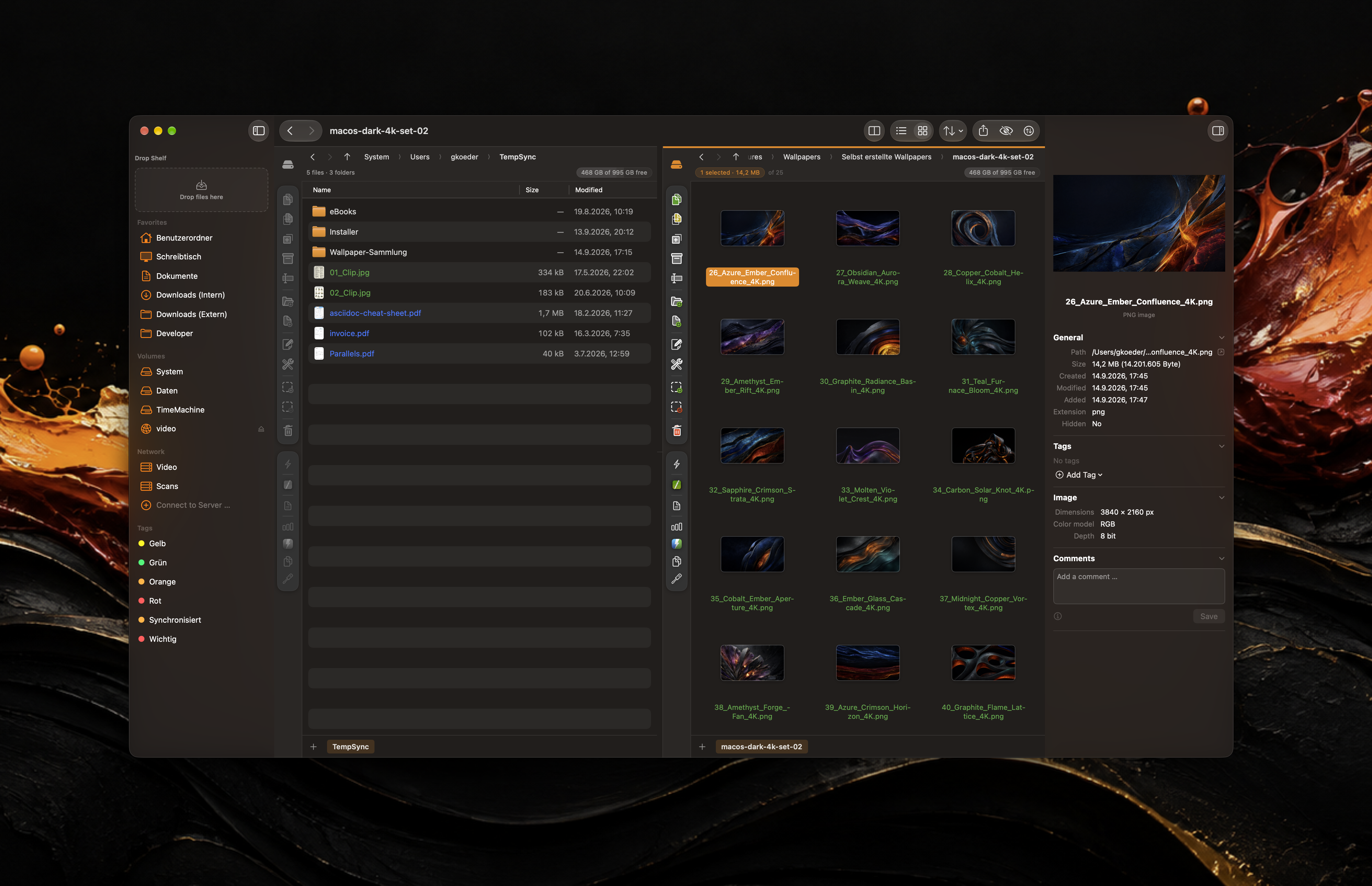
  • Lots of cool features that don't exist in some alternatives. Use Quick Look on any file, instantly search just the current folder or the entire scan tree, and closely inspect the metadata of any file by clicking on it.

Comparison

I built Radix as a free, OSS alternative to DaisyDisk ($9.99). SquirrelDisk, an open-source Rust alternative, is great, but it hasn't been maintained since the start of 2023, so it has a bunch of issues right now.

Apps like GrandPerspective and Disk Inventory X are amazing, but Radix also competes with them, offering more efficient scanning, a much more intuitive and native UI, and fun features like easy access to Quick Look.

Pricing

Free and open-source! Radix supports macOS 14.0+.

If you're interested, take a closer look at the app and download it on the website: https://radix.colinkim.dev/

Thanks for reading! Feedback, bug reports, and feature requests are all welcome, and if you like the project, I would love it if you could star the GitHub repo. I've been doing my best to make Radix the best disk space analyzer out there :)
https://github.com/colinvkim/Radix

A quick note to anyone who tries the app: I mentioned this earlier, but your feedback truly does mean a lot. If you have any, please don't hesitate to let me know. I posted about Radix on a different sub, and it got incredible support (thanks everyone!), including amazing community feedback. Quite a few of the changes in the latest update, v1.2.0, were inspired by Redditors from that post, all of whom I credit in the changelog. Thanks again :)

UPDATE:
Thanks to your amazing support, Radix is now on Homebrew! I never thought we'd get here so quickly, but here we are. Thank you for all the stars, comments, and feedback. Moreover, thank you for giving Radix a chance. I'm excited to keep improving the app. Try the Homebrew installation with this command:

brew install --cask radix

Please keep the feedback coming, and thank you again! And to everyone who asked me to let them know when Homebrew support arrived, I'll be reaching out over the next day or two :)

UPDATE 2:
I just released v1.3.0, which addresses a ton of feedback from Redditors who left comments here. Thank you to all of you who submitted feedback (and to everyone else for their amazing support)!
(In the GitHub changelog for this release, I’ve specifically credited all of the Redditors whose feedback was addressed in v1.3.0. But if I missed you, please message me!)

r/macapps • • Feb 05 '26

Free [OS] Thaw: A fork of Ice (Menu Bar Manager) for macOS 26

Thumbnail
github.com
624 Upvotes

Hi everyone,

Most of you are likely familiar with Ice, the excellent menu bar manager for macOS. As many have noticed, development slowed down toward the end of 2024. With the release of macOS 26 (Tahoe), Ice has unfortunately become quite unstable.

I’ve spent the last few months working on fixes and tried to upstream them. I also reached out to become a co-maintainer but haven't heard back. To keep the project alive and functional for everyone on the latest macOS, I’ve decided to fork Ice and launch Thaw.

What is Thaw?

Thaw is built on the Ice beta branch that introduced macOS 26 support. I’ve focused heavily on stability, memory management, and squashing the bugs that made the original beta difficult to use.

Key Fixes

  • macOS 26 Stability: Fixed crashes and issues where items wouldn't display when "Displays have separate spaces" was disabled.
  • Performance: Significantly reduced memory leaks and UI flicker.
  • Vanishing Cursor: Fixed the bug where the cursor would randomly disappear.
  • Logic Fixes: Resolved issues with smart/timed rehide strategies and the "Show on click" listener.
  • UI Polish: The Appearance Editor is back to being a pop-over, and the Thaw icon itself won't accidentally hide itself anymore.

New Features

  • Ice Importer: Migrating is easy—Thaw can import your old Ice settings automatically.
  • Better Controls: Double-click the Thaw icon to reveal the "Always Hidden" section.
  • Smart Refresh: Thaw now restarts itself when connecting/disconnecting displays to ensure a clean state and prevent leaks.
  • Predictable Icons: New menu bar items now default to the visible section so you don't lose them.

Known Issues

If you are still on macOS 14 or 15 and Ice is working perfectly for you, I recommend staying there for now. Thaw currently has some bugs regarding temporary icons in the floating "Thaw bar" that I am still investigating.

Depending on your Ice settings and what version of Ice you were using, Thaw might behave a bit erroneous. Try restarting Thaw after you imported the Ice settings. If this does not help remove the Thaw settings file from ~/Library/Preferences/com.stonerl.Thaw.plist and restart Thaw w/o importing the Ice settings.

Outlook

My primary focus is stability. I want Thaw to be the most "invisible" and reliable menu bar manager available. While I’m not adding major roadmap features yet, I’m dedicated to making sure the core experience is rock solid.

GitHub: stonerl/Thaw
Discord: volvox/Thaw
Support the project: GitHub Sponsors

I'll be hanging out in the comments to answer questions or help with troubleshooting!

Update: I just released version 1.1.0

r/macapps • • May 01 '26

Free Sentient OS: your Mac & iPhone understand your entire digital life using a custom on-device LLM, overnight while charging. Talk to your data, get proactive reminders, and explore knowledge graphs. Nothing leaves your device. [Free]

398 Upvotes

Developer here! :D I've been working on this for nearly a year. Sentient OS is a native Swift app coming to Mac & iPhone that turns your device into a private intelligence layer for your entire digital life.

Problem:

We all have thousands of buried screenshots, notes, files, and bookmarks we'll never find again. That messy Downloads folder, that overflowing Desktop, those Obsidian vaults and browser bookmarks, your screenshots... all that knowledge, buried forever.

Sentient OS runs a custom vision LLM entirely on your device (while it's plugged in. no data ever leaves your machine!) to understand your entire digital life.

What this unlocks:

1️⃣ Search your digital life in natural language ("what was that wine i liked?" / "who was that person I wanted to email?") [on-device RAG]

2️⃣ Proactive reminders: "That tax return sitting in your downloads folder is due next week!"

3️⃣ Auto-generated knowledge graphs of your entire digital life: tap any node to find what you'd buried.

Comparison:

And no one's solved this before because running AI on all your files & data has usually meant sending all of that to the cloud [GPT wrappers]. And this was:

  • a privacy nightmare
  • stupidly expensive to analyze 1000s of files

So I spent nearly a year optimizing every single layer of the on-device AI stack from scratch.

I modified Apple's MLX framework for batch multimodal inference (it wasn't built for this), transplanted vision capabilities from a model 4× [Qwen 3.5 9B] larger into a smaller one [Qwen 3.5 2B], built custom k-quants specifically for MLX, wrote device-aware quantization, implemented proprietary KV cache reuse + flash attention for inference speed.

Apple Intelligence's upcoming personal context Siri will aim to solve a small part of this problem, but only within Apple's walled garden (won't integrate with your Notion, meeting transcripts, etc etc -- with Sentient OS, your choice is the limit). And it certainly won't generate knowledge graphs or proactive reminders from your data.

Pricing:

Free forever for y'all. The first 250 early testers get lifetime free access :)

Your device does all the compute, so this costs me almost nothing to offer.

Sentient OS is a native Swift app using Apple's MLX. Working iOS beta processes ~3,000 screenshots entirely on-device. Mac version coming soon to TestFlight! Join the waitlist for an invite to the closed TestFlight beta:

https://sentient-os.ai

Trust / transparency:

I'm Jesai, CS student at UMass Amherst. You might know my open-source port of Apple's Writing Tools to Win/Linux (2K+ GitHub stars, ~30 press features).

Super excited to share this with you fellow Mac geeks; think this is one of the coolest usecases that takes advantage of Apple Silicon's on-device AI performance.

Happy to answer any questions (would love to geek out about the deep work that's gone into optimizing models and inference) :D

r/macapps • • Jun 04 '26

Free Nodes - A native macOS markdown editor: fully local, no tracking and free for everyone to use

Thumbnail
gallery
476 Upvotes

About two years ago I was writing a lot of diaries and letters in Obsidian, and I got really into the wiki-style linking and the graph view. Seeing your notes laid out like that, you start noticing connections you never actually wrote down. That was the part that hooked me. There was still some friction though, in the sense that you needed to connect everything yourself, by hand.

So a small team of us, students here in Munich, decided to build something we could call our own. Part of the appeal was getting to work with Apple’s newest frameworks and the challenge that comes with that. We also wanted the app to feel like us, so we kept it minimal and let you just write.

After about a year, we think it’s finally something worth using. Nodes is a native macOS markdown app, and it runs fully local. A lot of that year went into how it feels to write in: a clean, typographic interface, and markdown that renders the way it should, including math, tables, and code. The name comes from connecting your notes as nodes, and there are optional AI features built in too.

Right now you still link them up yourself, the same way you would in Obsidian, and that’s not where we want to end up. The real goal is for Nodes to surface those connections for you, so you can see the links in your writing without making them all by hand. Those AI features are a big part of how we want to get there, and they run fully on-device, rather than shipping your notes off to Anthropic or OpenAI. We think that’s where this is all heading anyway. We’re not there yet, but it’s what everything is built around.

We also recently open-sourced our whole markdown engine. It’s built on TextKit 2 (which was a real pain, believe me) and bridged to SwiftUI, since using the newest Apple stack was kind of our whole philosophy. People seem to be really liking it so far.

Problem: Most Mac markdown editors are either webview/Electron apps, locked behind a subscription, or cloud-based. I wanted something genuinely native and fully local (no cloud, no tracking), with a clean writing experience, and eventually one that surfaces the connections in your notes for you instead of relying on manual links.

Comparison:

• vs Obsidian: Electron, and built to be endlessly flexible for everyone. Nodes is native (SwiftUI), more opinionated and focused, with optional on-device AI and an open-source markdown engine.
• vs Typora: A great editor, but Electron and single-document. Nodes is fully native and built around connecting your notes as nodes

Pricing: Completely free (we just cover the $99/year Apple developer fee ourselves for now).

App Store: https://apps.apple.com/de/app/nodes-by-the-werk/id6745401961?mt=12

We’d really appreciate any feedback.

written on Nodes

Markdown engine: https://github.com/nodes-app/swift-markdown-engine

r/macapps • • Sep 09 '26

Free [OS] Tinycast: lightweight, native luncher an emerging Raycast alternative

Post image
349 Upvotes

Now also featured on product hunt: https://www.producthunt.com/products/tinycast

I've been looking for a Raycast alternative since it appears to be moving in a direction that I'm not particularly crazy about. So I came across Tinycast, a free and open-source macOS launcher, btw I'm not associated with the developer and I have just started using the app in the last few days.

It covers the usual launcher basics: app and file search, clipboard history, snippets, quick links, custom commands, calculator, window management, notes, calendar shortcuts, system actions. It is native built with SwiftUI/AppKit, has no telemetry, Electron dependency, claims to stay under 100 MB of RAM usage.

It can run existing Raycast extensions, it can also import an existing Raycast setup.

Optional AI features are included, off by default. You can use it for chat from the command palette, quick chat and actions on selected text like rewriting, grammar fixes, translation, and summaries. It supports local, bringing your own API key or using an installed AI account, I'm using it with Codex cli.

I think it’s worth a look for anyone who wants a pared-down, streamlined, free, and open-source launcher. It’s still relatively new, but it appears to be actively developed and already shows real potential.

github : https://github.com/abue-ammar/tinycast

website : https://abue-ammar.github.io/tinycast/

r/macapps • • Sep 08 '26

Free [OS] I built Face ID for Mac - Glance

317 Upvotes

Problem

I wanted a FaceID-like experience on my Mac.

TouchID works well, but it still means reaching over and touching your Mac every time you need to authenticate. I wanted the experience I have on my iPhone: open my computer, sit down, and have it recognize me. Or open my Macbook lid, and it automatically unlocks. iPhones have had it for over 9 years, yet Macs are still left with TouchID.

Comparison

Sapphire has a FaceID feature, but it's part of a much larger app with a bunch of other features and widgets built into its notch. I do love their multitude of features like per-app volume controls, but I wanted to take a different approach: a lightweight app focused entirely on Face Unlock. I wanted to build something that did one thing really well.

With Glance:
> face unlock for your Mac using your webcam
> on-device face recognition with ArcFace
> protection against basic photo spoofing
> support for multiple identities
> your face is never uploaded or stored as a photo
> lightweight and smooth
> open source

Pricing

Free and open source.

A warning that Glance is not as secure as Apple's FaceID or TouchID and wasn't intended to be. It is not possible without the dot projector or IR sensor technology. Glance uses only your webcam (a 2D image) which can be spoofed by videos and certain photos of you.

Try it > tryglance.app

GitHub > github.com/jonnyoo/glance

I'm the developer behind Glance. More about me (and transparency):
Portflio > jonathanzhou.dev
Linkedin > linkedin.com/in/jonathanzhou07

I'd love to hear what you think, especially if you try it on your Mac. I'm interested in feedback on the unlock experience.

edit: warnings.

r/macapps • • Jun 25 '26

Free [OS] macUSB - A native Mac app for creating macOS, Linux and Windows USB installers

520 Upvotes

Hey!

I'm back with another macUSB update. Thanks again for the feedback from the previous posts.

macUSB is a free and open-source native Mac app for creating bootable USB installers for macOS, Linux and Windows*. It can also download macOS installers directly from Apple’s servers, including older versions made for older Macs.

In v2.3, I focused on Windows installer customization. macUSB can now prepare a Windows 10 or Windows 11 USB with autounattend-based options, for example, to bypass the Microsoft Account requirement and Windows 11 hardware checks. This release also introduces raw Linux .img flashing via the Tools menu and adds SHA-256 checksum calculation for recognized .iso, .cdr and .dmg images.

PROBLEM

Creating bootable USB installers on macOS is still fragmented. macUSB started by solving a very specific problem: creating Catalina and older macOS installers on Apple Silicon Macs, where the usual workflow can fail because of architecture and signature issues.

As the app grew, the problem became broader. Creating Windows USB installers on a Mac is also inconvenient, because there is no true Rufus equivalent on macOS. Users often have to rely on extra tools, manual steps and workarounds just to prepare a usable installer.

This gap became one of the main inspirations for the direction macUSB is taking: bringing macOS, Linux and Windows USB creation into one native Mac app instead of spreading the process across several separate tools.

COMPARISON

Mist is great for downloading macOS installers, but does not solve older macOS USB creation on Apple Silicon in the same way.

balenaEtcher is useful for Linux images, but it is focused on flashing and does not cover macOS and Windows installer creation.

Rufus is excellent, but it is Windows-only. macUSB is inspired by that kind of workflow, but built natively for Mac.

PRICE

macUSB is free and open source.

Repo: macUSB on GitHub
Download: GitHub Releases

\For Windows installers: if the install.wim file exceeds the 4GB FAT32 limit, macUSB needs to split it using the free wimlib tool. wimlib is not bundled with the app and must be installed separately; macUSB automatically checks for it when required.*

r/macapps • • Mar 13 '26

Free [OS] I made a free, open-source Screen Studio alternative that adds auto-zoom, cursor animations and more to your videos

449 Upvotes

I've been working on this for quite a while now after getting tired of the monopoly Screen Studio has on screen recordings. I didn't see any free screen recorders that actually offered the same motion blur animations and zoom animations as Screen Studio, so I decided to create an app with the missing features.

Problem: Recordly lets creators turn their unpolished screen recordings into videos they can use for product demos, narrated walkthroughs, and more.

Comparison:
Recordly is the only free, open-source screen recorder in this niche that has smooth cursor movement, or zoom animations that are faithful to Screen Studio's. Alternatives are mostly paid and offer choppy zoom animations and/or no smooth cursor movement, and/or lack other features.

Feature list:
• Add zooms automatically (based on mouse activity) or manually, anywhere on the screen.
• Cursor animations (smooth path, motion blur effect, as well as click animations and cursor size, all customisable)
• Annotate with text, images or arrows
• Record from menu bar HUD - capture app windows or full screen
• Add prebuilt backgrounds to your recordings or upload custom ones
• Timeline-based editor - drag tracks to change video speed, trim, add annotations or add zooms
• Save your projects as .recordly files and come back to them later
• Record system audio or from audio source
• Export as MP4 or GIF with adjustable resolution and aspect ratio
• Runs on all platforms (macOS, Windows & Linux)
• (coming very soon) Webcam overlay bubble

I'll be happy to answer any questions!

AI Disclaimer: [Code completion, some human validation]
Changelog on Github.

Try it now: recordly.dev
Star on Github: https://github.com/webadderall/Recordly

r/macapps • • May 18 '26

Free [MAC] Editorio — native macOS markdown + code editor, free forever

508 Upvotes

Dev here, 20 years in. Built Editorio for myself a while back because nothing on the mac did everything I wanted in one place. It's polished enough now that I figured I'd share it.

Subscription text editor. Subscription notes app. Subscription markdown previewer. (lol). We live in the future. Macs have neural engines, and the industry's answer to "I want a nice text editor" is 4.99/month to render # heading as bold text. Cool.

Problem

Most Mac markdown editors are either Electron bloatware (500MB+ RAM, slow cold start) or behind a subscription / one-time fee just to render basic markdown. And most code editors don't do markdown preview well. I wanted one fast native app that handles both: markdown writing AND code files, without paying rent on a monospace font.

Comparison

  • vs Typora: Typora is 14.99 USD one-time and not native AppKit. Editorio is free and native, opens files in under 100ms.
  • vs iA Writer: iA Writer is ~50 USD and writing-focused. Editorio also handles 180+ programming languages with syntax highlighting, so it doubles as a code editor.
  • vs VS Code: VS Code is Electron, ~500MB RAM, slow cold start. You don't need a full IDE just to open a markdown file or peek at some code. Editorio is ~40MB RAM, native AppKit, instant launch.
  • vs Sublime Text: Sublime is 99 USD per license and still doesn't do real markdown preview out of the box. Editorio is free and ships with live markdown preview built in.

Pricing

Free. Forever. No nag, no asterisk, no "free for personal use only".

https://editorio.crncevic.org

https://apps.apple.com/app/editorio/id6759334075

What's in it:

  • Markdown editor with live preview
  • Code editor with syntax highlighting (swift, py, ts, rust, etc.)
  • Mac native, AppKit. No Electron, no web views
  • Light/dark themes, minimap, tabs
  • ~40MB RAM, lightning fast

Me posting to reddit is the entire marketing budget. Already gave Apple my 100 bucks for the dev account, so if you actually like it, send it to a friend or drop it in a Slack somewhere.

Planning to open source it on github too once I clean up the repo.

Long live free apps instead of charging rent on a monospace font.

Edit: since so many of you keep insisting... yes, fine, you can buy me a coffee. I'm genuinely a little embarrassed about it, but here we are.

r/macapps • • Apr 08 '26

Free [OS] SuperCmd — Open-Source alternative to Raycast Pro

460 Upvotes

Hi Everyone, Introducing SuperCmd!

Open-Source alternative to Raycast Pro + WisprFlow + Speechify with Excalidraw

I released SuperCmd some time ago and it hit 1k Github stars in first 10 days. It's completely free with no limits and dev community is loving it!

Problem: I was using Raycast, WisprFlow, Notion for note taking and Excalidraw for diagrams. Raycast moves really slow, is closed source and has paywall, WisprFlow is not free, Excalidraw allows only one canvas, basically everything is scattered with paywalls.

Hence, I built SuperCmd

  • Support for all Raycast extensions
  • Unlimited Clipboard, Snippets
  • Unlimited Notion + Markdown styled Notes
  • Unlimited Excalidraw boards
  • Powerful calculator just like Raycast with unit, metric, timezone & live currency conversions
  • Voice dictation with local models like Parakeet v3, whisper.cpp or choose Elevenlabs
  • SuperCmd Read - Ready any text from any app in natural voice
  • Custom launcher background to match your vibe
  • Window management commands
  • Search files (root search)
  • Bring your own API Key or use Local LLM models via Ollama
  • Support for Chinese, Japanese, Korean, French, German, Spanish, Russian

+ everything else like Quicklinks, Hyperkey, Hotkeys, Aliases

Comparison: Many of the alternatives out there are paid and the one's which are free don't have support for extensions or exhaustive support for all the features.

Pricing: It's completely free to download!

You can download it here - https://supercmd.sh

Repository - https://github.com/SuperCmdLabs/SuperCmd

Upvote on ProductHunt, we are live - https://www.producthunt.com/products/supercmd-2

There's so much more to it, i could only cover key modules in the video. feel free to leave a star if you love the project 😀

SuperCmd - Open source alternative to Raycast Pro

r/macapps • • Jul 01 '26

Free [OS] Own your AI. Our biggest update yet: Osaurus is fully offline, open source, native Swift. No account, no subscription.

401 Upvotes

Hey r/macapps!

It's been a while.

A lot of you have been here since the start, so let me begin with the history, because the history is the point.

  • We started as Dinoki, a 5MB desktop dinosaur. You showed up with 461 comments of honest feedback. Link
  • Then we launched Osaurus here, and you carried it. Link
  • Then Agents landed, and you told us what to build next. Link

Every one of those chapters happened because of this sub. Thank you for that.

We're five people now. Contributors send PRs, translations, and bug reports from all over the world. What began as one person and a dino is a small community building in the open, and that's because of you. We even ended up in TechCrunch, which still feels surreal for an open-source project that started as a desktop dinosaur. TechCrunch

Now we're back with our biggest update yet.

The biggest thing here isn't a feature. It's stability. We spent this cycle making local models actually work, and work well. If a local model let you down on an earlier build, this is the one to come back for. 24GB of RAM gets you started with smaller local models.

What Osaurus is: fully offline with local models, private, open source. Nothing leaves your Mac unless you choose. Native Swift for Apple Silicon, no Electron, no account, no subscription.

Problem: Most AI assistants run on someone else's server. Your files, memory, and context live in their cloud, behind a monthly subscription, and leave your machine every time you use them. Osaurus keeps all of it on your Mac. Local models run fully offline, and even when you pick a cloud model, your context and memory stay yours.

Comparison:
- vs Ollama and LM Studio: those run through Python bindings. Osaurus is pure Swift on Apple Silicon, no Python runtime, plus a full agent layer (memory, tools, sandbox, scheduling) they don't have.
- vs ChatGPT and Claude desktop apps: those are cloud-only and subscription-based, and your data leaves your device. Osaurus runs local models offline at no cost, and scrubs sensitive data on-device before anything reaches a cloud model.

Pricing: The app is free. MIT licensed, fully open source, no account or subscription, no API key needed to run local models offline at no cost. Cloud is optional and pay-as-you-go: bring your own provider key and pay them directly, or use Osaurus Cloud, our hosted path, where you load credits and we add a small fee on top-ups, matching what OpenRouter charges. We don't store your prompts or responses, only the usage metadata needed for billing.

Privacy is why a lot of you found us in the first place, so one thing worth mentioning. When you do reach for a cloud model, an on-device filter now catches names, emails, phone numbers, and secrets, and lets you scrub them before anything leaves the machine. It fails closed. If something would leak, the send is blocked.

And for the old fans who remember where this started: Dinoki is making a comeback, and it's coming back stronger than ever. More on that soon.

So here's what I'd love from you. Try it, and tell me the truth. If you gave Osaurus a shot before, give it another, and if it still falls short of your bar, say so, right here or in a DM, and we will be here to make it right.

And the bigger question, the one I keep coming back to: how do you envision your AI future? We think it should belong to you.

It's time to own your AI.

osaurus.ai

github.com/osaurus-ai/osaurus

discord.gg/osaurus

x.com/OsaurusAI

r/osaurus to follow along

Try it, break it, tell me what you need.

r/macapps • • Aug 07 '26

Free Nought, a native Mac spreadsheet, is now on the App Store. Free, 5.5 MB, fully offline.

308 Upvotes

UPDATE (again)

Thank you (again) for so much feedback.

Version 1.0.28 (see the changes here) is going to be on the Appstore soon - I got enough positive reinforcement so I will be making it Free to try (14 days) - then $ 9.99 (bargain, right? ;)

If you already had Nought before this version, you keep it in full, permanently, and nothing changes for you. You can still buy it if you want to support the work ;)

Nobody likes spreadsheets. That is not strictly true, and you know who you are, but most of us open one, feel slightly worse, and close it again. I built one for those two occasions a year and tried to make them hurt less.

Last time I posted here it was a download from my own site with a request that people break it. Enough of you did that I fixed things I would never have found alone. It is now on the Mac App Store, so you do not have to take my word for anything.

Problem

I wanted a plain spreadsheet on my Mac. Open it, do the thing, close it. No account, no browser tab, no subscription for a file I touch twice a year. Swift and AppKit, not Electron. It never touches the internet, and the App Store privacy label says "Data Not Collected" because there is nothing to collect.

Comparison

  • Apple Numbers is pleasant until you export .xlsx and send it to someone in accounts, at which point the formatting has quietly rearranged itself. Nought reads and writes .xlsx directly, so what you save is what they open.
  • Microsoft Excel handles the format properly and costs a subscription forever. Nought is free, 5.5 MB, and runs offline.
  • Honourable mentions: Google Sheets needs a browser and a login, LibreOffice works fine but feels like it wandered in from another operating system.

Pricing

Free right now, and free while it is in early access. No IAP, no subscription, no account.

App Store: https://apps.apple.com/us/app/nought-spreadsheet/id6785636339?mt=12
Site: https://www.nought.app

Being straight with you about where this goes, because I would rather say it now than surprise anyone later: I have not decided. If enough people tell me it is worth paying for, it will likely become a one-off $9, possibly bundled with my writing app for $19. It might also stay free. What it will never be is a subscription, and if you download it during early access you keep it and get updates.

What is actually in it

  • Opens and saves .xlsx, .csv and .ods, plus a plain-text .csvs format of my own that preserves formulas
  • Hundreds of functions including SUM, AVERAGE, VLOOKUP, HLOOKUP, INDEX, MATCH, IF, with whole-column and cross-sheet references
  • Excel-style multi-level sorting, sort by cell or font colour, custom sort orders, and natural ordering so item2 lands before item10
  • AutoFilter with per-column dropdowns, filter by value or condition
  • Conditional formatting, styled tables, borders, number and date formats
  • Charts: bar, line, stacked, 100%, donut, with data labels and trendlines
  • Hyperlinks, images, cell comments, print area
  • Light, Dark or Follow System, and it reopens whatever you were last in

Where it stands

Early software with real features and some rough edges, which is exactly why I am here. I ship updates most weeks. Recent work included the sorting overhaul, AutoFilter, and killing a regression where some files would not open at all.

What helps me most

  • Throw a genuinely large sheet at it and tell me where it stutters
  • Tell me what feels un-Mac, what is clumsy, what you reached for and could not find
  • Anything that breaks. The weirder the better.
  • Tell me whether this is worth $9, or whether you would only ever use it free. Both answers are useful.

I am the developer (Teze Ltd, Brighton). I am in the comments and I would rather you were honest than kind. Tear into it.

r/macapps • • Jun 05 '26

Free [OS] Found 40GB of junk I couldn't see, so I built (and open sourced) the cleaner that found it

Post image
313 Upvotes

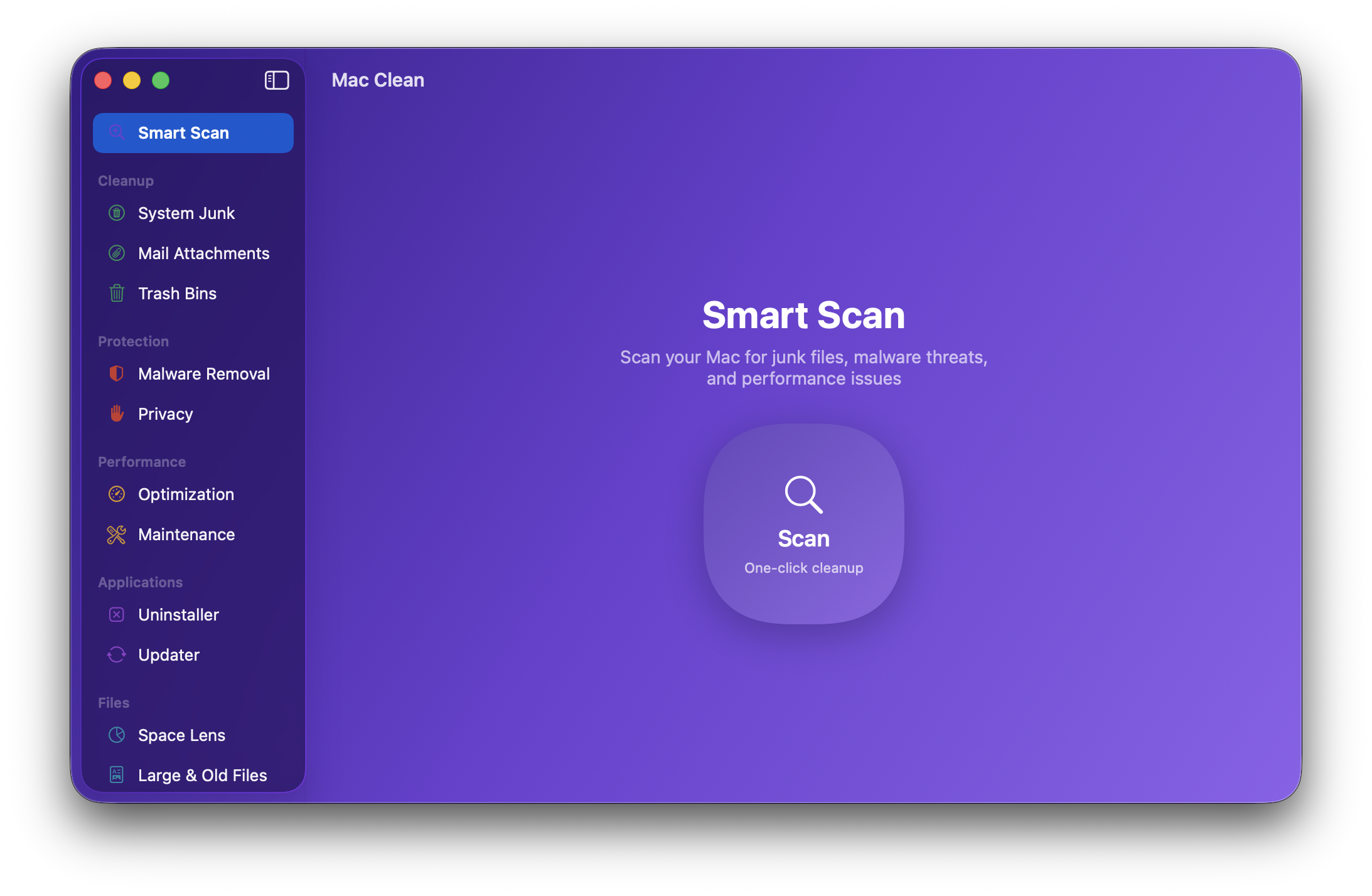
I'm sure most of us have at least heard of CleanMyMac one time, same here. I came across a situation that needed to shake my disk but didn't want to pay another 40 bucks subscription and thought other Mac folks should have the same issue, so grabbed my coffee and dived deep to this idea of create an open source cleaning app for the Mac community with a sleek UI. I've checked "CleanMyMac", "Mole", "Onyx" and other similar softwares to gather and develop their best tools in one app, and that's how Mac Clean was born a while ago! since then I've been maintaining this repo and improve it based on community feedback and so far we passed 140 stars ⭐
Mac Clean is free and open sourced for our lovely mac community! Any suggestion, feedbacks and PR are more than welcome ❤️

Honest scope note: there's a malware scan, but it's a curated list of known adware/bundleware families plus a few launch-agent heuristics. It catches common junk, it is not an antivirus, and I won't pretend it is.

  • Pricing: Free. $0, no subscription, no in-app purchases, no nag screens. BSD-3 licensed.
  • How to install? (now It's in the official Homebrew cask, so no tap needed 🎉 )

A couple of things: it's caught on more than I expected (140+ stars), and I'm actively on it, 30-something releases in the last week and still shipping almost daily. I'm also letting the community pick what's built next, there's an open feature vote here: github.com/iliyami/MacSai/issues/55
Hit 👍 on the ones you want (app permissions manager, quit resource-hog apps, reset an app to defaults, find leftovers from already-deleted apps, and more). If there's something you wish a Mac cleaner actually did, drop it in the comments.

Privacy and trust (all of this is verifiable in the source, that's the point):

  • No telemetry. No analytics. No tracking. No crash reporting. No third-party SDKs of any kind.
  • No ads, no account, no sign-in, no nag screens, no "upgrade to Pro."
  • Mac Clean has no server. It has nowhere to phone home to and it uploads nothing about you, ever.
  • The only thing that touches the network at all is the optional app-updater: if you choose to run it, it checks your installed apps' own public update feeds (the exact same check each of those apps does for itself) to tell you what's out of date. It reads version info, it sends nothing about you. That is the one and only network path in the whole codebase, there are literally two URLSession lines and they're both right there in UpdaterModule.swift. Grep for it.

Enjoy the app, and if you ever wanted to buy me a coffee, just buy a food for a person who needs it and tell me if you did so, that's my fuel ❤️

Edit: We passed 1.6k Stars ⭐ on GitHub!

r/macapps • • Dec 19 '25

Free I selected the features I really used in task managers to create my own free version.

Thumbnail
gallery
274 Upvotes

Hi everyone, nice to meet you, it's my first post here.

I've just finished my computer science studies and during the last 5 years, I tested a lot of productivity apps (TickTick, Things, Akiflow...). I always felt that they were not built for me, being way too complex and thus quite expensive. On the other hand, Apple Reminders or Notes were not sufficient for my needs. So I decided to build Dona : a minimalist task manager for normal people.

What I kept ✅

- A command bar to capture tasks in seconds whatever you're doing

- Calendar integration to see your daily planning (events + tasks)

- Ability to snooze tasks for later

- Shortcuts to go faster

- Recurring tasks

- Widgets

What I left behind ❌

- Categories, labels, projects...

- Precise time on tasks and specific notifications

- Complex views like priority matrix, productivity dashboard, routines planner...

Indeed, while using paying apps, I always ended up stoping to use these in my daily life.

Feel free to try it out if you feel the same about task managers :

https://apps.apple.com/fr/app/dona-simple-tasks/id6748265175

BONUS: I know we are on r/macapps but I think it's really useful to handle your tasks on the phone as well. This is why Dona is also available on iOS. The iCloud sync is the only paying feature of my app, don't hesitate to comment if you want a promo code to use it for free.

r/macapps • • 12d ago

Free Updatest joins Workbrew and is now free

50 Upvotes
Updatest Image

Hey all. Some of you have been here since the Caskly days, giving feedback when it was rough and sending bug reports at 11pm. You’re a big part of why Updatest exists, so you’re hearing this from me first: Updatest is now free, and I’ve joined Workbrew’s engineering team.

Problem

Updatest keeps the apps on your Mac up to date. The top request lately has been “can my whole company use this?” At work, the problem is bigger: IT and security teams often can’t see what’s installed across every Mac, let alone keep it current.

I've joined Workbrew's engineering team to help build exactly that, bringing what I learned building Updatest with me. Workbrew's been chasing that same mission from the company side, so joining forces was the natural move.

Together we've built the Workbrew app. It makes the software catalog for your company real for non-developers, letting organizations deploy, patch, and govern software across every device: Homebrew, npm, Mac apps, browser extensions.

Updatest isn’t going anywhere. It stays available on its own for individuals and families, exactly as it’s always been. Updatest 3.0.0 launches today along side the Updatest Network.

The Updatest app is free, and existing customers can visit https://updatest.app/ for full details on the Updatest Network and what this means if you've purchased Updatest.

Comparison

  • Latest: Latest is free, but it checks fewer update sources and can’t adopt your apps into Homebrew. Updatest checks more sources, can adopt apps into Homebrew for fuller coverage, and updates your Brew packages too. It also adds the Updatest Network (paid), which covers over 36,000 apps at launch.
  • MacUpdater: MacUpdater is winding down and shuts down completely at the end of this year. Updatest supports every update source it can find on your Mac, and the Updatest Network covers over 36,000 apps at launch. Coverage should be comparable, but MacUpdater’s database was curated by hand, so there may be a few apps we miss at first. If you find one, tell me.

Pricing

  • Updatest: Free
  • Updatest Network: $1.99/month or $12.99/year for users who need additional coverage. Existing license keys include the Network at no extra charge for 1 year (Individual) or 2 years (Household) from October 14, 2026.
  • Workbrew Team: Free for unlimited users and devices, no card required.

Happy to answer whatever in the comments. I’ll be around.

Note: We're aware the Homebrew cask hasn't gotten the update yet. It will take some time to show up.

r/macapps • • Feb 08 '26

Free [macOS] I built a free, open source macOS screen recorder that feels native and supports all the modern capture features you'd expect

Post image
480 Upvotes

BetterCapture is a menu bar screen recorder for macOS. It's built with SwiftUI and ScreenCaptureKit, uses the native Content Picker to select what you record, and supports ProRes 422/4444, HEVC, and H.264 — including alpha channel and HDR. Frame rates from 24 to 120fps. System audio and mic simultaneously. You can also exclude specific things from recordings, like the menu bar, dock, or wallpaper.

No tracking, no analytics, no cloud uploads, no account. MIT licensed. Everything stays on your Mac.

Install via Homebrew (brew install bettercapture) or download and install manually. App Store submission is in progress but moving slowly. DMG is signed and notarized.

I used QuickRecorder before this. It covered what I needed, but after upgrading to macOS 26 a few things broke, including the wallpaper transparency feature. I thought about contributing a fix, but the project had a lot of open issues and hadn't been updated in months, so I wasn't sure anything would land. Decided to build my own instead and spent the past few weeks on it.

Still early, so rough edges exist. Happy to hear feedback.

GitHub: https://github.com/jsattler/BetterCapture
Website: https://bettercapture.app

r/macapps • • Sep 26 '26

Free FileWorks: a free dual-pane file manager for macOS, from the developer of Start (Mac App Store since 2016)

Post image
247 Upvotes

Hi r/macapps,

I'm Gerald from Innovative Bytes. I've been selling Start, a launcher for macOS, on the Mac App Store for about 10 years. FileWorks is my new app.

Problem

Finder is fine for browsing, but it gets tedious when you move a lot of files between folders. There's no second panel, copy jobs don't queue, you can't create a new file from a template and there's no proper batch rename. FileWorks puts two folders side by side and lets you do all of that from the keyboard (F5 copy, F6 move). It still uses Quick Look, Finder tags, Finder comments and iCloud status, so it feels like a Mac app.

A few things I use every day:

  • Transfer queue with a conflict dialog. When you move files, the originals are only removed after the copies have arrived
  • New files from your own templates: meeting notes with a fixed outline, a letter with your letterhead, a Numbers sheet with formulas, even a whole project folder with subfolders. Any file works as a template, and the templates folder can live in iCloud Drive so all your Macs share it
  • Open archives like folders, create them, and verify them
  • Batch rename with a live preview, selection by pattern, colour rules
  • Custom tools: shell or Python scripts and Shortcuts. File names are passed safely and never turned into commands
  • Checksums: find duplicates and verify downloads
  • Single pane mode if you only need one folder

Comparison

  • ForkLift: very polished and strong on remote servers (SFTP, cloud storage). It's a paid app. FileWorks is free and focuses on local files: templates for new files, archive verification, checksums and script tools are built in. If you need FTP or S3, ForkLift is the better choice. FileWorks deliberately isn't an FTP client.
  • Commander One: also a dual pane manager, but many features are in the paid Pro version. FileWorks has no Pro tier and no feature limits.

Pricing

Free. No ads, no in-app purchases, no subscription, no account, no telemetry. After 30 days the app shows a single note: if you like FileWorks, you can support it by buying Start. That's completely optional and nothing changes if you don't. You can find the note again under Help and in Settings > Supporting FileWorks.

Download: https://fileworks.innovative-bytes.net

About me and trust

FileWorks isn't on the App Store because a file manager needs full disk access, which doesn't work in the sandbox. It is signed and notarised by Apple. Since that alone doesn't mean much, here's who is behind it:

Developer and company: https://fileworks.innovative-bytes.net/about/

Start on the Mac App Store: https://itunes.apple.com/us/app/start/id1329701389?l=de&ls=1&mt=12

Privacy Policy and Terms: https://fileworks.innovative-bytes.net/privacy-policy/

Requires macOS 26 or later.

Disclosure: I'm the developer. This is the first release of FileWorks, so Feedback and bug reports are very welcome, I'll be around in the comments.

r/macapps • • Jun 22 '26

Free [OS] FluidVoice is back with a bang! Free local AI dictation with on-device enhancement model. Never pay for voice-to-text. No more compromises.

Post image
167 Upvotes

Hey everyone - FluidVoice dev here :)

It’s a little longer of a post, but trust me, it’s worth it...

A few months ago, I posted here about FluidVoice, a dictation app I built because I was tired of paying subscriptions for voice-to-text tools that could run locally.

I released it right here in this subreddit, and honestly, everything changed after that.

People started using it, sharing it, and recommending it to others around the world. It has become one of the open-source favorites out there.

We’re now close to 100,000 downloads and almost 2,500 stars on GitHub!!

There are a lot of dictation apps out there, and somehow, people chose this one. That still blows my mind. I’m incredibly grateful :’)

So...

I’m back with something special that I’ve spent the last four months working on. Something meant to finally bridge the gap between local dictation and cloud-based alternatives.

We all know raw transcription is messy. Capitalization is inconsistent. Punctuation is missing. Lists, emails, and longer thoughts usually need manual cleanup or API pricing...

Most local dictation apps stop at transcription. And if you’ve experimented with local enhancement models, you’ve probably noticed that the results usually aren’t good enough.

That’s why people continue paying for cloud subscriptions. I don’t blame them. This is a genuinely hard problem, and no one tried to solve it.

But today, that changes ;)

Introducing Fluid-1

Fluid-1 is a local model trained on more than 100,000 synthetic generated real-world dictation examples.

It runs after Parakeet, or whichever speech model you choose, and handles:

  • Smart formatting
  • Capitalization
  • Punctuation
  • Cleanup and post-processing
  • Understands your intent

Everything runs directly on your Mac.

No cloud. No API keys. No subscription. Nothing leaves your machine.

The model requires around 3 GB of local storage for now.

We tested it on a separate evaluation set of 10,000 dictation examples. Here’s how the models scored, with higher being better:

Model | Score
------------------------------------------------|--------
Fluid-1 — available now | 77.31%
Fluid-1 Mini — around 1 GB, coming later | 76.94%
GPT-5.4 | 56.73%
Gemma 31B | 56.51%
Base Gemma 4 E2B | 34.72%

Fluid-1 scored more than twice as high as the base model it started from!

The goal is simple: bring the kind of polished dictation people expect from apps like Wispr Flow to a model that runs entirely on your own computer.

This is only the first version, and it’s going to keep getting better.

I’ve poured my heart into this. I’ve spent countless hours on it, burned through a lot of my own money, and came close to giving up more than once.

But here we are.

For everyone who has never tried FluidVoice, please give it a shot and tell me how it compares with your current favorite.

And if you’re already using FluidVoice but still paying for a cloud model, try Fluid-1 and see how it feels.

It has already convinced a few early users to cancel their subscriptions ;)

If something doesn’t work, or the model makes a mistake, please report it through the History settings or send feedback directly through the app. Every report helps me make it better.

I know, I know... the UI could be better.

I’m an AI engineer, so I’m still learning the design and product side as I go. Any UI or quality-of-life feedback is always welcome.

I’ve probably spoken with hundreds of you by now, and those conversations have shaped FluidVoice into what it is today. I’ve also stumbled across dozens of unrelated threads where people recommend FV all over Reddit!

Every time that happens, it makes me ridiculously happy.

I’m also working on Fluid-1 Mini, an even smaller model at around 1 GB. Making a model that small perform well is difficult, but I want Fluid-1 to work properly for people with 8 GB Macs too. We’ll get there.

I really hope you love Fluid-1.

Fluid Intelligence is here to stay on your computer, and we’re only getting started.

Let’s make voice-to-text private, accurate, local, and free - with no freaking compromises.

Would you be happy with a <1GB model if it fixes punctuation and does basic formatting only but is fast AF?

PS: More Fluid-1 examples are in the GitHub README!

---------------------------------------------------------------------------------------------

PROBLEM
Most voice-to-text apps either require a subscription, depend on cloud processing, or stop at raw transcription. Raw dictation is often hard to use directly because it’s messy.

FluidVoice is trying to solve that.

COMPARISON

Compared with apps like Wispr Flow and other cloud-based dictation tools, FluidVoice is built around local-first dictation and local post-processing.

Compared with basic local transcription apps, FluidVoice does not stop at raw speech-to-text. Fluid-1 adds an on-device enhancement layer so the output is closer to something you can paste, send, or publish directly.

PRICING
FluidVoice is free. Fluid-1 is also free.

Price: $0
Subscription: None
Download: https://altic.dev/fluid
GitHub: https://github.com/altic-dev/FluidVoice

TRUST

I’m the developer of FluidVoice.

FluidVoice is open source on GitHub with almost 2,500 starsand and active user community. The app is currently distributed outside the Mac App Store, but the project is public, established, and community-driven.