r/macapps • u/OnderGok • Jan 23 '26
Subscription i just switched from windows to mac and this seems crazy to me
1.3k
Upvotes
r/macapps • u/OnderGok • Jan 23 '26
r/macapps • u/snuffdog_reddit • Jul 29 '26
Hi everyone, I'm the developer of Wallpets.
https://wall-pets.com
Problem
I wanted a desktop companion that could live behind my windows instead of covering my work or behaving like another floating app.
Wallpets brings expressive animal companions to your Mac wallpaper. They can look toward your cursor, react to a gentle Scritch, and idle, play, rest, sleep, and wake on their own while staying behind your desktop icons and normal windows.
The current app includes:
- Cats, Dogs, AniPets, and Special companions
- Display, background, size, and Pet Info layout controls
- Lookaround, Scritch, Reduce Motion, and startup settings
- My Picks and Adopted libraries in Wallpets Home
- Downloaded companions that remain usable offline
The part I underestimated was downloadable content. Making a companion look good in a demo is one thing. Making packs that can be cataloged, downloaded, installed, validated, and played consistently on real Macs is another. That became a large part of building Wallpets.
Comparison
Wallper and Wallux are good choices if you mainly want a library of animated or video wallpapers.
Wallpets is better suited to people who want a character-like companion rather than a wallpaper loop. The focus is on companion behavior, cursor awareness, Scritch interaction, catalog browsing, and an Adopted library. It is designed to feel like a quiet presence on your desktop, not just a video playing behind it.
Pricing
Wallpets is free to download and includes a bundled companion plus eligible catalog downloads.
Wallpets Club is an optional auto-renewable annual subscription. It costs $11.99/year in the U.S. App Store, although local pricing may vary. It unlocks full-quality catalog downloads, removes the free-tier watermark and preview treatment, and expands the Adopted library. >> I submit to Apple App Store Review team with New Price Model: $7.99 for One Time Purchase, and $5.99 Launch Price. Yeah, You guys won! My first price was too expensive and Subscription model is too stupid idea for this product.
App Store: https://apps.apple.com/app/wallpets/id6790400171?mt=12
Requires macOS 12 or later.
If you try it, I would genuinely love to hear what feels natural and what feels distracting. I am still tuning the balance between a small companion in the background and another thing asking for your attention.
-----------
260805 18:15 Below added by K-garoo
Finally! My friends! MacOS got aprroved its refactoring! Update note is as below:
• Introducing Wallpets Full Unlock — unlock the currently published Full Catalog with one purchase. No subscription or renewal.
• Existing Wallpets Club customers keep their Full Catalog access.
• Wallpets Home now opens whenever you launch Wallpets directly, making the Catalog easier to find.
• Removed glitch-like visual effects during Wake, pack changes, and Scritch while preserving the intended motion.
• Improved purchase restoration, Full Catalog downloads, and pack switching.
• Improved selected-display recovery after sleep, display reconnection, or display changes.
r/macapps • u/Responsible-Slide-26 • Sep 18 '26
For anyone not familiar with the term, link to wikipedia - enshittification.
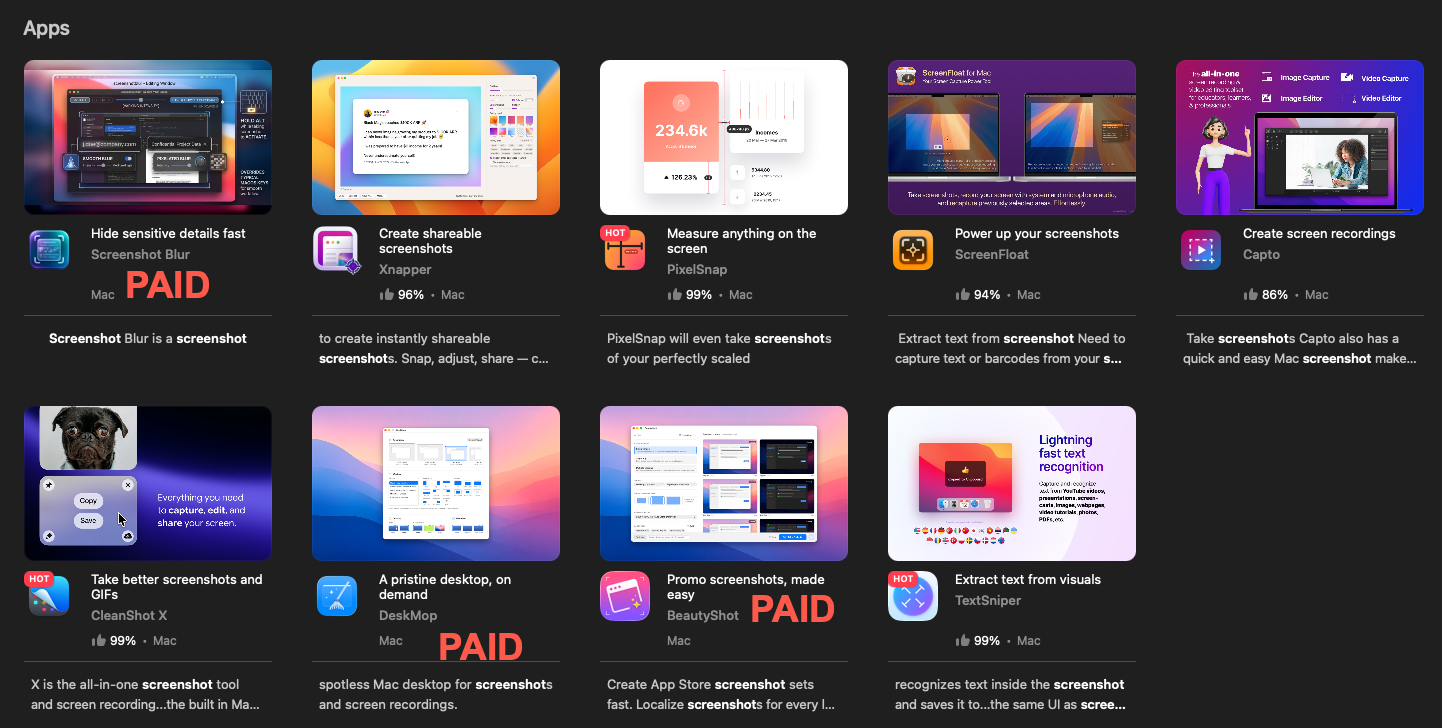
I used to happily pay my $15 a month. Even if the value was dubious, it was fun to have access to thousands of apps, some genuinely useful, on a subscription-only basis.
Now the product is also filled with paid apps. That would be fine, if only they gave a way for users to filter them out. But of course they resorted to dark design patterns to purposely mix the two everywhere and make then look as similar as possible.
Now anytime a user wants to do what they pay $15 a month for, they have to sift through a combination of apps included with the subscription and separate paid apps.
EDIT: a few people have mentioned there is a filter option under "all apps". Thats a single page that loads of thousands of apps, and cannot be searched, so they made that a purposely worthless option.
r/macapps • u/BPBT2020 • Mar 10 '26
r/macapps • u/mac_cain13 • Feb 09 '26
Shipped Bezel 4.0 today with wireless mirroring. Your Mac becomes an AirPlay destination, just tap it on your iPhone and your device shows up in a pixel-perfect frame on your desktop.
"Doesn't my Mac do this already?" Kinda. iPhone Mirroring only works with your own iCloud-linked phone. QuickTime needs a cable and has no device frame. Built-in AirPlay takes over the whole screen with black and also has no frame. They're all good for what they are.
Bezel is specifically for presenting and recording. Real device frames, works with any iPhone and iPad (not just yours), built-in screenshots with custom backgrounds, full-screen mode and more. If you've ever tried to present an app in a meeting or record a demo and wished it worked smoother and looked a bit nicer, that's exactly what Bezel is for.
It's paid (subscription or lifetime), built by two people in the Netherlands. Trial version available to see how it works. Totally fine if the built-in tools do the job for you! Bezel is there when you can use a more professional tool:
r/macapps • u/LucasDotLove • Aug 14 '25
This is a fun one. You can use it to broadcast audio to your friends, followers or colleagues. Personally, we built it mainly to listen to DJ sets together while we work. Since we released the app we have seen people host their own radio stations and live podcasts.
It's completely private and uses peer-to-peer technology for minimal latency between the broadcaster and listeners. Being P2P gives Macrowave the advantage of being real-time with almost zero latency compared to other streaming services like YouTube or Twitch, where you usually have between 10 and 30 seconds of delay. This was important to us because we wanted to experience beat drops at the same time while working in busy co-working spaces.
We put a lot of love and effort into the skeuomorphic design and make every interaction feel unique and fun.
You can learn read more about it on the Website, or download Macrowave on the App Store.
I hope you will have fun with it. ❤️
Lucas
r/macapps • u/Szamski • Sep 02 '26
Native Mac apps are at their best when they solve one recurring annoyance and then get out of the way.
There are already plenty of 100-app directories, so this list is deliberately short: ten apps, ten jobs, and one practical reason each is worth knowing. The filter is simple: built specifically for macOS, verifiably native where possible, and useful without a twenty-feature pitch.
One necessary disclosure: hora Calendar is included below, and I am its founder and developer. That entry is obviously biased. There are no affiliate links, and nobody paid or asked to be included.
The list is alphabetical, because ranking Mac apps is a reliable way to start a small civil war.
Fast native notes with Markdown, tags, and a polished editor. Good when you want structure without turning note-taking into another project to manage.
Screenshots, annotation, scrolling capture, and screen recording in one native app. It quietly replaces a small pile of separate utilities.
A temporary shelf for moving files, links, text, and images between places. A very small idea that removes a surprising amount of awkward dragging.
Google Calendar without the browser tab. It keeps multiple Google accounts and Google-specific event types together, shows the next meeting in the menu bar, and joins Meet, Zoom, or Teams in one click. Apple Calendar is the free general-purpose option, while Fantastical is the broader multi-provider power-user option. hora is narrower by design and is a better fit when Google Calendar is your source of truth. It does not support iCloud Calendar. There is a 7-day free trial, then it is $2.99/month or $29.99/year.
A Swift-based media player that handles almost anything while still behaving like a Mac app. Native Picture in Picture is the sort of detail that earns permanent Dock space.
Clipboard history with no attempt to become your second operating system. It is keyboard-first, fast, and built with native macOS UI.
Gmail without living in Gmail. It uses the Gmail API, so labels, categories, search, and multiple accounts survive the move out of the browser.
Panic's 100% Mac-native editor and IDE. Git, terminal, file transfers, and editing live in one workspace that still feels shaped like macOS.
A natural-language notepad calculator for estimates, conversions, percentages, and all the arithmetic that is too involved for Calculator but too small for a spreadsheet.
A personal task manager with excellent quick entry, keyboard navigation, and restraint. It does not do team collaboration, which is either a limitation or the point.
Which app belongs in version two? The most useful recommendations say what it replaced, whether it is truly native or just native-feeling, and how it is priced. Corrections are welcome too. “Native” is the kind of word that can accidentally start a 200-comment standards committee.
r/macapps • u/wonglauren • 6d ago
Hi all. I'm the developer of Upto, and I also make Looq, which is on the Mac App Store. Upto 1.0 is out now.
Problem
Mac apps update from a lot of places. The App Store's Updates tab only covers App Store apps. Apps with a built-in updater ask when you open them. Homebrew updates what it installed, when you remember to run it. Plenty of apps downloaded from a website never mention a new version at all.
Upto lists every app and command-line tool on your Mac with where it came from, checks for updates at that source on a schedule, and installs them in place.
Comparison
MacUpdater stopped being maintained on January 1, 2026, and its database server will be turned off at the end of 2026, according to its developer's FAQ. If you used it, there's nothing to import. Upto finds your apps the first time it opens.
Unlike the App Store's Updates tab or brew upgrade, Upto shows everything in one list. Homebrew apps still update through Homebrew, so its records stay correct.
Pricing
Why a subscription: finding updates is ongoing work. Sources change, download pages move, and Upto Index runs on servers. If you cancel, you keep the version you have, and Upto keeps checking your apps.
https://macupto.com/
Also in: https://parcse.com/upto
Who's behind it
Upto is made by Parcse (PARCSE, LLC).
If Upto can't find an update source for an app you use, tell me which one and I'll look into it.
r/macapps • u/Advanced-Abrocoma-28 • 7d ago
Had to repost due to reddit filters!
Hey r/macapps!
We've been working on something called Mermaid, and we're finally excited to share it with you guys!
Problem :
Ever needed to get something done on your Mac while you're away? Remote desktop apps are great, but controlling everything from a tiny phone screen can be a pain.
That's why we built Mermaid.
Just text your Mac what you need from your iPhone, and Mermaid gets to work. Open apps, write documents, handle browser tasks, and more. Even when you're miles away.
Comparison :
Jump Desktop and Screens are great for remotely accessing your Mac, but you still have to do the clicking and typing yourself.
Mermaid works differently. Instead of manually controlling everything, you just tell it what you want done, and it handles the steps on your Mac.
You can still watch your screen live or take over manually whenever you want.
Pricing :
Free Beta : $0: Access to Mermaid with a limited AI usage allowance.
Paid Plans: Not currently available for purchase during beta.
Try Mermaid
Early Access : https://addmermaid.com
We're a small team, and it's still early days. Things aren't perfect yet, but we're improving Mermaid every day.
We'd genuinely love to hear what you guys think!
What's one task you'd love your Mac to handle while you're away?
Happy to answer any questions!
Developer transparency (for r/macapps)
LinkedIn : https://www.linkedin.com/in/adi-karki/
Contact: [support@addmermaid.com](mailto:support@addmermaid.com)
Privacy Policy: https://addmermaid.com/privacy
Terms: https://addmermaid.com/terms
r/macapps • u/Tight-Studio-Ethan • Jun 11 '26
Hi everyone!
My name is Ethan, and I’m a developer based in the SF Bay Area.
Here is my Linkedin: https://www.linkedin.com/in/ethanjyx/
Here is my github: https://github.com/ethanjyx
I launched Tight Studio a year ago as a paid app. Since then it won Product of the Day on ProductHunt and grew to thousands of users.
I've watched a wave of vibe-coded screen recorders pop up with lifetime deals, and it's anyone's guess whether they'll still be maintained a year from now.
Today we decided to take Tight Studio most of capabilities free. No lifetime deal, just free forever. We do offer some unique capabilities to monetize to sustain our development, but we want to keep the free tier as generous as possible.
For whatever you need in Screen Studio, it's all free in our product, except sharable links which has server costs.
Tight Studio turns rough screen recordings into polished product demos, tutorials, and walkthroughs. You record your screen, and the editor handles the smooth zooms, fluid cursor movement, captions, and even the voiceover.
Again, for whatever you need in Screen Studio, it's all free in our product, except sharable links which has server costs. The core editing and recording features are free forever. Yes we do want to keep it as generous as possible forever.
Optional paid tiers to sustain our development, for power users and business teams (unlimited multi-clip recording, unlimited share links, AI voiceover) start at $19/mo: https://tight.studio/#pricing (Pricing up to adjustment)
Free forever:
Changelog: https://tight.studio/changelog/
AI Disclaimer: Code Completion
Try it now: https://tight.studio
r/macapps • u/November42069 • Aug 06 '26
Hi r/macapps
My name is Rishi, I’m the one of the creators of Blueberry.
The Problem:
Our journey began when I very publicly got roasted for being a horrible texter.
In my defense, I don’t do it on purpose. When I “accidentally ghost”, it usually goes something like this:
Once I’ve forgotten about it, it gets buried by the endless spam, group messages, and general noise that clutters my iMessage inbox, never to be found again.
This has had real consequences for me. Genuinely, I’ve lost work opportunities, fallen out of touch with previously close friends, and let potential dates fizzle out simply because I forgot to reply.
The Solution:
Blueberry finds the messages that need a reply and auto-drafts a response in your voice. It lives right in your menu bar so you can view and send responses in one click.
You can edit the response or choose an alternative variation, and it works with individual or group messages.
I want to be very clear, we don’t want to replace your iMessage app or automate your texting. Our goal is to remove the small bit of friction that turns “I’ll answer this later” into three months of accidental ghosting.
We also added some fun features like an unhinged mode, which is deranged and hilarious, and a flirt mode, for those of us who struggle to send that perfect text ;)
Comparison:
Apple Intelligence Smart Reply helps after you open a conversation. Blueberry proactively finds the conversations you forgot and prepares replies beforehand.
NOX combines multiple messaging platforms into one inbox. Blueberry is intentionally focused on iMessage and works from the menu bar without replacing Messages. Costs $25/month.
Privacy, Security, and Transparency:
Blueberry needs Full Disk Access to read your iMessages and Automation permission to send replies you approve.
Recent thread context is sent to the cloud to generate drafts. Our models are hosted on AWS Bedrock or Google Vertex servers (Soc2 Type 2 and Soc 3 security compliant). This means that your iMessages stay private and secure, and model providers cannot see your data or use it to train on.
Blueberry will never send messages automatically - you will always be the person to hit send, and we have a 5 second unsend just in case you change your mind!
Great for people who:
Pricing:
The Developers:
My name is Rishi Narain, one of the two creators of Blueberry.
Feel free to reach out to me on X or Linkedin
Blueberry is still very early. We’d love to hear what’s useful, what’s lame, and what you would need to make this a product you use everyday.
r/macapps • u/ThereIsAbsoluteTruth • Aug 15 '26
Sick of unreliable apps or flaky Internet? Breakdown let's you see what's breaking your connection, quickly in your Mac menubar.
Transparency
I'm a network engineer turned entrepreneur, and I've been solving network and application issues for over 20 years now. For background, I built and scaled a successful VC-backed startup (Bigleaf Networks) in the networking space from 2012-2022, including several patents on our networking technology. You can check out my LinkedIn profile here (and I'm generally happy to connect with people in the networking/telecom industry): https://www.linkedin.com/in/joel-mulkey/
Problem
Recently I got sick of being on glitchy Zoom calls and wondering if the issue was my network, my ISP, or Zoom itself. Even if I manually started a traceroute or MTR, I would usually miss the issue because it was intermittent and already resolved. So I've spent the last 8 months building a lightweight menubar app that quickly answers that question (and many more). It's called Breakdown.
Breakdown is built for everyone from your average computer user to network engineers. It's free for standard use. It can do a lot in a small package, but the core functionality is helping you know how to solve issues you have with applications and the Internet.
It's great for:
There are four main views in the dropdown:
There's also an Explorer window for Pro users that has detailed graphing (similar to a network monitoring / observability system).
Comparison
I've been using Breakdown for months as I've developed it, because other tools didn't meet my needs. Speed tests don't tell you about network quality, and pings and other network tests only catch issues if you run them during the incident. There are some alternatives products. The most famous is PingPlotter. It's a sweet app, however it only works on endpoints that you program in, and it's not as lightweight and simple as I wanted (something I can quickly glance at in the menubar while on a video call).
What I saw with all of the closest options was some combination of these issues:
I wanted something that:
Breakdown solves those problems. It:
Pricing
The standard version (which is all most users would want) is free. There is an upgraded Pro version which adds the Explorer views for more in-depth analysis (network engineers like it). Pro normally costs $29/mo, or $25/mo if you pay annually. However, for MacApps visitors, I'm offering a 70% off of Pro for 12 months, but the discount is only through the end of this month (August 2026)! Use coupon code "MACAPPS" at checkout for the discount.
You might wonder: why a monthly fee? There are ongoing costs for the AI-powered Breakdown feature, and for the cloud infrastructure to deliver the Community Outage Insights service (essentially, a built-in downdetector that answers "is it just me?"
I hope you try it out: https://www.breakdown.live
Please let me know any questions or feedback!
r/macapps • u/FlashyComplaint7940 • Jul 04 '26
Hey everyone! It wasn’t too long ago that I posted here with my app Fox Issue Tracker, and I am back with the second my app shop has put out, this one much newer called Atlas: Write and Collect.
I know… Markdown editors and noting apps are a heavily competitive category with some very solid, free, and established tools out there, but I’ve been working on this particular app for about 3-4 years now despite it being in the store for just 5 months so way too much sunken cost fallacy ;) I don't think I can claim to be better, but my aim is to offer solid value that helps others in the same way Atlas has helped me.
Atlas grew out of the inability of Scrivener to meet my needs for writing and world building back around 2022, particularly:
Atlas was created to solve these problems and provide a solid experience for creative workspaces. In fact, throughout the development cycle, my goal was always to do better by looking at some of the best apps to refine Atlas’s feature set, which you can see an overview of on the website: https://contagious.dev/atlas/features/. Just like Fox, I also maintain an up to date help documentation website which basically outlines all of the functionality as well as how it works: https://contagious.dev/help/atlas/. But, to keep it short, I think the feature page’s snippet on the creative workspace really hits it on the head:
Atlas provides a creative workspace where you collect material, organize it, and write — all in one project, instead of scattered across several apps and devices that never quite talk to each other. Chapters, research, images, PDFs, web pages, and sketches live side by side, structured the way you think about the work.
On a working level, it supports Markdown text documents with a “hybrid rich” editor, Canvases, Folder Outlines, Media, Web Pages, and Apple Pencil Sketches as document types, and organizes content into Projects which open in a workspace with an Organizer, Editor, and Document Inspector. There’s a deep search which works alongside tags and metadata, a web clipper built as an extension (so available on any browser on iOS and most on macOS), templates, and a flexible export/publishing tool among some of the highlights.
On a functional level to meet my goals: it uses a completely custom Markdown parser, editor, and rendering pipeline. Sync wise, it is built on iCloud using a robust engine built up over ~6 years and was designed for the needs of Atlas’s document sync. I’ve also been an iOS and mac developer since 2008 so… I know what I am doing as far as building solid apps outside of those. :) For some nerdy notes, see below!
I’ve already spoken a lot, but this app was designed to replace that for myself and has successfully done so for over 2 years. In a nutshell, I implemented everything from my list above, including feature parity across platforms, specifically:
Alright, I can hear it already: Why not Obsidian? I know, I know. To be fair, I don’t think Obsidian was as big when I started this app. But Atlas isn’t trying to be Obsidian, though it did look at it greatly as inspiration and continues to be so.
The biggest difference, and likely will be a turn off for many so I'll say it now, is how they treat data. Atlas boxes it in the user’s ~/Library/Containers out of sight while Obsidian sits on top of data in the user’s local file system with a vault. And while Atlas stores data as markdown files in its container, they are organized for machine reading and the library metadata is a sqlite database. There are a few reasons for this:
I hope I didn’t digress… ha. Anyway, here are a couple of things that make Atlas stand out in comparison:
Two Markdown editor sandboxes that are major inspirations for Atlas and what I consider one of the best Markdown-like editors available to iOS and macOS. I actually created interoperability for the editor and publishing themes with Ulysses! However:
Atlas is a subscription which costs $3.99/month or $24.99/year USD. Your purchase grants universal access on Mac, iPad, and iPhone. There’s a 14 day trial to give it a shot and a tour project you can explore before even committing to that.
Edit: After much request, I decided that I will offer limited time lifetime offerings from time to time for $59.99! This current one will last until July 31st :)
You can find Atlas on the iOS and Mac app stores here! https://apps.apple.com/us/app/atlas-write-and-collect/id6755169090
I know it's a tough sell, please don’t crucify me, but there are a few reasons I am offering a subscription without a lifetime option for this app:
If that jives with you and you do like Atlas, use the code REDDIT3FOR1 to get the next three months for the price of one (i.e., $3.99 usd for 3 months)! It’s valid until the end of the month in case you want to give the trial a shot first.
I started Atlas originally as a small way to compile some worldbuilding documents in a place that supported iCloud sync and expanded a customized sync engine that I had built off the CloudKit infrastructure that began around 2019 for Fox. A lot of this predates the frameworks we have today, so these pieces we built from the ground up and iterated over the last 7 or so years in production apps which have synced thousands of items at once. It’s funny, when Apple debuted NSPersistentCloudKitContainer, I looked at it and it operates a lot how my own system is built! Though my engine takes special care syncing document assets, handing situations off to Atlas which can allow it to move forward but queue up conflict resolutions safely for the user. Anyway, this was a big deal for me and also is one of my speciality areas so getting to flex it is awesome.
The Markdown engine is entirely custom as well. It was shortly after I saw John Sundell’s Ink that I got inspired to write the parser—internally called Nifty which is a reference from my teenage programming days—and it functions similarly Ink to get close to O(N). I also built the editor from scratch on top of TextKit (1, because 2 is borderline unusable for something like this) in both AppKit and UIKit over the course of maybe three years? It was first deployed in Fox and saw several iterations as I refined or rebuilt pieces based on how borderline insane some of those APIs are and users gave me feedback. Another Atlas internal tool (which I sherlocked the name Rosetta for) does a lot of the Markdown conversions to support the conversions, exporting/publisher, and web clipper but honestly that was easier.
There’s a lot going on under the hood here to deliver on the promises I am making! I could go on and on… the sync and markdown components are obviously some of the bigger ones, but there’s a lot to an app like this! If you’ve any questions, please let me know.
Finally: Though I am a developer and have been for a long time (coughouch), I myself am a creative and love to both write and especially worldbuild! I use Atlas for all of my projects so I have trust in it being a solid tool that delivers on the promises I am delivering :) And honestly, so far, I’ve had some really great interactions from users and I hope to continue that!
Personally, you can find me on https://iosdev.space/@nemesisprime.
Bests! —Dandy
r/macapps • u/zahaggis • 12d ago

I know. Announcing a notes app on Reddit is about as original as starting a podcast, so I’ll stick to the format.
Problem
My notes were split between Apple Notes and Obsidian. Notes is lovely to open and type in, but everything sits in a database, and I want my AI assistants working with my notes. Obsidian has the plain Markdown files I want, but I kept ending up in plugins and settings instead of writing.
Comparison
Soot sits between Apple Notes and Obsidian, and it’s closest in feel to Bear.
Like Notes, you open it and write, with no plugins, settings or account to deal with first. Unlike Notes, every note is a plain .md file in a folder you choose, so other apps can open it and AI assistants (Claude, ChatGPT, Gemini CLI, Cursor) can work with your notes on your Mac.
Like Obsidian, it’s Markdown files in folders, but with far less app around them. The formatting shows as you type and the Markdown symbols don’t, unless you’d rather see them.
Like Bear, it’s a native writing app, but it hides more of the Markdown than Bear does, and your notes are plain files in folders, with tags too if you want them, instead of living in a database.
It’s written in Swift, not Electron. Folders, search, twelve themes, and optional end-to-end encrypted sync. I can’t read your notes.
The full feature list is here: https://sootsync.com/features
Pricing
The whole editor is free. Soot Pro adds sync between devices for $2.49 a month or $24.99 a year, with a 7-day free trial on the yearly plan. It’s a TestFlight beta for now, and you can join at https://sootsync.com
Who’s behind it
I’m Rob Schmitt, a software developer in Edinburgh. I’ve been doing this for about 30 years: https://sootsync.com/about and https://www.linkedin.com/in/robertcschmitt/. Privacy policy and terms are at https://sootsync.com/privacy and https://sootsync.com/terms, and you can reach me at [hello@sootsync.com](mailto:hello@sootsync.com).
r/macapps • u/beerbellyman4vr • Aug 20 '26
Co-founder here, so full disclosure up front.
The problem
AI notetakers do two things a lot of people hate: a bot joins your meeting and makes everyone self-conscious, and your conversations get uploaded to servers you don't control. Plenty of companies ban them for exactly this reason.
Anarlog is a desktop app that listens to the audio going in and out of your Mac, transcribes on-device, and generates meeting notes. No bot in the call. Nothing leaves your machine by default, and your transcripts and notes are local files you own.
How it compares
Pricing
Links
Website: https://anarlog.so
GitHub (MIT license, ~9k stars): https://github.com/fastrepl/anarlog
macOS is the most polished right now. Windows and Linux builds are in beta. Would love feedback, especially on what feels rough.
r/macapps • u/shakeebsc • 3d ago
Hey r/macapps, Runlet, a native API client for macOS. It isn't out yet (the App Store listing is "coming soon"), so now is the best time for me to hear what's missing or what would put you off.
Processing img denao1fipbxh1...
I wanted an API client that behaves like a real Mac app (standard menus, windows and keyboard shortcuts) and doesn't make me create an account to send a GET request. Everything stays on your Mac: no account, no analytics, no sync server. Secret variables are stored in the Keychain and masked in history.
What I'd love to know
More details: https://coralpane.com/runlet
I'll be in the comments answering everything.
r/macapps • u/Viktor153 • 4d ago
Hi r/macapps, I'm Viktor, a designer and developer based in Amsterdam.
I made Lodestone, an AI journal for Mac, available on the Mac App Store.
Problem
I kept my journal in Obsidian on my Mac. Plain text, my raw thoughts, nothing else on the page. I liked it that way and didn't want a different way of journaling. What I did want was help making sense of it all, and a way to think things through.
AI journals exist, but they take a very different approach. They want to hold your hand, with questions popping up while you write, chat as the main experience, scores and streaks. I didn't want any of that in my journal. I wanted my entries clean, and mine.
So I pasted entries into Claude. One at a time, it only knew that one entry. It didn't know who the people were, what had happened before, or what I'd already tried. Claude has a memory, but it isn't made for something as deep as a person's inner life. Pasting in everything, hundreds of entries in one chat, was bad in a different way. The answers lost focus and got generic, and it used up all my limits.
What I wanted was to keep writing the way I did in Obsidian, while something in the background kept a working understanding of my life. When I asked for help, it would start from everything I'd written.
What it does
How it works
The pasting problem is what shaped the engine. I wasn't sure it would work at all, so I tested and iterated on it with my own journal before even considering building an app around it. I tried vector search and other ways of picking out the relevant entries up front, but they kept missing things. You can't know what's relevant before you've made the connection. What worked was boiling everything down first, into a memory that nudges and reflections both read from. Here's how it's built:
Comparison
Privacy
Pricing
It's a subscription starting at $14.99/month, with a 3-day free trial. I made it a subscription to cover the AI costs, since every reflection, nudge and background update is a paid call to Claude. If you cancel, you keep your notebook and everything you wrote; only the AI features stop.
Mac App Store: https://apps.apple.com/app/lodestone-ai-journal-diary/id6789075104?pt=127915339&ct=reddit&mt=8
Requires macOS 15.7 or later.
Links
Happy to answer questions, and I'd love to hear what you think.
r/macapps • u/Chocoford • Aug 27 '26
Hi r/macapps, I’m the developer of ExcalidrawZ.
I first shared the app here when it was mainly a native wrapper and file manager. It has grown quite a bit since then, so I made this video as a complete walkthrough of what ExcalidrawZ is today.
Excalidraw is an excellent drawing tool, but I wanted its files to behave more like regular documents on Apple platforms. That means opening and organizing multiple drawings, working with local folders and cloud storage, keeping file history, and moving naturally between drawing and other workflows.
Compared with the Excalidraw web app, ExcalidrawZ focuses on native document management and system integration while retaining the standard .excalidraw format.
Compared with Apple Freeform, it stays compatible with the Excalidraw ecosystem. Compared with Obsidian Excalidraw, it works as a standalone document-based app rather than requiring a vault.
The video covers file management, iCloud and linked storage, presentations, macOS Screen Annotation, collaboration, export, custom fonts, AI Chat, and MCP integration.
ExcalidrawZ is free to download. The core drawing, file management, cloud storage, Screen Annotation, and basic MCP features are free.
Optional subscriptions:
r/macapps • u/thatisagoodrock • Mar 04 '26
r/macapps • u/danmoreeeeeeeeeee • 2d ago
Problem
Menu bar info (the song playing, headlines, stock quotes, the weather) usually costs you either a pile of separate menu bar items that eat horizontal space, or a window you have to open. DotStrip puts all of it on one small LED board in your menu bar. It scrolls whole dots at a time, like a real sign, so it saves space.
Links
Comparison
I don’t know of another app that shows widgets on a scrolling LED board in the menu bar. But similar features for widgets are the following.
Plain menu bar text apps are readable, but DotStrip is built to look and scroll like LED hardware which saves space when showing multiple widgets, which is the whole point and what makes it aesthetically pleasing.
Pricing
7-day free trial, no account needed. Then $14.99/year or $2.99/month. Subscription only, with no one-time option yet. Payments go through Polar. macOS 13 or later, Apple silicon and Intel, signed and notarized, with updates through Sparkle.
Who I am and personal links
A recent Computer Science graduate and solo developer.
My Github account
My LinkedIn account
My email [danmore0101@gmail.com](mailto:danmore0101@gmail.com)
I’m happy to answer anything and please leave feedback, I’d like to hear which widget you’d want next or any concerns!
r/macapps • u/gestautasedvinas • Sep 20 '26
Problem
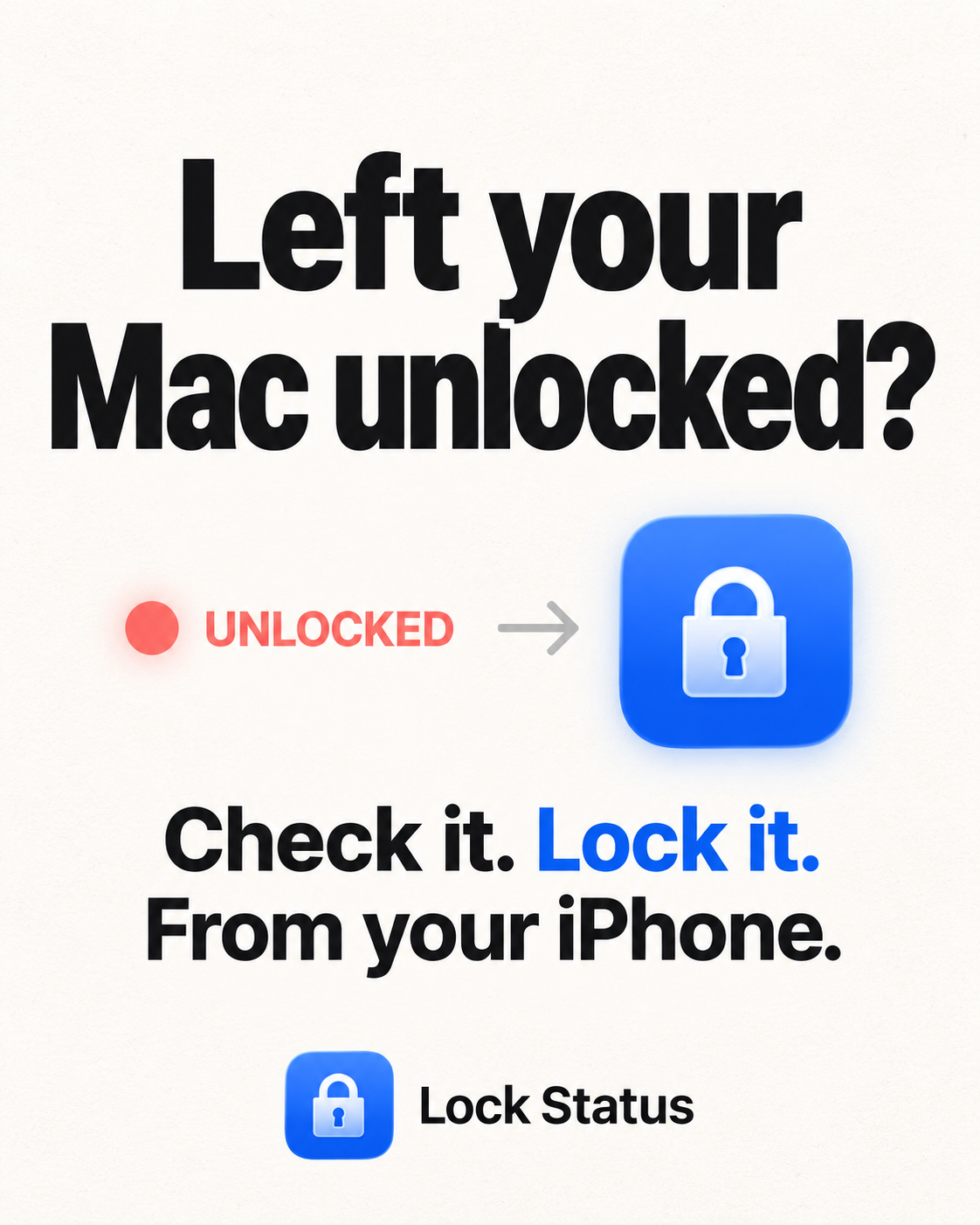
You walk away from your Mac and ten minutes later you cannot remember whether you locked it. A free macOS menu-bar helper reports lock, unlock, and sleep to your own private iCloud, and the iPhone app and its widgets read it back, so the answer sits on your Home Screen.
Every reading shows when the Mac was last heard from. After 180 seconds of silence it goes amber and stops claiming to be live. "Locked, 12m ago" is honest, a bare confident "Locked" is not, because a wrong answer here is worse than none. You can also lock a Mac from the phone, behind a confirmation. It's the only remote action I'll add, because it's the only one that fails safe.
Comparison. Find My tells you where the Mac is, not whether its screen is locked. Screens and Jump Desktop show you the actual screen, which is more than I give you, but you have to connect in and wait, and the Mac has to be awake. This is read-only and takes no taps.
Pricing
- macOS helper, free: https://lockstatus.app/downloads/LockStatus.dmg
- iPhone app, free for current state and recent activity: https://apps.apple.com/app/id6799870198
- Pro, $1.99/month or $9.99/year with a 1 week trial: widgets, full history, usage insights.
Transparency
privacy https://lockstatus.app/privacy.html
No servers, no account, no analytics: the data path is your own private CloudKit database, which I cannot read. Which also means I cannot see what you are experiencing, so please tell me if it breaks.
r/macapps • u/rabbimarshak • 1d ago
Problem
Ring shut down its desktop app in 2023 and never replaced it. If you want your Ring cameras on a Mac today, you must use a browser tab that logs you out frequently, shows 4 cameras max, and has none of the things a Mac app should have. No notifications, no menu bar previews, no widgets, no window you can float over your work.
What it does
Video Wall Live is a native Mac app (Swift, Apple silicon & Intel, macOS 14+). Here's what it does
Your video stays private. We never see it or store it, and we don't track what you watch or sell your data.
Comparison
Pricing
Mac App Store https://apps.apple.com/us/app/video-wall-live-desktop/id6817043384
Ring Appstore (where the trial starts) https://ring.com/pages/appstore/video-wall-live
Site and setup guides https://videowalllive.com
Disclosure, this is our app. Happy to answer anything, and feature requests and bug reports are welcome.
r/macapps • u/8aev • Mar 13 '26
[Problem]
The problem the app solves is that moving to Apple Passwords often leaves people without a place for the other sensitive items, such as payment cards, documents, and IDs.
[Comparison]
Uplock focuses on simplicity and native platform design. Unlike most apps in the space,
[Pricing] Save the first five items for free. Afterwards, Uplock+ Individual is $2.99/month, $14.99/year. Uplock+ Family is $3.99/month, $24.99/year. Lifetime plans also available.
[Changelog] Available on the App Store page https://apps.apple.com/us/app/uplock/id6469049274
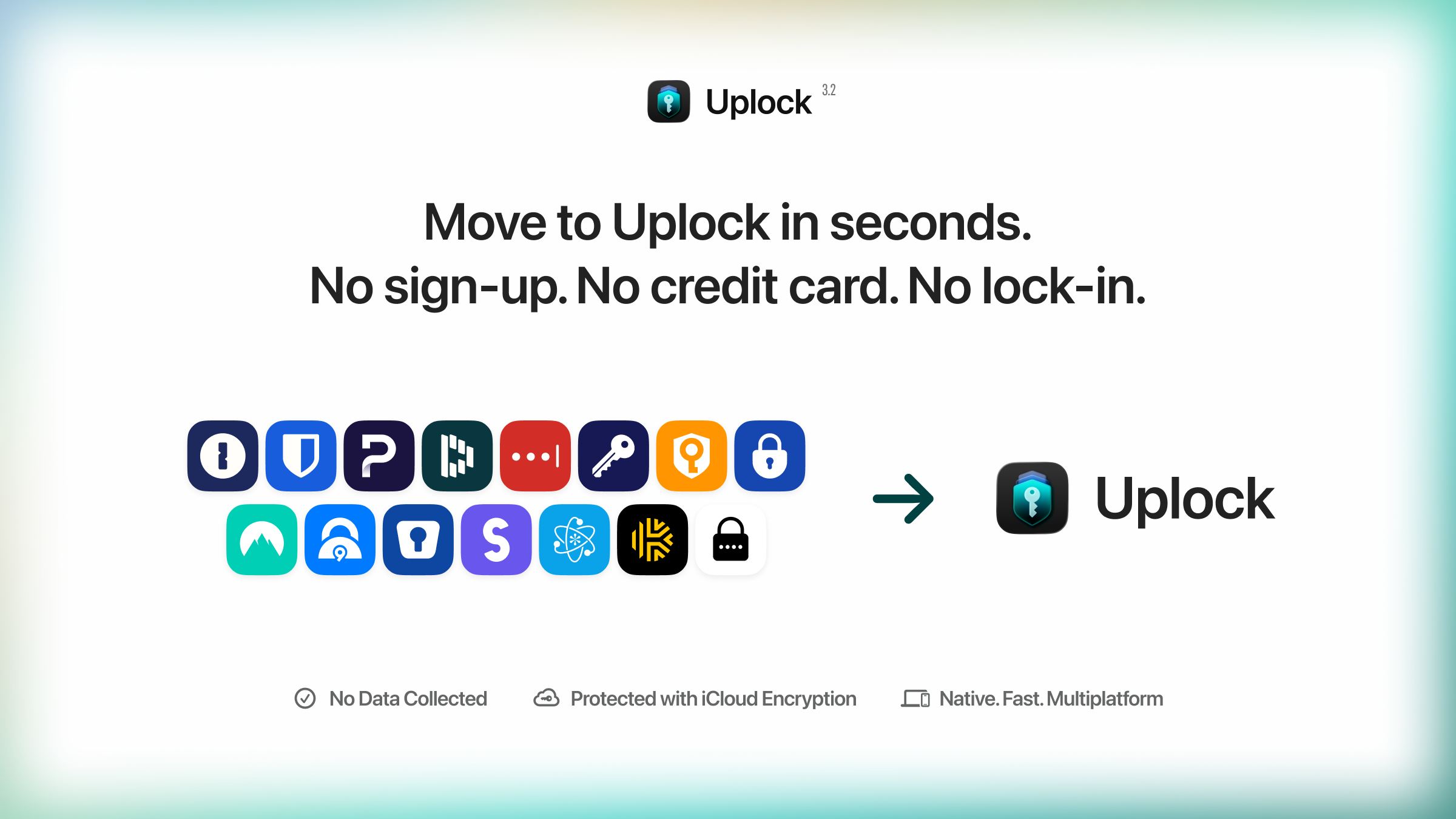
Uplock 3.2 (released today) expands our import support. In addition to 1Password, you can now also import data from:
Bitwarden, Dashlane, Proton Pass, LastPass, Enpass, Keeper, NordPass, mSecure, SafeInCloud, Strongbox, SplashID, Secrets, KeePassium, and Minimalist.
If you use one of these apps, you can try importing your data into Uplock for free. We’d love to hear how import from these apps works for you.
[AI] AI Disclaimer: Minimal/close to none.
r/macapps • u/Chance_Ad2478 • Mar 12 '26
I've been building iOS and Mac apps in Swift for a while. At some point I started looking for AI tools to speed things up and couldn't find a single one that actually did Swift well. Everything was web wrappers React Native, Expo... Yuck... Slow, buggy, no real Apple features. And even after getting something built, there was never a backend. So I'd leave the tool, go set up Supabase, wire APIs, configure auth. By the time everything was connected the momentum was dead.
So I built Nativeline. Its for non technical people who want native apps and don't even know how to navigate through the pilot cockpit that is Xcode
Problem:
Every AI app builder either outputs web wrappers or makes you leave the platform to set up your own database. The process of going from idea to a real, shippable native app with a working backend is broken across too many tools.
What it does:
You describe your app in a conversation. The AI builds a real native Swift app with full access to Apple frameworks. AR, Siri, Apple Maps, Liquid Glass, menu bar apps, all of it. Also integrated the Xcode simulators so you can test without tab swapping, and TestFlight upload in a few button clicks so you don't need to deal with the annoying flow in Xcode.
As of yesterday, Nativeline Cloud is live! Your database, auth, file storage, and analytics are built directly into the platform (no its not supabase or firebase wrapped up, its my own system that runs on AWS) You tell the AI your app needs user accounts and a database and it sets it up. You can view your tables, manage users, see daily active users and sign ups (added this as I noticed the other platforms like Supabase don't give you cool charts to see your apps growth)
Compare:
Rork and Bitrig do native Swift but no built in database. Lovable, Bolt, Replit all have databases but output web apps, not native Swift. Nativeline is the only one that does both. Real native Swift and a real cloud database in one platform without needing to leave.
Features:
App Building
Nativeline Cloud
Pricing & Link:
100% Free to try and to start building, after a point you will get limited for AI usage and Cloud usage. But, for the Mac app community you can use code NATIVEHUNT for 20% off any plan. (use the code during stripe checkout, not on the plans page in app)
Paid plans that include database and AI is $25, only increases for more AI usage and database size if you so desire.
AI Disclosure:
[Code Completion ] Built in Swift, used AI to help speed up development and workflow!
Would love any feedback you have!
r/macapps • u/CloudInsideAToaster • Aug 04 '26
Hi r/macapps,
I’m the developer of MeetingMemo, a native Mac app for recording, transcribing, summarizing, and chatting with your meetings.
I built it because I wanted useful AI meeting notes without uploading recordings to another company or inviting a visible recording bot into every call.
The problem it solves
MeetingMemo captures your microphone and Mac system audio, transcribes the conversation locally, and creates summaries, action items, and searchable notes.
You can also chat with an individual meeting afterward. For example, you can ask what was decided, what you promised to do, or which topics still need follow-up.
No bot joins the call, and recording never starts automatically.
Privacy
Audio stays on your Mac and transcription runs locally using Apple SpeechTranscriber or WhisperKit.
For summaries, action items, and meeting chat, you can choose between:
Only transcript text is sent when you intentionally choose a hosted option. Audio is never uploaded.
Comparison
Apps such as Otter and Fathom are useful if you want a cloud-based meeting assistant. MeetingMemo takes a different approach:
The tradeoff is that MeetingMemo currently requires an Apple Silicon Mac running macOS 26 or later. It also separates speakers into “You” and “Others,” rather than identifying every individual speaker in a large group call.
Features
Pricing
MeetingMemo includes a 30-day free trial with every feature.
After the trial, it costs $29.99 per year through the Mac App Store. Family Sharing supports up to six people. There is currently no lifetime purchase or permanently free plan.
Website and pricing: https://meetingmemo.app/
Mac App Store: https://apps.apple.com/us/app/private-meeting-recorder/id6778542768
I’d appreciate honest feedback, particularly about the local transcription quality, privacy options, and which meeting workflows you would like supported next.
I’m the developer, so I’m happy to answer technical or privacy questions directly.