r/pcmasterrace • u/DawaysKy • 23h ago
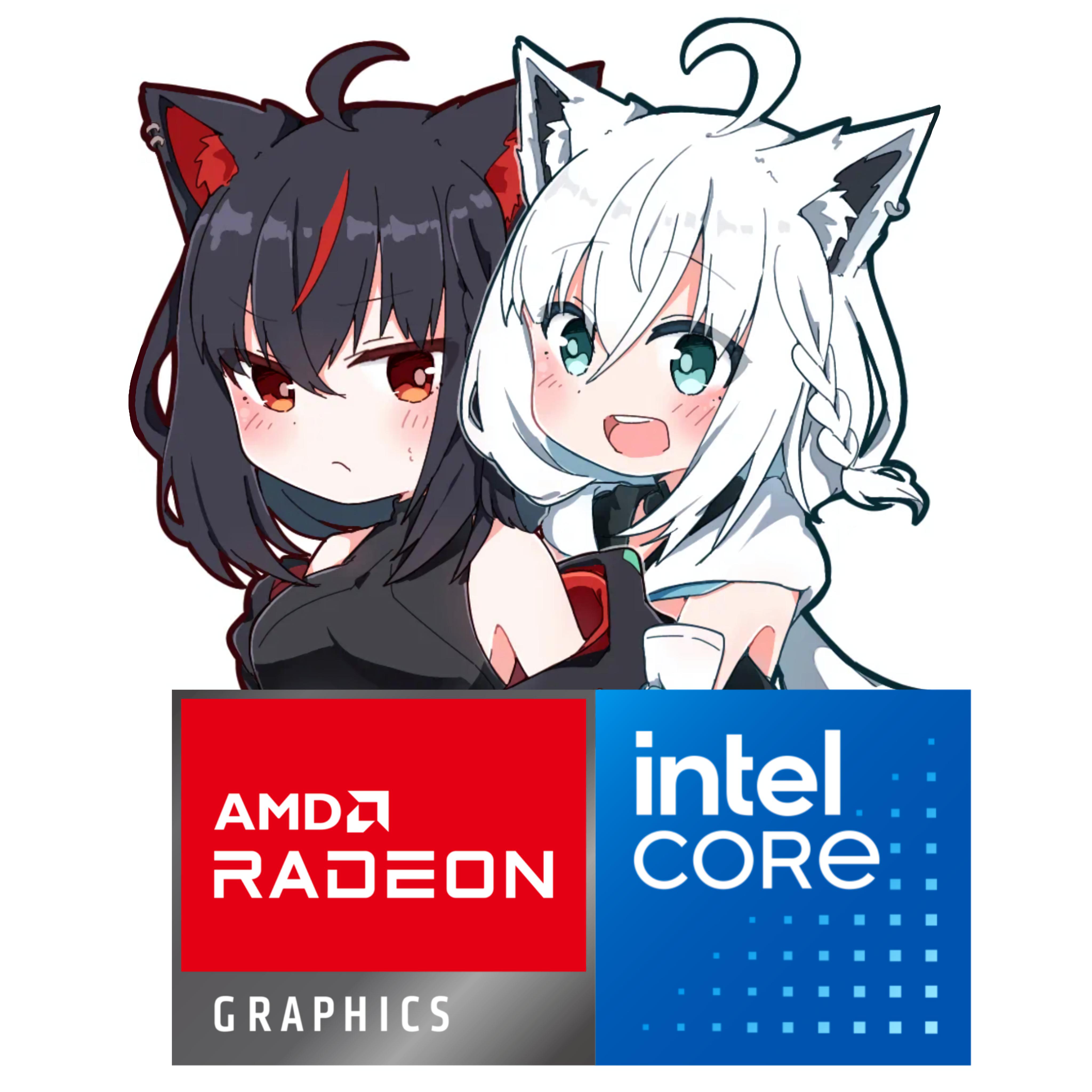
Discussion Thoughts on Intel + AMD combo, and why does this setup get so much hate?
0
Upvotes
r/pcmasterrace • u/DawaysKy • 23h ago
r/pcmasterrace • u/Deyellowboy65 • 22h ago
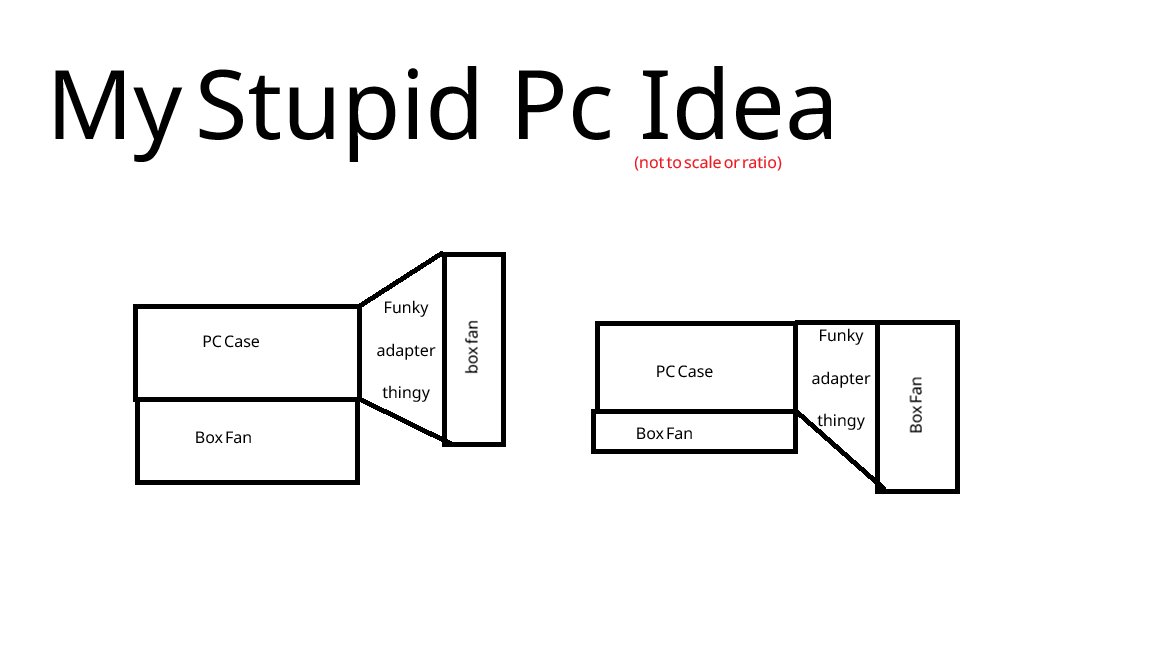
the main idea is that one fan (idk which would be better) would be set to intake while the other is exhaust to achieve super airflow
r/pcmasterrace • u/obolli • 3h ago
I loved just upgrading my PC from time to time, I have a good machine, last upgrade was luckily RAM 2 years ago.
But damn, prices are insane right now. I looked at some builds and I looked at parts, I think 70% of the price goes into memory nowadays.
What do you think? How long do you think until prices come back down?
I don't need it, but I just enjoy upgrading.
r/pcmasterrace • u/AWD-IT • 13h ago
Feels like every time I look at PC parts lately there’s something else that’s jumped in price 😭
If you were building or upgrading right now, what part would make you say “nah, I’m waiting”?
GPU? RAM? Motherboard? Something else?
r/pcmasterrace • u/Frostarmy • 8h ago
r/pcmasterrace • u/Blitzz_Bankai • 5h ago
I am genuinely curious my friend recently switched to Linux , said "He wanted better FPS" , I am a CS2 player I have a Lenovo yoga Slim 7I which has :-
Intel Core Ultra i5 125H
16GB ddr5
1TB NVMe SSD
running windows 11
My question is should I also switch to Linux ? to get better gameplay on CS2? I play CS2 , Roblox and Minecraft , If the answer is YES then letting you know I am thinking to switch to Arch Linux.
pls comment your opinions and recommendations.
r/pcmasterrace • u/_Maltizers • 13h ago
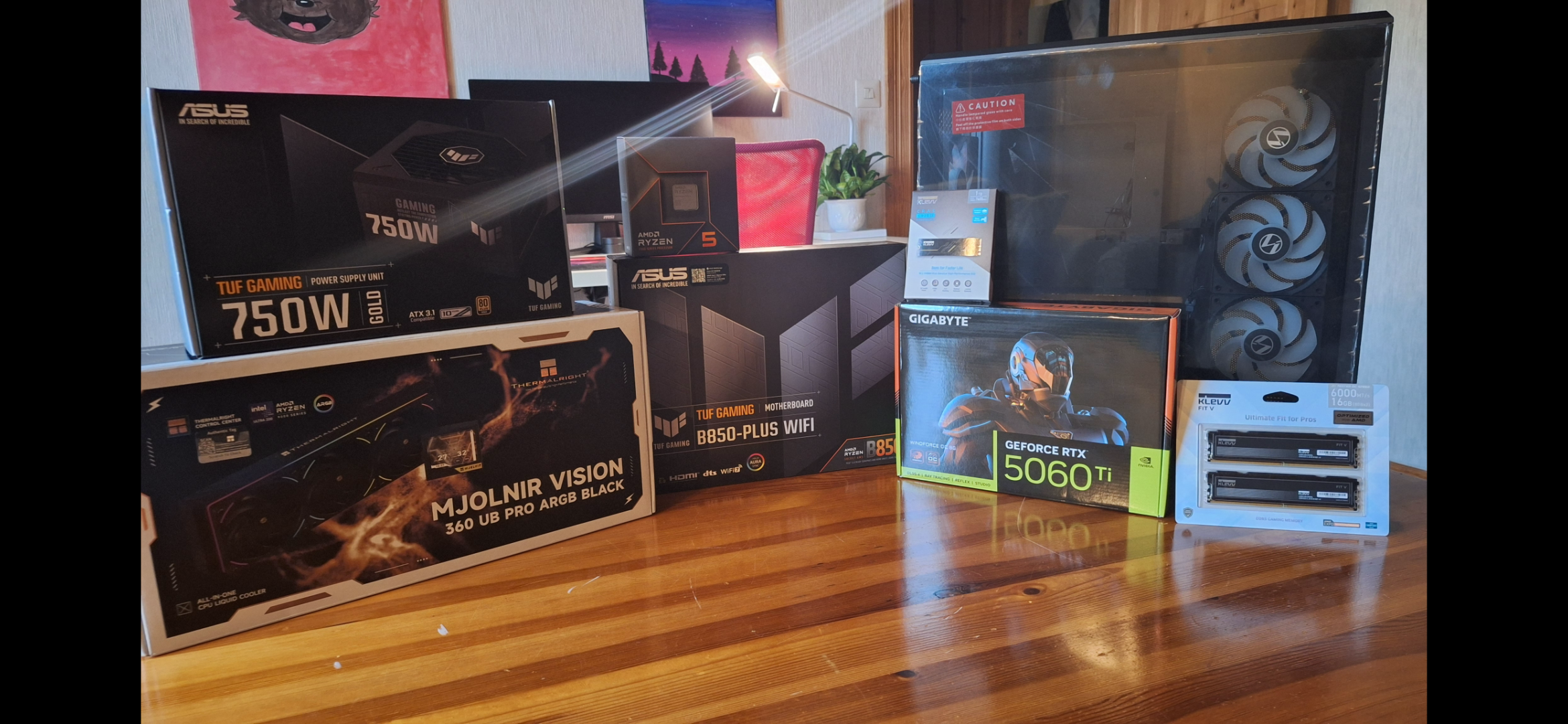
I know that the aio is overkill but i have hade bad experienses with overheating and it is for aesthetics. I have nvidia because I also have hade bad experienses with amd. I also got all of this exept the coler on a massive deal so I saved 400$.
r/pcmasterrace • u/Ayden_Linden • 7h ago
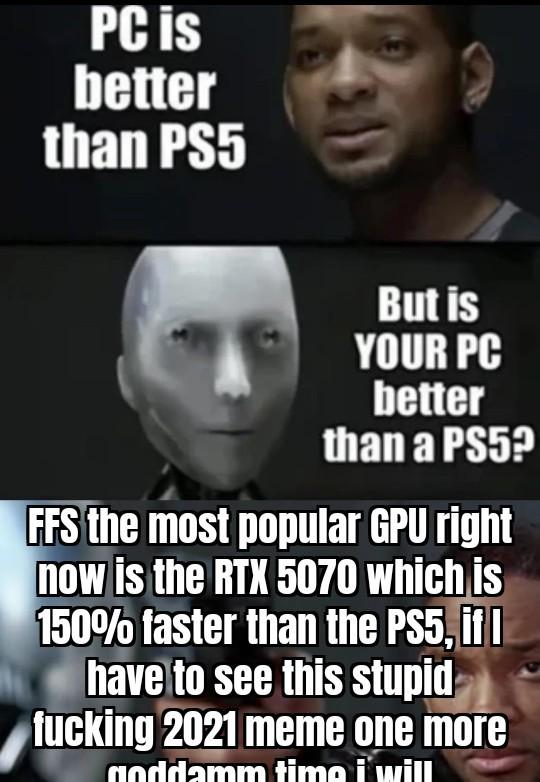
Seriously, in 2021 this shit may have been semi clever but holy hell how much longer are we going to keep resposting the same garbage over and over again?
r/pcmasterrace • u/Electronic-World-478 • 15h ago
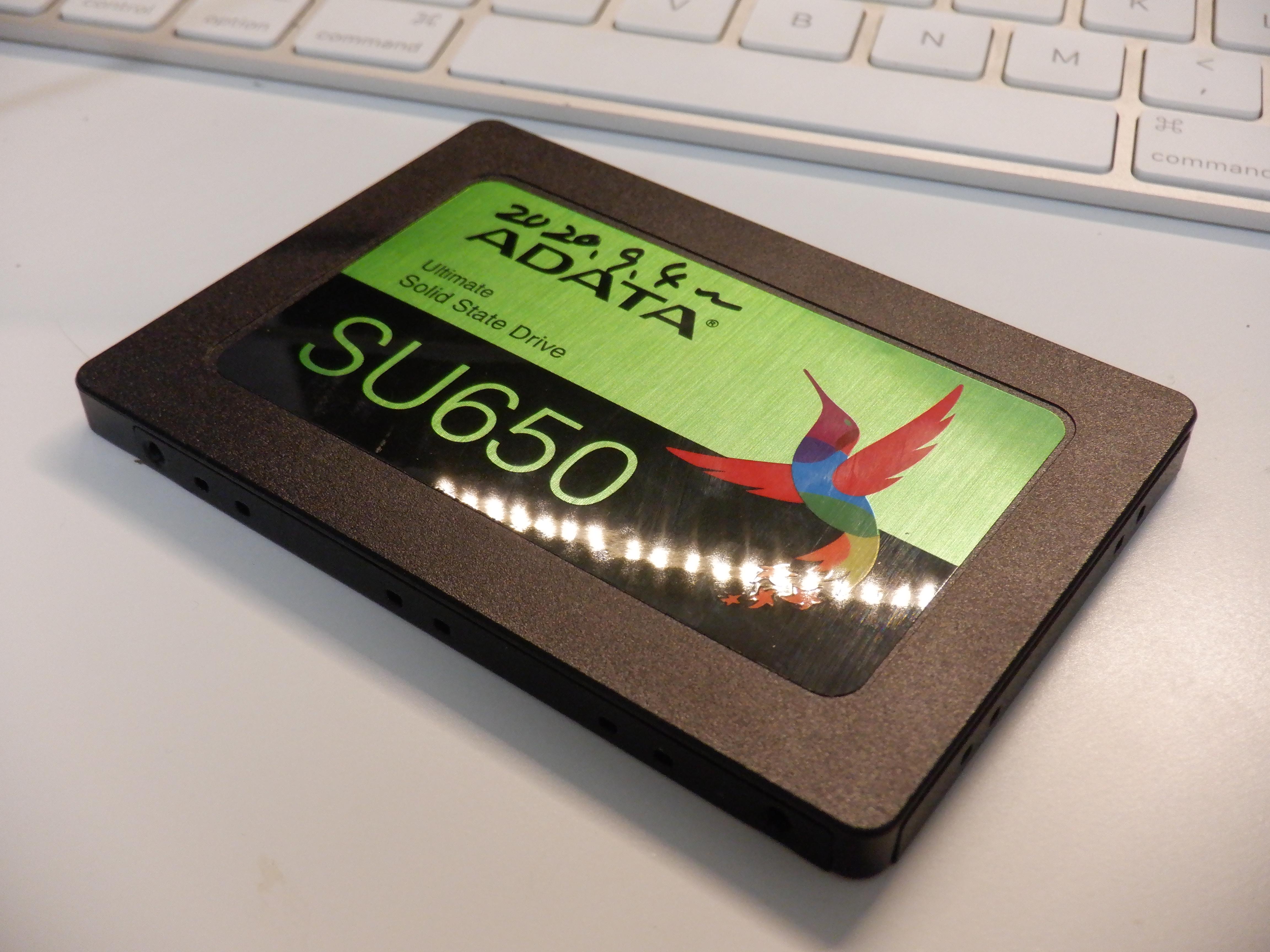
This SSD worked hard as the boot drive for my NAS since I bought it about a year ago.
It suddenly died a few weeks ago. I replaced it with a HDD with the same size.
What are fun ways I can repurpose/DIY this SSD? Any suggestions are welcome! I just can't throw it away lol.
r/pcmasterrace • u/Caegrim • 3h ago
r/pcmasterrace • u/Critical-Mindset • 6h ago
Bought this G.SKILL Trident Z5 Neo 64GB (2x32GB) DDR5-6000 kit from Newegg on May 28, 2025, for $349.99. After a $10 discount, I paid $371.44 including tax.
Fast forward just 17 months, and the exact same kit is now listed for $2,599.99. That’s a 643% increase, or roughly 7.4 times the original price.
Both prices are directly from Newegg, not third-party sellers. Absolutely insane lol
r/pcmasterrace • u/throwaway16830261 • 22h ago
r/pcmasterrace • u/Jh3nnO • 10h ago
My CPU is an i7 3770, it does not have TPM 2.0 compatability/FTPM available. HOW is it on windows 11/what to do.
(Got it prebuilt last christmas, looking for genuine help)
r/pcmasterrace • u/Suvitruf • 13h ago
Hi everyone!
TL;DR: a userscript for Tampermonkey/Violentmonkey that hides games carrying Steam's official AI Generated Content Disclosure from search results, tag/category pages, the front page and your wishlist, and warns you on the game page. You decide what counts: by default only games where AI was used for art. Also there is report system for cases when devs aren't disclosure AI usage in their game.
Install: https://raw.githubusercontent.com/Suvitruf/steam-hide-ai/master/steam-hide-ai.user.js
README and community list: https://github.com/Suvitruf/steam-hide-ai
Why
You all read posts about AI slops on current Steam Next Fest.
Steam has had the AI disclosure field for a while, but the store doesn't let you filter by it. You only find out if you scroll to the bottom of a game's page.
What it does
Privacy and caveats
It's an early version (0.2), so if you try it I'd like to hear what breaks and which games it misclassifies: https://github.com/Suvitruf/steam-hide-ai/issues
P.S. post approved by mods.
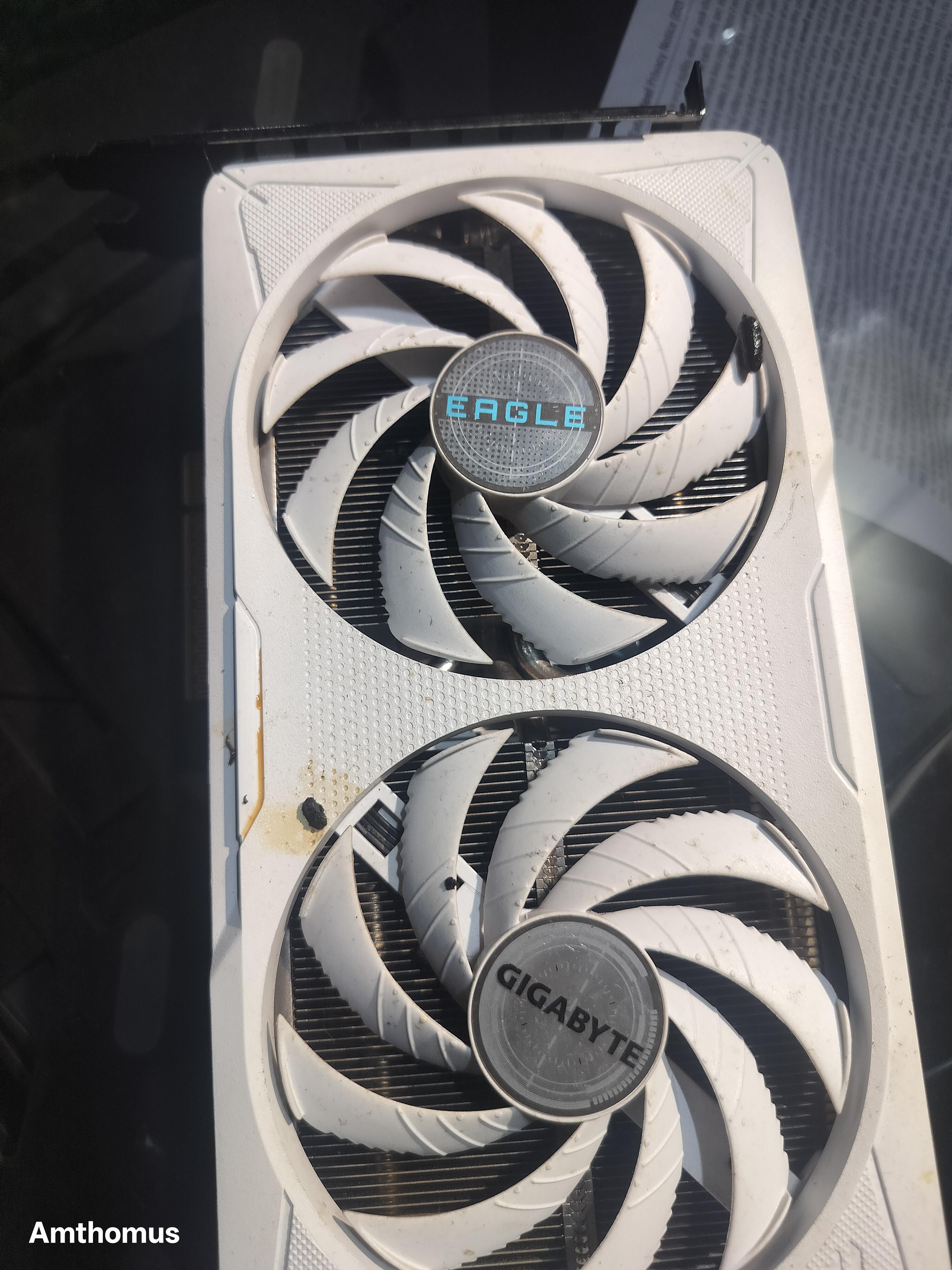
r/pcmasterrace • u/amthomus • 3h ago
r/pcmasterrace • u/sonnyboy678 • 20h ago
Enable HLS to view with audio, or disable this notification
Over the past month I have been seeing these projects done by others with porting console games natively to PC using AI. Now I really do not like using AI but I got very curious and wondered how powerful AI could be in this. So I took a game I very much enjoyed as a child and decompiled the ISO of the Xbox version of the game and fed the raw decompiled source through AI and told it to make it run natively on PC and it did!
I made it make the entire game work through keyboard and mouse and had it fix any graphical glitches and sound glitches that came up. Once it fixed everything and made it run at a stable FPS I asked it to add online capabilities to play with others worldwide using the Steam API through spacewar. It works really good! There have been some minor sync errors but overall all the crashing and major bugs have been fixed.
In the video Im connecting to my own pc using the loopback IP obviously cause I cannot connect to my own steam account but it does run well and I have tested with others elsewhere on the network.
Im currently having AI fix any other bugs that come up and cause problems but I think it is in a playable state to where I could share it. So this is the official discord I made for it with the download and all: https://discord.com/invite/Kny6PNzaQS Please keep in mind I am really busy (and lazy lol) a lot of the time so updates may not come out for a while or take a long time for bugs to be fixed. This was originally meant to be a personal project between me and some friends but luckily I have decided to share it with the world! Please let me know what you think! Also I know a lot of people absolutely hate AI and wont do anything if its involved so if that is you please just skip this post I also do not like AI all that much but you have to admit that it has its uses!
r/pcmasterrace • u/CosmicEmotion • 11h ago
Main Features:
- Mouse Gestures
- Float / Auto Tiling / Scrollable Tiling per workspace
- Radial Menu
It's installed as an RPM and adds a new Desktop Entry in your Login Manager.
r/pcmasterrace • u/RedEntityXR • 43m ago
This was done on an MSI Vector 16 HX AI, with 108.899 seconds total wall time, 88.50% multicore efficiency, and successful validation of all 5 billion digits. What makes this particularly impressive is that I'm using nothing but the laptop's completely stock cooling system, just two factory fans and seven heat pipes, with absolutely no external cooling modifications, in a room at 75°F (23.9°C). For perspective, my result is faster than several published stock-system y-cruncher 5B results, including the Ryzen 9 9900X (109.687 seconds), Ryzen 9 9950X (119.363 seconds), Ryzen 7 9850X3D (115.581-130.000 seconds), and Ryzen 7 9800X3D (143.891-152.563 seconds). It also beats a published Core Ultra 9 285K desktop result of 131.865 seconds. These are official published reference results from different test systems. They illustrate just how competitive this heavily tuned mobile processor can be against considerably more power-hungry desktop hardware. Achieving this level of computational performance with factory laptop cooling and a normal 75°F ambient temperature is an excellent demonstration of what careful BIOS, CPU, and memory optimization can accomplish. Windows 11 Pro was also heavily stripped down with my own custom PowerShell script that I created which modifies 300 different performance-focused aspects of the OS. Tuning details are below -
CPU
• Intel Core Ultra 9 275HX
• 24 cores / 24 threads
• 8 Performance cores + 16 Efficiency cores
Memory
• 32 GB Kingston Fury Impact DDR5
• DDR5-5600 overclocked to 6200
• Timings: 40-40-40-80
• Memory latency: 85.3ns (stock was 102ns)
GPU
• NVIDIA GeForce RTX 5080 Laptop GPU
• 16 GB GDDR7 VRAM
• Full 175-watt GPU configuration
• GPU overclocked +330mhz core/+4300mhz mem/+435mhz xbar/+130mhz sys/+400mhz video/0.9600 nvvdd+msvdd ratio
• Dedicated GPU mode enabled
Display
• 16-inch IPS-LCD
• 2560 × 1600 resolution
• 240 Hz refresh rate
Storage
• 1 TB primary SSD
Power
• 330-watt power supply
Bios Changes
1.) Enabled Overclocking at Advanced > Overclocking > Performance > Overclocking.
2.) Disabled Undervolt Protection at Advanced > Overclocking Performance Menu > Processor > Undervolt Protection.
3.) Disabled CFG Lock at Advanced > Power & Performance > CPU Power Management Control > CPU Lock Configuration.
4.) Disabled Overclocking Lock at Advanced > Power & Performance > CPU Power Management Control > CPU Lock Configuration.
5.) Enabled Intel VT-X at Advanced > CPU Configuration > Intel Virtualization Technology.
6.) Disabled Intel VT-D at Advanced > VT-D.
7.) Set the P-Core Ratio Limit to 57x at Advanced > Overclocking Performance Menu > Processor > P-Core Ratio Limits.
8.) Enabled Per-Core Ratio Override and set the individual P-Core ratio limit to 57x at Advanced > Overclocking Performance Menu > Processor > P-Core Ratio Limits.
9.) Set the E-Core Ratio Limit to 47x at Advanced > Overclocking Performance Menu > Processor.
10.) Set the P-Core Voltage Offset to -40 mV at Advanced > Overclocking Performance Menu > Processor.
11.) Set the E-Core Voltage Offset to -40 mV at Advanced > Overclocking Performance Menu > Processor > VF Configuration Scope > Per Core.
12.) Set the Ring/P-Cache Voltage Offset to -90 mV at Advanced > Overclocking Performance Menu > Ring.
13.) Set the Ring Ratio to 39x at Advanced > Overclocking Performance Menu > Ring.
14.) Set the System Agent Voltage Offset to -20 mV at Advanced > Overclocking Performance Menu > SA.
15.) Enabled Power Limit 1 Override and set Power Limit 1 to 140000 at Advanced > Power & Performance > CPU Power Management Control.
16.) Enabled Power Limit 2 Override and set Power Limit 2 to 220000 at Advanced > Power & Performance > CPU Power Management Control.
17.) Disabled PCIe Gen Speed Downgrade at Advanced > Power & Performance > CPU Power Management Control.
18.) Set tREFI to 30000 at Advanced > Overclocking Performance Menu > Memory Timings.
19.) Set tRFC to 620 at Advanced > Overclocking Performance Menu > Memory Timings.
20.) Set tRRD-L to 12 at Advanced > Overclocking Performance Menu > Memory Timings.
21.) Set tWTRL to 24 at Advanced > Overclocking Performance Menu > Memory Timings.
22.) Set tCCD-L to 12 at Advanced > Overclocking Performance Menu > Memory Timings.
23.) Set tCCD-L-WR to 48 at Advanced > Overclocking Performance Menu > Memory Timings.
24.) Set tWRTS to 6 at Advanced > Overclocking Performance Menu > Memory Timings.
25.) Set tRTP to 18 at Advanced > Overclocking Performance Menu > Memory Timings.
26.) Disabled Secure Boot at Security > Secure Boot > Secure Boot.
27.) Disabled CPU C-States at Advanced > Power & Performance > CPU Power Management Control > CPU C-State Control > CPU C-States.
28.) Enabled Re-Size BAR Support at Advanced > PCI Subsystem Settings > Re-Size BAR Support.
29.) Disabled Energy Efficient P-State at Advanced > Power & Performance > CPU Power Management Control > View/Configure Turbo Options > Energy Efficient P-State.
30.) Set MSI BIOS User Scenario Mode to Performance.
31.) Changed the memory ratio from the default 168/5600 MT/s setting to 186/6200 MT/s.
32.) Disabled HWP Autonomous EPP Grouping at Advanced > Power & Performance > CPU Power Management Control.
33.) Disabled SA GV at Advanced > System Agent (SA) Configuration > Memory Configuration > SA GV.
34.) Disabled DDR Power Down Mode at Advanced > System Agent (SA) Configuration > Memory Configuration > Power Down Mode.
35.) Set Audio DSP Compatibility Mode to UAA HDA Inbox Audio Mode at Advanced > PCH-IO Config > Audio DSP Comp Mode.
36.) Disabled Wake On Voice at Advanced > PCH-IO Config > HD Audio DSP Features Config.
37.) Disabled Codec Based Wake On Voice at Advanced > PCH-IO Config > HD Audio DSP Features Config.
38.) Disabled Intel SST Speech at Advanced > PCH-IO Config > HD Audio DSP Features Config.
39.) Disabled Custom Module Beta at Advanced > PCH-IO Config > HD Audio DSP Features Config.
40.) Disabled Custom Module Gamma at Advanced > PCH-IO Config > HD Audio DSP Features Config.
41.) Disabled Audio DSP at Advanced > PCH-IO Config > HD Audio DSP Features Config.
42.) Enabled Legacy IO Low Latency at Advanced > PCH-IO Config.
43.) Disabled all three LPM SO options at Advanced > PCH-IO Config.
44.) Disabled PCH LPM at Advanced > PCH-IO Config.
45.) Disabled ASPM on PCI Express Root Port SPA1 and the remaining PCIe root ports at Advanced > PCIe Config.
46.) Disabled Advanced Error Reporting on PCI Express Root Port SPA1 and the remaining PCIe root ports at Advanced > PCIe Config.
47.) Disabled CCF AutoGV at Advanced > Power & Performance > CPU Power Management Control.
48.) Disabled Power Floor Management at Advanced > Power & Performance > CPU Power Management Control.
49.) Disabled Race To Halt (RTH) at Advanced > Power & Performance > CPU Power Management Control.
50.) Disabled HwP Autonomous Per Core P State at Advanced > Power & Performance > CPU Power Management Control.
51.) Disabled the NPU at Advanced > System Agent.
52.) Disabled Low Power S0 Idle Capability at Advanced > RC ACPI Settings.
53.) Disabled RC6 Render Standby at Advanced > Power & Performance > GT-Media Power Management Control.
54.) Disabled Global DDR RFI Mitigation at Advanced > System Agent Configuration > Memory Configuration > RFI Setting.
55.) Disabled HWP Lock at Advanced > Power & Performance > CPU Power Management Control.
56.) Disabled Global DLVR RFI Mitigation Control at Advanced > Power & Performance > CPU Power Management Control > CPU VR Settings > RFI Settings.
57.) Disabled VTIO Support at Advanced > Platform Settings > VTIO, although this setting currently appears to re-enable itself automatically.
58.) Disabled ACPI D3Cold Support at Advanced > ACPI D3Cold Settings.
59.) Set ADMA to Force ADMA at Advanced > SDIO Config.
60.) Disabled DMI ASPM at Advanced > DMI Config.
61.) Disabled DMI Link ASPM Control at Advanced > DMI Config.
62.) Disabled DMI L1SS at Advanced > DMI Config.
63.) Disabled Legacy UART at Advanced > Debug Config.
64.) Set SoundWire Codecs Topology to Default at Advanced > PCH-IO Config > HD Audio Config.
65.) Disabled DMIC #0 at Advanced > PCH-IO Config > HD Audio Config.
66.) Disabled Energy Efficient Turbo at Advanced > Power & Performance > CPU Power Management Control > View/Configure Turbo Options.
67.) Disabled Core PS3 at Advanced > Power & Performance > CPU Power Management Control > Efficiency Performance VR Settings.
68.) Disabled Core PS4 at Advanced > Power & Performance > CPU Power Management Control > Efficiency Performance VR Settings.
69.) Disabled SA PS3 at Advanced > Power & Performance > CPU Power Management Control > SA VR Settings.
70.) Disabled SA PS4 at Advanced > Power & Performance > CPU Power Management Control > SA VR Settings.
71.) Disabled GT VR PS3 at Advanced > Power & Performance > CPU Power Management Control > GT VR Settings.
72.) Disabled GT VR PS4 at Advanced > Power & Performance > CPU Power Management Control > GT VR Settings.
73.) Set DMI Max Link Speed to x4 at Advanced > DMI Config.
74.) Disabled USB XHCI Hand-Off at Advanced > USB Config.
75.) Disabled S0ix Auto Demotion at Advanced > PCH-IO Config.
76.) Disabled WDT Enable at Advanced > Overclocking Performance Menu.
77.) Disabled PTID Support at Advanced > RC ACPI Settings.
78.) Set PCIe Delay Between _OFF and _ON to 50 ms at Advanced > RC ACPI Settings.
79.) Disabled MC6 Media Standby at Advanced > Power & Performance > GT/Media Power Management Control.
80.) Disabled PAVP at Advanced > System Agent (SA) Configuration > Graphics Configuration.
81.) Disabled PMC Watchdog Timer at Advanced > PCH-IO Config > PMC Config.
82.) Disabled 8254 Clock Gate at Advanced > PCH-IO Config.
83.) Disabled PET Progress at Advanced > AMT Config > ASF Config.
84.) Disabled Crashlog Feature at Advanced > Debug Settings > Crashlog Settings.
85.) Disabled Three Strike Counter at Advanced > Debug Settings > Advanced Debug Settings.
86.) Enabled PCI-E Delay Optimization at Advanced > RC ACPI Settings.
87.) Disabled Per Core P State OS Control Mode at Advanced > Power & Perf > CPU Power Mgmt Control.
88.) Disabled OS Idle Mode at Advanced > PCH-IO Config.
89.) Disabled GPE1 Support at Advanced > Platform Settings.
90.) Lowered Data On Active Interval Select SNDW (all) to 6 at Advanced > PCH-IO Config > HD Audio Config > HD Audio Advanced Config.
91.) Lowered Data On Delay Select SNDW to 2 (all) at Advanced > PCH-IO Config > HD Audio Config > HD Audio Advanced Config.
92.) Disabled BT Low Energy at Advanced > PCH-IO Config > HD Audio Config > HD DSP Features Config.
93.) Set iDisplay Audio Link T-Mode to 1T at Advanced > PCH-IO Config > HD Audio Config > HD Audio Advanced Config.
94.) Set NGU Ratio to 30x at Advanced > Overclocking Performance Menu > NGU.
95.) Set OC Ratio to 30x at Advanced > Overclocking Performance Menu > NGU.
96.) Set D2D Ratio to 30x at Advanced > Overclocking Performance Menu.
97.) Enabled Switch Off DMI Power Gating at Advanced > DMI Config.
98.) Disabled USB Audio Offload at Advanced > PCH-IO Config > USB Config.
99.) Enabled Enhanced Port 80h LPC Decoding at Advanced > PCH-IO Config.
100.) Disabled Energy Reporting Debug Mode at Advanced > PCH-IO Config.
101.) Disabled Ring Down Bin at Advanced > Overclocking Performance Menu > Ring.
102.) Set the GT Voltage Offset to -70 mV at Advanced > Overclocking Performance Menu > GT.
103.) Disabled Computer-Die SSC at Advanced > Overclocking Performance Menu.
104.) Disabled SOC-Die SSC at Advanced > Overclocking Performance Menu.
105.) Disabled CPU Run Control at Advanced > Debug Settings > Advanced Debug Settings.
106.) Enabled SOC BCLK PLL Configuration at Advanced > BCLK Configuration.
107.) Enabled CPU BCLK PLL Configuration at Advanced > BCLK Configuration.
108.) Disabled USB3 Type-C UFP2DFP Kernel/Platform Debug Support at Advanced > Debug Settings > Advanced Debug Settings.
109.) Disabled D3 Setting for storage at Advanced > RC ACPI Settings.
110.) Set CH Hash Interleaved Bit to BIT7 at Advanced > System Agent Configuration > Memory Configuration.
111.) Disabled Opportunistic Self Refresh at Advanced > System Agent Configuration > Memory Configuration.
r/pcmasterrace • u/Hour_Inspection_2733 • 1h ago
Hello. I'm new to PC and I'm just now getting one set up. I'm trying to plug an HDMI cord into the GPU port but I'm brand new to PC and don't want to screw up. Could someone double-check my ports to see if I'm choosing the correct one?
r/pcmasterrace • u/No_Historian_18505 • 5h ago
I’m considering getting into PC gaming because of how bleak the future looks for consoles. My biggest gripe with PC gaming is Windows. I can’t stand it as an operating system. I built a PC a few years ago and had nothing but trouble with drivers and things not working. It was so annoying so I ended up selling it and going back to console. Maybe it was because I built it myself and didn’t do it right but at times it was infuriating when I just wanted to play games.
Is there a way to get a full gaming experience without windows? Or a way to minimize the issues with windows? Something that would almost make it more console like?
r/pcmasterrace • u/Badhombre9388 • 22h ago
After 20 Years of PlayStation Loyalty, I’m Officially Moving to PC Gaming.
For the past 20 years, I’ve been a dedicated console gamer and an unapologetic, ride-or-die Sony fanboy. I spent countless hours on gaming forums defending PlayStation, debating console superiority, and even poking fun at PC gamers for spending thousands of dollars on their elaborate builds.
Oh, how the tables have turned.
Fast-forward to 2026, and I find myself increasingly disillusioned with Sony and the direction of the console gaming industry. What was once a platform built around accessibility, convenience, and the enjoyment of gaming has gradually shifted toward an ecosystem that prioritizes corporate control, digital distribution, and recurring revenue over consumer ownership.
With growing speculation that future consoles could abandon physical media entirely, I believe we’re approaching a troubling turning point in gaming history.
The fundamental issue isn’t digital gaming itself. It’s the erosion of consumer ownership.
When you purchase a physical game, you generally have a tangible product that you can keep, lend, trade, or resell. Although modern physical releases aren’t always free from downloads or online requirements, they still offer a degree of independence that digital-only ecosystems increasingly threaten.
Digital purchases, on the other hand, often provide access through a license rather than unrestricted ownership. That distinction matters.
We’ve already witnessed controversies involving the removal of previously purchased digital entertainment from online storefronts, including PlayStation’s handling of certain movie and television content. These incidents raise legitimate concerns about what consumers actually own when they spend their hard-earned money on digital products.
And that’s precisely where my frustration lies.
A company should not have indefinite control over whether I can access something I’ve already purchased.
For decades, the appeal of console gaming was its simplicity. You bought a console, inserted a disc or cartridge, and enjoyed your game. No complicated configurations, no unnecessary subscriptions, and, for many games, no dependence on an internet connection.
That simplicity was the foundation of the console experience.
Now, we’re moving toward a future increasingly defined by digital storefronts, online authentication, subscription services, and restrictive licensing agreements. The possibility of losing access to purchased content because of licensing disputes, server shutdowns, or corporate decisions is something I find fundamentally unacceptable.
I also worry about what happens when physical alternatives disappear. When a platform holder controls the hardware, storefront, and distribution of games within its ecosystem, consumers have fewer options and considerably less bargaining power.
Sony’s recent strategic direction and leadership changes have only reinforced my concerns that maximizing revenue is taking precedence over preserving the consumer-friendly aspects of gaming that originally earned my loyalty.
And while PC gaming isn’t immune to DRM, licensing restrictions, or digital storefront controversies, it offers something I increasingly value: choice.
On PC, I can choose between storefronts, purchase DRM-free games when available, maintain access to decades of older titles, modify my hardware, and upgrade individual components without replacing an entire system.
So, after two decades of defending PlayStation, I’ve finally decided to make the switch.
My new gaming PC:
Processor: AMD Ryzen 7 9800X3D
Graphics Card: NVIDIA GeForce RTX 5070 Ti 16GB
Memory: 32GB DDR5 6000MHz
Storage: 2TB M.2 SSD
Cooling: 280mm AIO liquid cooler
It’s a substantial investment, but it’s one I’m willing to make for greater flexibility, long-term upgradeability, and more control over my gaming experience.
There’s something deeply ironic about becoming the very PC gamer I used to ridicule on gaming forums. Twenty years ago, I would have laughed at someone spending this much money on a computer just to play video games.
Today, I understand exactly why they do it.
I don’t regret the countless memories PlayStation gave me. From the original PlayStation through the PS5 generation, Sony played an enormous role in shaping my passion for gaming.
But brand loyalty should never be unconditional. Companies must continue earning the trust of their customers, regardless of how much history those customers have with their products.
I haven’t fallen out of love with gaming. I’ve simply fallen out of love with the direction console gaming is heading.
After 20 years, I’m closing the PlayStation chapter and embracing PC gaming.
And this time, I don’t intend to look back.
I want to own my gaming experience, not merely rent access to it.
r/pcmasterrace • u/Havoc_LP • 22m ago
Hi all, this is probably just a preludium to me crying due to being scammed.
So...I was looking for some time on eBay and marketplace to find a good price of a new GPU. 3080 is getting old after all. But I am no rush, do not play much etc and still have my old GPU. So generally speaking...I am in a position I can take the risk and hassle with eBay/paypal for weeks if needed to be. However...I do have a glimpse of hope still even though it does look crazy good (for current market condition of course).
5070 Ti for sub £800 "new/unopened". Oh...I am going to cry so much :D Quite sure it will either not show up at my doorstep or it will be a bag of potatoes :D
Funny enough..seller shows from my area, but there is no way in hell I am passing on delivery and resign from eBay protection.
r/pcmasterrace • u/AllMyFrendsArePixels • 17h ago
Just a dumb shitpost but it makes me laugh every time there's an update for Java (which I need and use constantly), and every time it's just like "Are you really sure you want to update? Like bro what are you doing it's 2026, just let me go. Remove button's right there buddy."
r/pcmasterrace • u/CrimsonClover__ • 22h ago