r/ipad • u/Radio_TVGuy • 10h ago
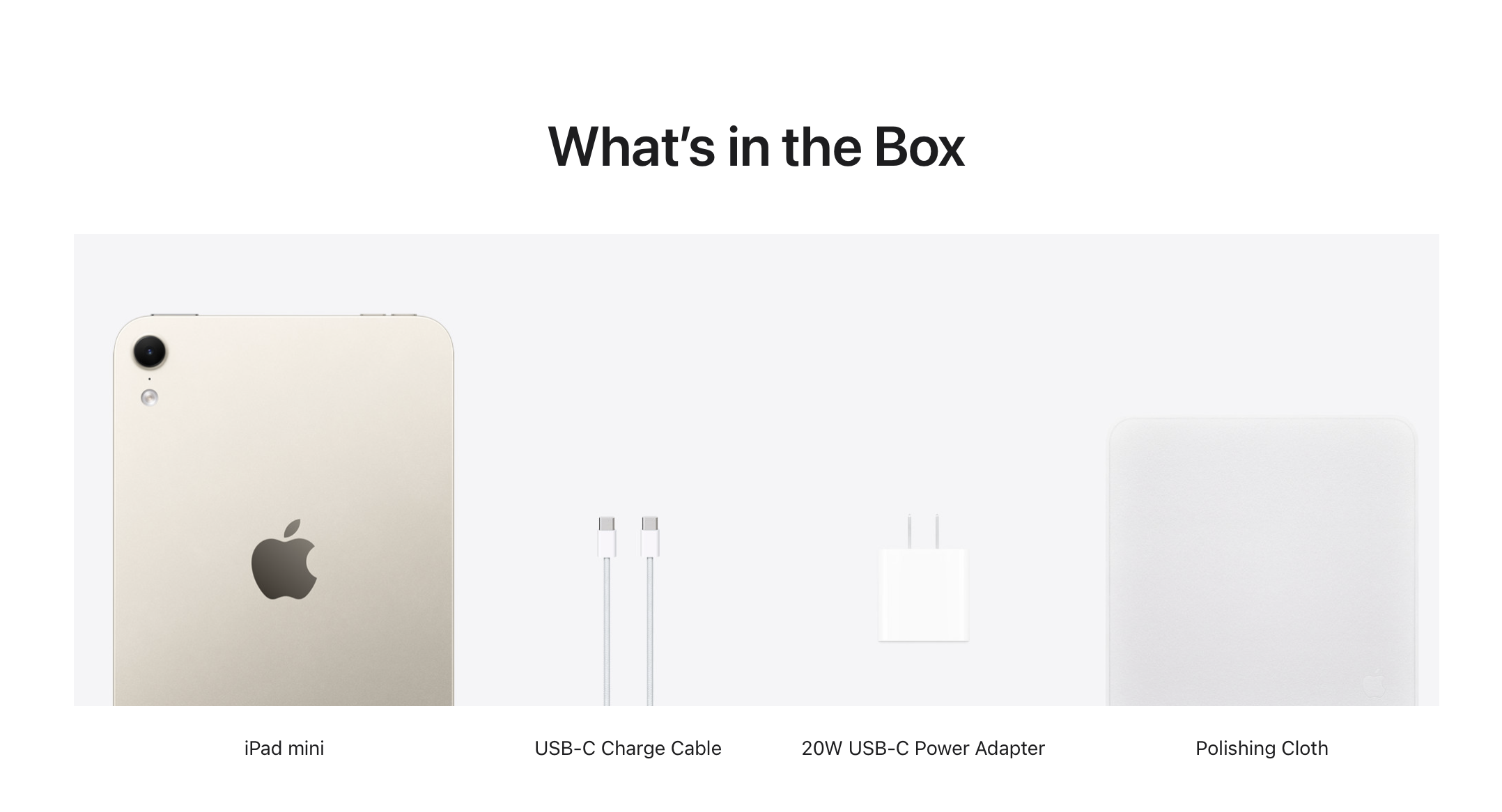
News Apple gives iPad mini its biggest update ever
757
Upvotes
r/ipad • u/AutoModerator • 2d ago
Get help regarding any issues you might be having with your iPad, with your applications, your accessories, physical and software problems, etc. Fellow redditors and members of the moderation team will do their best to assit you, so consider helping out others in the thread while you wait for assistance.
Discuss here anything that's iPad related, but not post worthy.
You may want to consider looking for similar questions to the one you're about to ask, in previous D&TS threads listed below, or by using the search bar, as chances are someone was in the same situation as you before. You can also contact Apple directly and freely through their Apple Support live chat, for real expertise.
Please, while you wait for an answer to your question, consider giving back to the community by helping out others in this thread
r/ipad • u/AutoModerator • 2d ago
Are you wondering which iPad is best for you, or if you should buy one in the first place? Are you hesitating between the 12.9" versus the 11"? Which keyboard/mouse should you get or what is the best screen protector out there? Are you looking for shipping information? This is the place to ask. Fellow redditors and members of the moderation team will do their best to assist you.
Please, while you wait for an answer to your question, consider giving back to the community by helping out others in this thread.
You may be able to find similar questions to the one you're about to ask, in previous WSIB threads listed below, or with the search bar, as chances are, someone was in the same situation as you before.
r/ipad • u/Radio_TVGuy • 10h ago
r/ipad • u/jaredcwood • 9h ago
#Satire
But surprised to see it in there. ¯_(ツ)_/¯
r/ipad • u/ManyRazzmatazz4584 • 8h ago
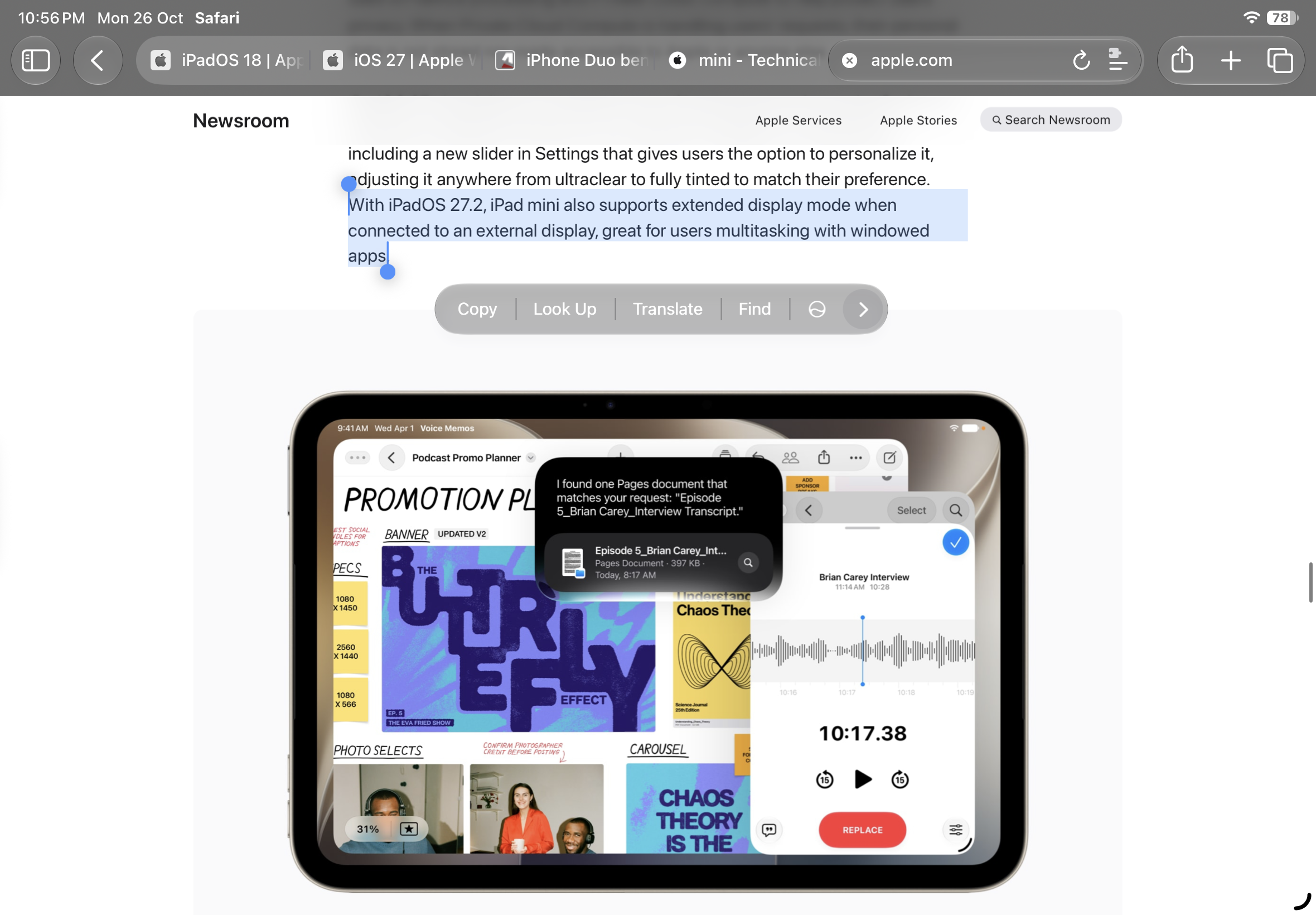
iPad mini finally getting external display support. And I don't care about the lack of 120hz or anything. It's small size, with OLED, with the ability to expand canvas on demand, it's perfect.
But the price is 999 SGD. Ah, blame the RAM prices.
r/ipad • u/Special_Regret_6805 • 9h ago
The amount of people i'm seeing defending apple for the new ipad mini being 60hz is honestly insane.
You have to remember just how much the ipad mini costs. This isn't a $200 android.
Even if 80% of the people don't care its 60 hz, at this price point it should be a given. Apple is just being cheap/trying to differentiate the pros.
r/ipad • u/Aggravating-Cream-12 • 10h ago
Assuming this will also have pro motion?
r/ipad • u/TheWalkdenDead • 4h ago

Remove the Air name and change the regular iPad to iPad Neo so the mini's place in the lineup makes more sense, because "iPad mini" sounds like a smaller version of the budget iPad whereas it's more like an iPad Air mini currently.
r/ipad • u/slatepad • 8h ago
Buried in Apple’s press release is that the OLED iPad Mini is getting proper (non-mirrored) external display support with iPadOS 27.2. I’ve been using the 11-inch Pro as my daily driver, partially because it can also plug into a monitor for productivity.
Even with a 60hz display, this might change what iPad I bring with me on the go.
Anyone else?
r/ipad • u/Outrageous-Sink-2421 • 5h ago
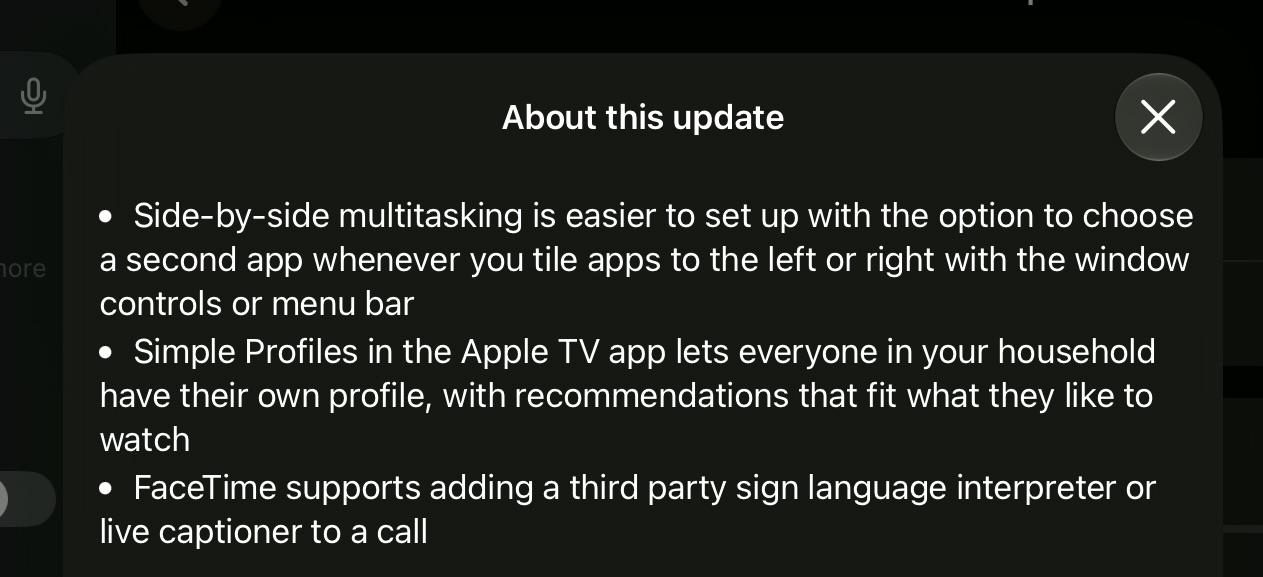
I’m currently downloading the new OS version on my iPad
r/ipad • u/Admirable_Bass_3443 • 2h ago
I got this iPad 2 a few days ago and it’s working pretty well honestly
Initially I had iOS 6 on it but I broke the install so I decided to restore it and downgrade to iOS 8.4.1 and give it a shot. It’s working pretty well and I’ve been using it now for a while like this. Mostly YouTube and some games. Sure not the latest, YouTube is not the highest quality but for 20$ I’m not complaining and it’s a good introduction to iPads for me since I’ve never used one in my life.
So what are your opinions on the iPad 2?
r/ipad • u/MadCybertist • 2h ago
I used to use it daily with the keyboard and pencil. Was basically my work device for a LONG time. I then picked up a MBA and I really don’t use my iPad much anymore. What I do use it for more than most things are reading manga, a bit of 3d design (shapr3d) and my daughter watches some shows occasionally.
The 13” Pro is just too big for me to use without the keyboard honestly. Thinking of swapping and keeping the pencil to use with the iPad Mini for when I do 3d design on it. It’ll probably be 75% manga device really.
How’s the new Mini shaping up?
got an ipad air 4 for uni with 64gb (final semester, using 60gb as of now)
im scared that battery life and smoothness may be severely impacted. anybody got experience with this specific device/OS combination? thank you everyone :-)
(i require only goodnotes for pdf annotation, firefox browser and a medical app that need at least ios17, which is why i have to update but since i know of no way to update to 17, i‘m faced with my current dilemma)
r/ipad • u/threefoldaffliction • 8h ago
Enable HLS to view with audio, or disable this notification
Happened about 2 days ago randomly, has been like this since then
idk what the problem is, was working perfectly smooth till now
It’s an ipad mini 4
r/ipad • u/lovemai03 • 3h ago
Hello Everyone!
I want to buy an ipad/tablet as I will be starting my masters course sson and would like to use it for studying, note taking, reading, playing games and streaming. I am a bit confused about which one should I go for?
The Samsung Tablet S10 FE comes with a pencil, is cheaper and I have a samsung phone. However the Ipad comes in pink colour and I haven't had an apple device before so I was wondering which one would be better. I would ideally want one that has long battery, connects easily to keyboard and can take notes and voice record lectures.
Any advice would be much appreciated!
r/ipad • u/Plus_Menu_8410 • 15h ago
Enable HLS to view with audio, or disable this notification
Very frustrating because I just updated to IpadOS 27 and this is what I notice first. It happens to every app when I have the keyboard up and go back to the homescreen. I have the ipad pro m2 btw 💔
r/ipad • u/Long-Farm6163 • 6h ago
Enable HLS to view with audio, or disable this notification
I just saw my iPad light up on the homepage without entering passcode, and after that it didn’t require passcode to unlock. You can see in the video I set require passcode immediately. It’s fixed after restarting.
Anyone encountered this before? iPad Pro m5 newest os.
r/ipad • u/HeartIllustrious3153 • 2h ago
Sorry if it was the reoccurring question, Im new here.
So, I just bought M4 ipad with apple pencil pro and have trouble getting the double tap feature to work.
When I try to double tap to “switch between current tool and eraser” it just doesn’t work and what I notice is that when you have the “show tool palette” as your squeeze setting, on the first tap at an attempt to double tap it activates the squeeze feature which opens palette on my setting so on the second tap it just collapses the tool palette and can’t physically activate the double tap feature. The problem is that you only have show tool palette for squeeze and its not simply the matter of swapping the setting.
This is my first ipad and apple pencil device so i was wondering if anyone have the same problem and the work around this.
Thank you!
r/ipad • u/Sprinkles_Leather • 3h ago
Does anyone have a solution for the inconsistency in the link between Macbook and Ipad?
Recently bought an Ipad to study and learn with and sometimes I'd want to use it to extend my Macbook screen or to control it from the Macbook through universal control but neither do work,
when trying through the cursor I push it to the edge of the screen and that gray widget appears but then stutters and nothing happens and the devices disconnect like nothing, might sometimes work after doing some black magic restarting devices and turning bluetooth and airdrop off and on.. only work around considered to work is when connected them through a type-c cable but I don't like it as it drains charge from the Macbook to Ipad lol and it should work wirelessly anyways..
saw a lot online facing the same issue for long periods of time so made me wonder if anyone been able to solve it..
r/ipad • u/Towelie_SE • 3h ago
The question is irrespective of iPad model.
Apple has completely abandoned the classic folio type cover. I have an Apple original folio keyboard for the M2 iPad Pro, but looking at upgrading (Air, Pro, Mini) I noticed that the folio case is not offered as an accessory.
I really dislike the Magic Keyboard case. The keyboard folio was just perfect, you can fight me on that. It's powered from the iPad (no separate battery), and adds hardly any weight or bulk to the iPad. All I needed the keyboard for was to type out a text or mail here and there, or for easier browsing. I don't need the trackpad, F-buttons, media controls, that's what the screen is for, it's an iPad after all.
Any other brand offering folio keyboards always combines it with a wrap around case (bumpers all around the iPad), which I don't want either, with regard to bulk and weight.
I saw Logitech has a new one? But it's huge, it's like carrying around an external keyboard (one of the plasticky ones I already own from Logitech).
What's the play here? My current folio is starting to show some wear and tear (after three years being carried in bags, so fair play), and I won't even be able to find a replacement for my current setup.
r/ipad • u/Money-Photograph9446 • 4h ago
So the ipad is from my school and i can’t delete the bookmark cause they turned the feature off. I tried stuff like turning mdm off but didn’t work, putting the bookmark on another page but i can’t move apps. Resetting the ipad would be an option but i have a lot of stuff on there and i can’t make a backup because i can’t put an apple id on it. If you want i can send a photo of the restrictions but i have a lot of them
Hi everyone,
I recently purchased a brand-new 13-inch iPad Air M2 at the end of September 2026, and I’m a little concerned about its battery drain while idle.
I charged it to 80% and left it unused in sleep mode for three days. When I picked it up, the battery had dropped to 40%, meaning it lost 40% over that period.
Here are some details about the device and its settings during those three days:
- Background App Refresh was disabled.
- Bluetooth was turned off throughout the entire period.
- Only three apps were left open: Flowkey, Simply Piano, and Control Center. However, none of them appeared to show significant background activity in the Battery settings.
- The Battery usage screen showed only 2 minutes of screen-on time on each of the last two days, with battery consumption of 7% on October 24 and 18% on October 25.
- Battery Health reports 100% maximum capacity, and the cycle count is 0.
One other thing I noticed was that when I first unboxed the iPad, its battery was completely drained at 0%. I had to leave it connected to the charger for a few minutes before it could boot up.
The iPad was brand-new, unboxed and set up by me for the first time. I updated it to the latest available iPadOS version without any issues, and otherwise, it works perfectly.
I understand that some battery drain during sleep is normal, but losing 40% over three days with virtually no use seems unusually high to me.
**My questions are:**
- Is this level of battery drain normal for the 13-inch iPad Air M2?
- Could the initial 0% battery level when unboxed be related to this, or is that normal for a device that has been sitting in storage?
- Would you recommend any further tests, or should I consider contacting Apple Support?
I’m interested in hearing your experiences, particularly from other iPad Air M2 owners. I’m not assuming the device is defective; I’m simply trying to determine whether this is normal behavior or something worth investigating.
Thanks in advance!